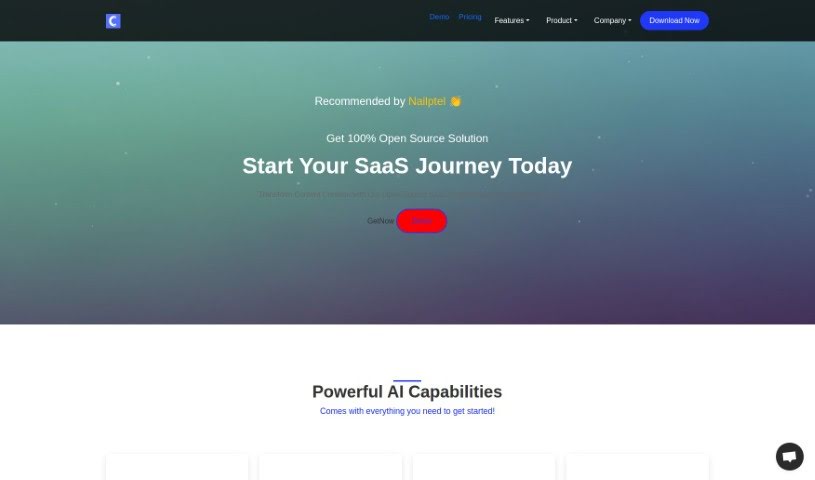
What Exactly is ClarityWrite?
ClarityWrite is a neat open-source SaaS script that runs on OpenAI APIs. It is your AI-powered assistant for creating all sorts of content. It’s packed with tools for writing, generating images, coding, and even transcribing audio and video. Beyond that, ClarityWrite offers handy management features. You get multi-language support, flexible payment options, a built-in blog system, CMS management, and the ability to handle multiple accounts. The whole idea is to really shake up how we create content, using advanced AI and features like AI chatbots that can chat with you in real-time about things like SEO, web development, and marketing.
So, Who’s Behind ClarityWrite?
ClarityWrite was developed by a company that shares the same name, ClarityWrite. They launched it on March 11, 2024. This platform is all about giving you AI-driven tools for content creation. You can use it for AI Writing, AI Image generation, AI Code assistance, and Transcription. Plus, it comes with management features like support for multiple languages, flexible payment gateways, a blog system, a CMS management system, and options for managing multiple accounts.
What Can You Actually Do with ClarityWrite?
Here’s a breakdown of what ClarityWrite helps you achieve:
- Create Sub-admin Accounts: Easily set up accounts for team members or clients.
- Manage Translations Effortlessly: Handle content in different languages without a hitch.
- Flexible Payment Methods: Choose from various online and offline payment options.
- Organize Your Content: Keep your blog posts tidy with clear category management.
- Streamline Operations: Manage everything smoothly with multi-account capabilities.
- Lifetime Updates: Get ongoing updates included with your purchase.
- Multi-Color Interface: Customize the look with different color themes.
- Multi-Package Subscriptions: Offer various subscription tiers to your users.
- In-App Chat Support: Get help directly within the application.
- Free Support: Receive support as part of your package.
- Generate High-Quality Content: Use AI writing to create excellent content with ease.
- Create Stunning Visuals: Make eye-catching graphics with AI-generated images.
- Automate Coding: Speed up coding tasks and get code snippets quickly using AI.
- Accurate Transcription: Transcribe audio and video files precisely and efficiently with AI.
- Connect with AI Experts: Chat in real-time with AI experts about SEO, web development, marketing, and more.
- Use a Comprehensive Blog System: Organize your content effectively with blog categories.
- Simplify Website Management: Update and manage your website content easily with an intuitive CMS.
- Enhance Collaboration: Work better with others using multi-account options for smoother operations.
- Leverage GPT-3.5 and GPT-4: Generate natural language and code using these powerful models.
- Explore DALL·E: Create and edit images based on your text prompts.
Who Should Be Using ClarityWrite?
ClarityWrite is a great tool for:
- Entrepreneurs
- Content creators
- Marketers
- Website developers
- Software engineers
- Developers
- DevOps professionals
- Digital marketers
- Web Developers
- SEO specialists
How Do I Get Started with ClarityWrite?
Using ClarityWrite is pretty straightforward. Just follow these steps:
- Sign Up: Head over to the Clarity Write website and pick the pricing plan that works best for you.
- AI Writing: Jump into the AI Writing Module. You can easily create high-quality content using its advanced AI algorithms.
- AI Image Creation: Use the AI Image Module to generate amazing visuals and graphics.
- AI Code Assistance: Speed up your coding with the AI Code Module, which generates code snippets.
- Transcription: Need to transcribe audio or video? The Transcription tool does it accurately and efficiently.
- Chat with Experts: Connect with AI experts one-on-one for real-time conversations.
- Explore Templates: You’ve got over 500 built-in templates to help with all sorts of content creation needs.
- Refine Your Work: Use Clarity Write’s powerful editor to polish your content.
- Admin Tools: Manage various parts of your operations. This includes multi-language support, flexible payment gateways, the blog system, CMS management, and multi-account options.
- OpenAI API Integration: Benefit from enhanced capabilities thanks to the integrated OpenAI API.
- Premium Support: Get help from skilled engineers via email, WhatsApp, or live chat.
- AI Chatbot Assistance: The platform’s AI chatbots can help you with SEO, web development, and marketing strategies.
Following these steps should help you really make the most of Clarity Write’s features for efficient, high-quality content creation and management.