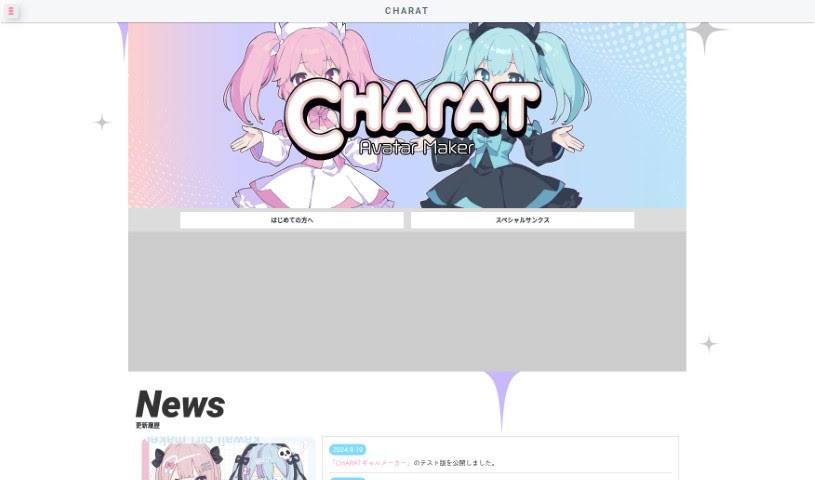
Screenshot of Charat

Charat

Discover what Charat is and how to use it effectively in 2025. Dive into its features, compare it with other art generators, and learn to create unique characters.

Screenshot

What is Charat?

Charat is a fantastic website all about creating characters. It is your go-to spot for designing your very own original characters. It’s packed with tons of ways to customize everything – from hairstyles and outfits to all sorts of accessories. This means you can really make unique, personalized characters for whatever you need, whether that’s for your artwork, to build a story around, or even for role-playing games. The interface is super easy to use, and with so many design choices, making characters becomes a really fun and creative process. Once you’re happy with your creation, you can save and download it to use in your projects, share on social media, or just keep for yourself. Basically, Charat is a super fun and simple way to bring your imaginative characters to life visually.

Who created Charat?

Charat was actually made by a company called CharacWare. The person behind CharacWare is known as Mae. Charat is a platform where you can create your own original chibi character icons. CharacWare also offers other cool services like Charat Mae, Charat Yoco, and Charat Mae2, and each one lets you create your own unique chibi character icons.

What is Charat used for?

Charat is incredibly versatile! Here’s a rundown of what you can do:

  • Create awesome chibi characters.
  • Design cute chibi avatar characters.
  • Make original chibi character icons.
  • Animate running chibi characters.
  • Create chibi characters nestled in a bowl.
  • Turn your name into cool Kanji characters.
  • Design adorable icons.
  • Craft original female character designs.
  • Develop original male character designs.
  • Create unique, full-body anime characters.
  • Generate full-body standing images perfect for VTubers, PNGTubers, TRPGs, and more.
  • Make more cute icons.
  • Design original female characters.
  • Design original male characters.
  • Produce original chibi character icons.
  • Create anime characters with unique postures and actions.
  • Design 2D anime girls and boys, manga characters, and completely custom anime characters.
  • Customize anime characters with lots of options, including gender, hair, colors, eyes, and more.
  • Use powerful AI technology to help with character design.
  • Play around with various avatar creation tools and even diagnostic tests.
  • Create full-body illustrations for VTubers or PNGTubers.
  • Design more cute icons.
  • Create original female and male characters.
  • Make Chibi avatars.
  • Design cool Chibi characters.
  • Customize cute Chibi characters with various accessories.
  • Generate anime characters, choosing gender, hair, colors, and poses.
  • Design anime characters with different eye styles.
  • Use powerful AI technology to create anime characters.
  • Create full-body anime characters.
  • Design 2D anime girls and boys.
  • Create manga characters.
  • Customize anime characters with a wide range of options like gender, hair, color, eyes, and pose.
  • Craft custom anime characters with the help of AI technology.
  • Make characters for VTubers, PNGTubers, and TRPGs.
  • Design cute icons and avatars.
  • Create chibi characters and avatars.
  • Produce original icons for male and female characters.
  • Design characters with specific themes, like gyaru or JK styles.

Who is Charat for?

Charat is a great tool for a wide range of creative individuals:

  • Illustrators
  • Game developers
  • Animators
  • Writers
  • Graphic designers
  • Marketing professionals
  • Social media managers
  • Teachers
  • Cosplayers
  • Fashion designers

How to use Charat?

Using Charat is pretty straightforward! Just follow these simple steps:

  1. First, pick the specific Charat tool you’d like to use. There are options like CHARATæœŹćź¶ or CHARATぷづ, for example.
  2. Go ahead and click on the tool you chose to start creating. Each tool offers different features, whether you want to make avatars or entirely original characters.
  3. Now, you can start customizing your avatar or character. You’ll find lots of options for things like hairstyles, outfits, and accessories.
  4. Take your time to explore all the different customization options available. This is where you really get to design the character exactly how you want it.
  5. Once you’re happy with how your character looks, just save or download it.
  6. You can then share your awesome creation on social media, use it as a profile picture, an icon, or for any other personal use you can think of.

By following these steps, you’ll find it’s really easy to create and customize adorable avatars or characters with the Charat tools. Enjoy the creative process, and have a blast designing unique characters that perfectly match your style and preferences!

Related AI Tools

Discover more tools in similar categories that might interest you

123RF AI Image Generator

Creative Image Generation
Learn More

Stay Updated with AI Tools

Get weekly updates on the latest AI tools, trends, and insights delivered to your inbox

Join 25,000+ AI enthusiasts. No spam, unsubscribe anytime.