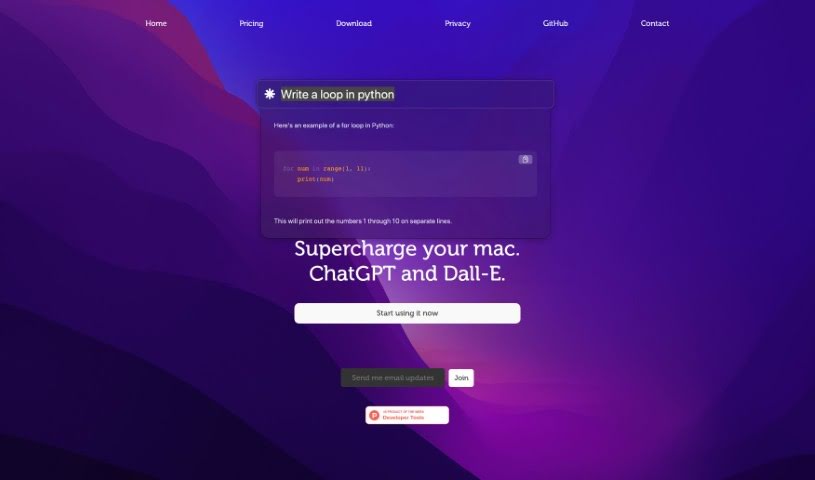
Screenshot of Chaibar.ai

Chaibar.ai

Discover what Chaibar.ai is and how to use it effectively in 2025. We'll explore its features and compare it to other AI art generators.

Screenshot

What is Chaibar.ai?

Chaibar.ai is a really neat tool built to help Mac users be more productive and creative. It does this by bringing together AI-powered chat and visual creation all in one place. It is a smart assistant that combines ChatGPT’s ability to understand and generate text with Dall-E’s power to create images. It’s perfect for professionals who want to speed up their work or anyone curious about the artistic side of AI. The software has a simple interface and uses smart technology to understand even complex requests, making it super versatile for all sorts of tasks.

Who created Chaibar.ai?

Sergio Abril, the founder of Chaibar.ai, is the creative mind behind this platform. He designed it to boost productivity and creativity for Mac users by blending AI chat (like ChatGPT) with visual generation (like Dall-E). Sergio specifically tailored Chaibar.ai to help professionals streamline their daily tasks and also for those who love exploring what AI can do artistically. The software is built to grasp complicated questions and jobs, making it a genuinely useful tool for many different uses. Key features include built-in ChatGPT, Dall-E visual creation, seamless Mac compatibility, a super easy-to-use interface, and its wide range of applications.

How to use Chaibar.ai?

Ready to dive in? Here’s how to get started with Chaibar.ai:

  1. Get a Subscription: First, you’ll need to subscribe to Chaibar.ai. You can choose between a Basic or Pro plan, each offering different levels of access to its features.
  2. Download the Software: Once you’ve subscribed, you can download Chaibar.ai using the link we provide. If you’re feeling adventurous and want to customize it, you can even compile the binary yourself from GitHub.
  3. Understanding Usage Limits:
    • Basic Plan: This plan gives you access to roughly 1,250,000 tokens for ChatGPT.
    • Pro Plan: This plan offers a more generous limit of about 4,500,000 tokens, or you can generate up to 45 images, or a combination of both.
    • Just so you know, OpenAI® measures tokens based on their method (about 0.75 words per token), and images are billed separately.
  4. Refund Policy: Because this is a digital service that’s immediately accessible, we can’t offer refunds once your account has been used. However, you’re always welcome to cancel your subscription before your next billing cycle if you decide it’s not the right fit.
  5. Key Features:
    • Integrated ChatGPT: It uses ChatGPT to really understand what you’re asking for.
    • Dall-E Visual Creation: It works with Dall-E to help you create cool, original visuals.
    • Mac Compatibility: This software is made just for Mac users, so it fits right into your macOS experience.
    • User-Friendly Interface: The interface is really intuitive, making it easy for both pros and beginners to use.
    • Versatile Applications: It’s great for boosting your productivity and for creative artistic projects.

Basically, Chaibar.ai brings together the strengths of ChatGPT and Dall-E to help you create text and visuals efficiently. It’s a fantastic tool for all sorts of projects on your Mac.

Related AI Tools

Discover more tools in similar categories that might interest you

123RF AI Image Generator

Creative Image Generation
Learn More

Stay Updated with AI Tools

Get weekly updates on the latest AI tools, trends, and insights delivered to your inbox

Join 25,000+ AI enthusiasts. No spam, unsubscribe anytime.