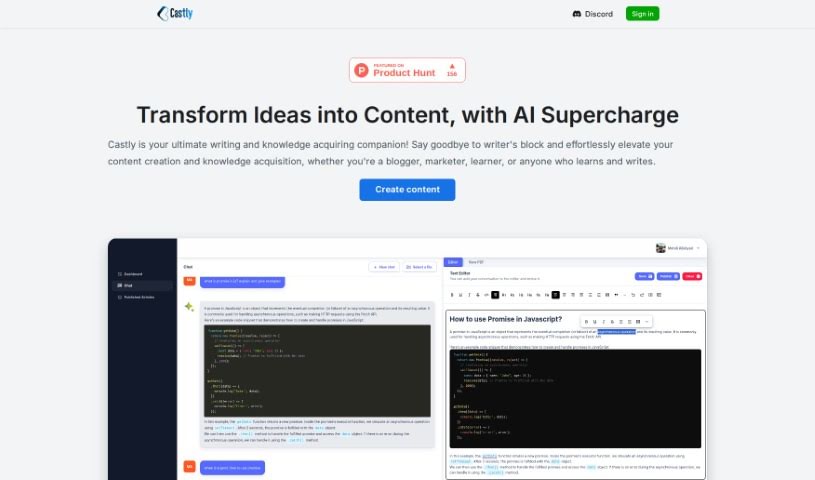
Screenshot of Castly

Castly

Discover Castly in 2025! Learn what this AI-powered writing and learning tool is, how to use its features effectively, and how it stacks up against other content writing tools.

Screenshot

What is Castly?

Castly is your go-to platform for making content creation and learning feel like a breeze. It’s a really handy writing and learning companion, boosted by AI, that’s designed to help you out. Whether you’re a blogger trying to keep up with posts, a marketer needing fresh copy, a student tackling research papers, or really anyone who writes or learns, Castly is here to help you beat writer’s block. It makes creating content much smoother and helps you soak up knowledge more easily. The platform really shines by making content creation simple – you can get AI-powered insights just by uploading your documents, and it has a user-friendly text editor that lets you polish up those chat-like conversations into really well-written pieces. Plus, sharing your finished work is a snap; Castly makes publishing quick and efficient.

Who created Castly?

Castly was brought to life by Mehdi and Angelina. Mehdi, one of its creators, describes Castly as a learning and writing companion that’s powered by AI. It fits right into the Writing category, and people seem to really like it, giving it a perfect 5.0 rating.

What is Castly used for?

  • Making content without the usual struggle
  • Getting help to craft your writing
  • Gaining insights from documents you upload

Who is Castly for?

Castly is a great tool for a wide range of people, including:

  • Bloggers
  • Marketers
  • Students
  • Content Writers
  • Educators
  • Researchers
  • Authors
  • Copywriters
  • Social Media Managers
  • Business professionals

How to use Castly?

Using Castly is pretty straightforward. Just follow these simple steps:

  1. Get into Castly: Head over to the Castly website and log in to your account. You can find the login page here: Castly Login.
  2. Start a Chat: Once you’re in, think of creating content as just having a conversation. You can use the AI to chat or get insights directly from any documents you upload.
  3. Polish Your Conversations: Found a part of a conversation that looks promising? You can easily move those appealing segments over to the advanced text editor. This editor is packed with features, making it simple to refine and enhance your content.
  4. Create Polished Content: Take the reins in the text editor. It’s designed to help you effortlessly craft engaging and polished content.
  5. Share Your Content Easily: When your content is just right, publishing it is a breeze. Castly’s streamlined platform lets you share your work quickly and effectively.
  6. Check Out the Pricing:
    • Free Plan: This plan gives you unlimited conversations, lets you upload 5 PDF files (each up to 10MB), and allows you to publish up to 5 posts.
    • Castly Pro: You can get this for $12 per month, which is a nice discount from the original $17.99. It also includes unlimited conversations along with other great features.

By following these steps, you’ll be well on your way to getting the most out of Castly for all your content creation and learning needs.

Related AI Tools

Discover more tools in similar categories that might interest you

Stay Updated with AI Tools

Get weekly updates on the latest AI tools, trends, and insights delivered to your inbox

Join 25,000+ AI enthusiasts. No spam, unsubscribe anytime.