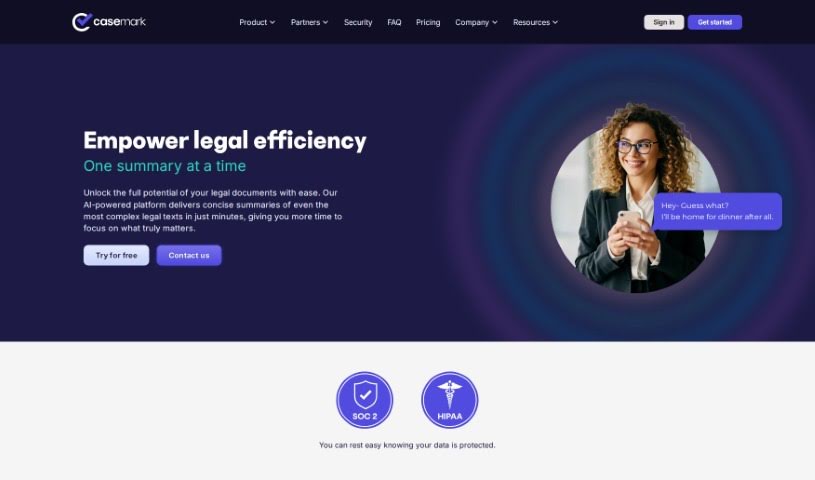
Screenshot of CaseMark AI

CaseMark AI

Discover what CaseMark AI is and how to use it effectively in 2025. We'll explore its features, compare it to other legal tools, and show you how it can boost your productivity.

Screenshot

What is CaseMark AI?

CaseMark AI is a workflow platform built for the legal world, using artificial intelligence to handle routine tasks. It is a smart assistant for legal professionals. It can whip up case summaries, help with matter profiling, draft immigration reference letters, summarize depositions, and even review contracts. What’s really great is how much they focus on keeping your data safe. Plus, it plays nicely with over 2,000 other solutions and offers handy tools for Chrome and Word. CaseMark uses powerful AI models, like GPT-3.5-turbo and GPT-4, to automate tasks and make your legal work flow more smoothly. This means you can get more done, more efficiently. They really emphasize privacy, offer templates you can personalize, and provide tools that fit your specific needs, all while keeping your data secure. You can even try it out for free for 14 days with full access, and they handle payments easily through Stripe. While it doesn’t have a mobile app yet, and sometimes integrating new tools can be a bit tricky, CaseMark really shines with its dedication to privacy and its wide range of legal-specific solutions.

Who created CaseMark AI?

Scott Kveton is the mind behind CaseMark, serving as the CEO. The company officially launched on June 26, 2023. Their main goal is to give legal professionals powerful generative AI tools that really boost productivity, keep data secure, and build strong, lasting relationships as the legal world moves into this new AI era. Scott himself brings over 20 years of experience navigating disruptive technology shifts, and he’s joined by Steven Osborn, a skilled technology hacker who knows how to tackle complex problems at a massive scale.

What is CaseMark AI used for?

CaseMark AI is incredibly versatile for legal work. Here’s a breakdown of what it can do:

  • Automate Routine Tasks: It handles those repetitive jobs that eat up your day.
  • Streamline Document Review: Speed up how you go through documents.
  • Simplify Legal Processes: Make your entire workflow more efficient.
  • Case Summary Feature: Quickly get the gist of case details.
  • Matter Profiling Feature: Easily review and categorize legal matters.
  • Immigration Reference Letters: Generate specific letters needed for immigration cases.
  • Deposition Summaries: Get AI-assisted summaries of deposition transcripts.
  • Contract Reviews: Make contract analysis faster and more thorough.
  • Integrates with 2,000+ Solutions: Connects with many of your existing legal software.
  • Deep Insights from Sensitive Data: Extracts valuable information even from confidential files.
  • Custom Workflows for Daily Tasks: Tailor the platform to your specific daily routines.
  • Workflow Customization: Adapt processes for more predictable results.
  • Chrome and Word Tools: Handy productivity aids that work right in your browser and word processor.
  • Streamlining Workflow Management: Better organization and flow for your tasks.
  • Generating Reference Letters for Immigration Cases: A specialized function for a specific need.
  • Categorizing Legal Issues: Helps organize and classify different legal matters.
  • Document Review Automation: Specifically targets and automates document review.
  • Chrome Productivity Tools: Enhances your browser experience.
  • Word Productivity Tools: Boosts efficiency within Microsoft Word.
  • Automating routine tasks for legal professionals: A core function that benefits everyone.
  • Generating Case Summaries: A key feature for quick case understanding.
  • Facilitating Matter Profiling: Makes organizing case information easier.
  • Creating Immigration Reference Letters: Streamlines a specific, important document type.
  • Summarizing Depositions: Saves time on lengthy transcripts.
  • Reviewing Legal Contracts: Improves the speed and accuracy of contract analysis.
  • Providing Productivity Tools for Chrome and Word: Adds value directly where you work.
  • Customizing Workflows: Lets you shape the tool to your needs.
  • Maintaining Data Privacy and Protection: A strong focus on keeping your information safe.
  • Integration with over 2,000 back-office solutions: Connects with a vast array of existing software.

Who is CaseMark AI for?

CaseMark AI is designed with legal professionals in mind:

  • Attorneys: To help manage caseloads and improve efficiency.
  • Paralegals: To automate research and document preparation tasks.
  • Law Students: To assist with learning, case analysis, and practice.

How to use CaseMark AI?

Here’s a straightforward guide to getting the most out of CaseMark:

  1. Get to Know CaseMark: First off, understand that CaseMark is an AI-powered platform built specifically for the legal industry. It’s designed to make your legal tasks much smoother by automating common processes like creating Case Summaries, profiling matters, drafting Immigration Reference Letters, and much more.

  2. Harness the AI Power: CaseMark uses advanced AI models, including GPT-3.5-turbo and GPT-4. These models are what allow it to automate so many legal tasks, significantly boosting your productivity and overall efficiency.

  3. Explore the Features: Take a look at what CaseMark offers:

    • Case Summaries: Use machine learning to quickly summarize all the important details of a case.
    • Contract Review: Speed up how you review contracts with AI assistance.
    • Matter Profiling: Streamline the process of reviewing and categorizing your legal cases.
    • Immigration Reference Letters: A special tool to help generate reference letters for immigration matters.
    • Deposition Summaries: Get AI-powered summaries of lengthy deposition transcripts.
    • Chrome and Word Tools: These are handy productivity tools that integrate directly into your browser and word processor for seamless use.
  4. Prioritize Data Security: CaseMark places a high value on protecting your data. They ensure secure storage and maintain strict privacy. For even greater security, they offer private GPT-4 instances.

  5. Customize and Integrate:

    • Workflow Customization: You can personalize your workflows to get more predictable and tailored results.
    • Back Office Integrations: It connects smoothly with over 2,000 solutions you might already use, like Gmail, OneDrive, Dropbox, and Clio.
  6. Adapt to Your Workflow: CaseMark is flexible. It can adapt to your current processes, using your existing summaries as templates without needing major overhauls.

  7. Hear from Users: Real legal professionals have shared their positive experiences, endorsing the platform for how it improves efficiency and impacts their daily legal tasks and workflows.

  8. Gain Data Insights:

    • Utilize Sensitive Data: The platform can work with your sensitive case files, using AI to extract deep insights and create summaries.
  9. Support for the Legal Community:

    • For Paralegals and Attorneys: It’s specifically built to meet the needs of various legal professionals, including paralegals.
  10. Data Security Assurance:

    • Hosted on Azure: They chose Azure for its strength, security, and scalability, which helps ensure high-quality service and keeps your data private.

By following these steps and making the most of CaseMark’s various features, legal professionals can really boost their productivity, make their workflows more efficient, and ensure their data stays secure in their day-to-day work.

Related AI Tools

Discover more tools in similar categories that might interest you

Stay Updated with AI Tools

Get weekly updates on the latest AI tools, trends, and insights delivered to your inbox

Join 25,000+ AI enthusiasts. No spam, unsubscribe anytime.