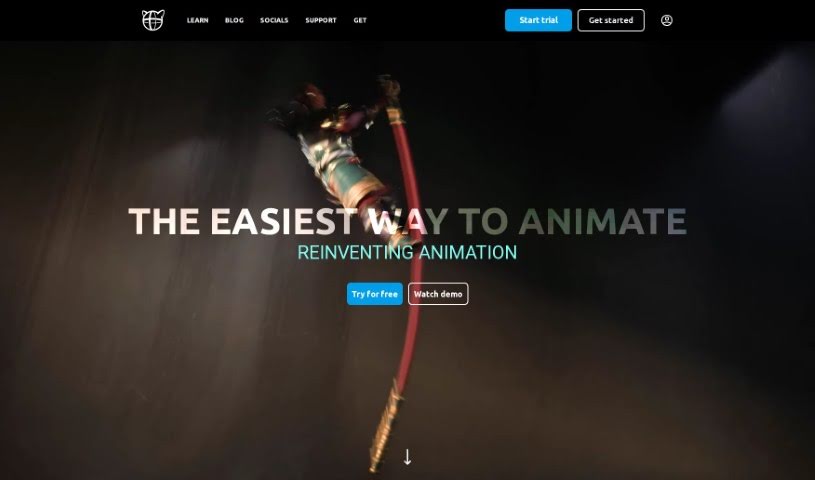
Screenshot of Cascadeur

Cascadeur

Discover Cascadeur, a powerful 3D animation tool for 2025. Learn its features, how to use it effectively, and how it stacks up against other 3D model generators.

Screenshot

What is Cascadeur?

Cascadeur is a standalone 3D software built specifically to make creating animations much easier. It gives you keyframe animation tools, plus features for cleaning up and editing animations you’ve already imported. What’s really neat is that it uses AI-assisted and physics-based tools to speed up the whole animation process, helping you get high-quality results. You can easily bring your work into Cascadeur because it supports common file formats like .FBX, .DAE, and .USD, fitting right into different animation workflows. It also has a handy Quick Rigging Tool to get characters rigged fast. Plus, features like Animation Unbaking let you edit animations that were previously ‘baked,’ AutoPosing helps you create poses efficiently, AutoPhysics adds realistic motion, and there are tools to add that extra touch of secondary motion. Cascadeur even lets you transfer animations between characters smoothly, and they can interact with their environment. Eugene Dyabin originally created it as an internal tool for Nekki, and it’s really grown since then. The Early Access version came out in April 2021, with the full release following in 2022. The main goal? To simplify how animations are made, so animators can spend more time on the artistic and choreographic details instead of getting bogged down in repetitive tasks. It does this by using physics-based approaches and deep learning to make animations more realistic and efficient.

Who created Cascadeur?

Cascadeur actually started back in 2006, created by Eugene Dyabin. It was initially an internal animation tool for Nekki, a video game company founded by Dmitry Terekhin in 2002. After being developed in-house for a while, Cascadeur was eventually shared with the wider animation community. The software’s aim is to really change how animation is done by blending a physics-based approach for realism with deep learning to streamline the creation process. It’s constantly being updated and improved, evolving into a really comprehensive tool that animators all over the world now use.

What is Cascadeur used for?

  • Creating animations using keyframes
  • Cleaning up and editing animations you import
  • Automatically generating character rigs
  • Using AI to help create poses
  • Intelligently controlling character fingers
  • Achieving realistic, natural motion with AutoPhysics
  • Adding secondary motion for more lifelike animations
  • Turning videos into animations
  • Transferring animations between different characters
  • Making characters interact with their environment

How to use Cascadeur?

Here’s a straightforward way to get started with Cascadeur:

  1. Quick Rigging: Just drag and drop your character’s joints using the Quick Rigging Tool. It’ll automatically generate the rig for you.
  2. AutoPosing: Want to create poses fast? Use the AI-powered AutoPosing tool. You just move the control points, and the AI naturally positions the body.
  3. Animation Unbaking: If you have baked animations, you can turn them into editable ones with Animation Unbaking. This feature smartly selects the keyframes, making precise editing much simpler.
  4. Finger Controllers: You can control finger movements with smart controllers, which really helps in making hand gestures and overall behavior more expressive.
  5. AutoPhysics: Get realistic motion without having to tweak your animation too much. AutoPhysics shows you suggested animations on a green ‘ghost’ of your character.
  6. Secondary Motion: Want to add that extra bit of life? Adjust sliders to add secondary motion, like subtle shakes or bounces to body parts.
  7. Video to Animation: You can transform videos into animations using features like Video Mocap, Animation Unbaking, and Fulcrum Motion Cleaning.
  8. Character Animation Transfer: Moving animations between characters is super easy – just two clicks! It works well even if the characters have different proportions.
  9. Compatibility: Cascadeur plays nicely with .FBX, .DAE, and .USD files, so it’s easy to fit into your existing animation setup.

Basically, Cascadeur makes animation creation much simpler with its AI-assisted and physics tools. It streamlines the whole process and helps ensure you get high-quality results. You can start by quickly rigging characters, then use AI for posing and motion, edit animations without a fuss, and boost realism with physics tools like AutoPhysics and secondary motion adjustments. With Cascadeur, animators can really focus on their artistic vision instead of getting stuck on tedious tasks, truly changing how animation is created.

Related AI Tools

Discover more tools in similar categories that might interest you

123RF AI Image Generator

Creative Image Generation
Learn More

Stay Updated with AI Tools

Get weekly updates on the latest AI tools, trends, and insights delivered to your inbox

Join 25,000+ AI enthusiasts. No spam, unsubscribe anytime.