What is Caption My Photos?
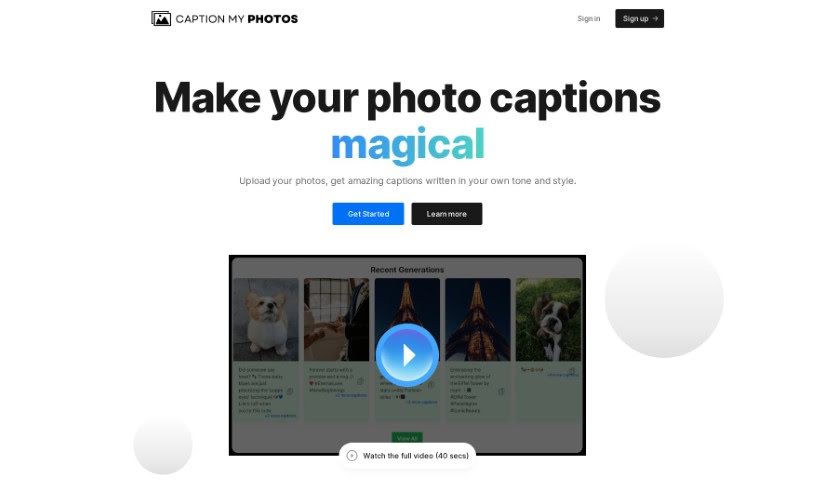
Caption My Photos is an AI-powered tool that helps you create captions for your photos. You can generate them one by one or in batches, which is super handy if you’re a social media user, influencer, or part of a team. It’s designed to save you time by crafting engaging captions that perfectly match your visual posts. Just upload your photos, pick your desired tone and style, add any hashtags you want, and the tool will automatically generate captions based on your image and preferences. It’s really easy to use, with features like uploading multiple photos at once, generating captions live, customizing the feel and style, and it can even handle up to 50 photos at a time. People like influencers, photographers, and content creators often mention how efficient and time-saving it is.
Basically, Caption My Photos makes it much simpler to create eye-catching captions for your pictures. It’s a user-friendly solution that helps everyone from influencers to social media managers create better content faster.
Who created Caption My Photos?
Caption My Photos Overview:
Launched: Caption My Photos first came out on March 6, 2024. It’s an AI tool that creates captions for your social media posts.
Founder: Sarah Lee, who’s an Instagram influencer herself, started Caption My Photos. She noticed how much time it took to come up with captions for visual content and wanted to make that process easier.
Company Details: Caption My Photos is built for social media users, influencers, and teams. It has a simple drag-and-drop interface, making it easy to upload photos and get custom captions. You can upload as many as 50 photos at once, choose the tone and style you like, add specific hashtags, and even see the captions being generated in real-time. When you first sign up, you get 5 free credits, and you don’t even need a credit card. The goal is to simplify content creation and help boost engagement on platforms like Instagram.
What is Caption My Photos used for?
- Creating content for social media
- Making the content creation process smoother
- Writing captions specifically for Instagram
- Generating Instagram captions quickly
- Saving a lot of time on content creation
- Crafting captions for visual content
- Uploading photos in bulk for captioning
- Getting captions generated live as you upload
- Customizing the tone and style of your captions
- Adding specific hashtags to your generated captions
- Creating captions for one or many photos at once
- Personalizing captions to fit your brand or style
- Improving your overall social media strategy
- It’s a great tool for anyone focused on content creation
- Really helpful for working with visual content
- An effective way to create Instagram captions
- Streamlining your social media strategy
- Automating the process of generating captions for social media posts
- Customizing the tone, style, and hashtags for your captions
- Uploading single or multiple photos to get captions generated
- Generating captions specifically for your Instagram posts
- Saving time on your social media strategy and getting things done
- Streamlining content creation by cutting down the time spent on captions
- Giving you live updates as the tool processes your images for captions
- Supporting the generation of captions for up to 50 photos at a time
- Beneficial for social media users, influencers, teams, brands, and photography lovers
- Helping to increase engagement rates on social media with captions that feel personal
- Features a simple drag-and-drop interface
- It’s ideal for influencers to use
- Very helpful for social media teams
- Automating photography tasks
- Making social media content creation automatic
- Boosting engagement rates on social media platforms
- Saving time when you need to generate captions
- Automating the entire social media content creation process
- Saving time on your social media strategy planning
- Helping influencers create captions that really grab attention
- Assisting social media teams with their caption needs
- Providing live updates as images are processed for captions
- Supporting the bulk generation of captions for photos
- Customizing tone, style, and hashtags for your captions
Who is Caption My Photos for?
- Social Media Managers
- Instagram Influencers
- Managers for Dog Influencers
- High School Students
- Social Media Strategists
- Photographers & Visual Artists
- Lifestyle Bloggers
- Social media managers
- Instagram influencers
- Dog Influencer Managers
- High school students
- Photographers
- Visual artists
- Lifestyle bloggers
- Social media strategists
- Content creators
- Brands of all kinds
- Photography enthusiasts
- Professional Photographers
- Lifestyle Bloggers and Influencers
- Professional photographers
- Social Media Users in general
- Influencers
- Teams working on social media
How to use Caption My Photos?
Here’s how you can get started with Caption My Photos:
- Upload Your Photos: The first step is to upload the photos you want captions for. You can upload up to 50 photos at once, which is pretty convenient.
- Customize Your Settings: Next, you’ll want to personalize your captions. You can choose the tone and style you prefer, and add any specific hashtags you want included. This really helps tailor the captions to your specific needs.
- Auto-Generate Captions: The tool uses AI to automatically create captions based on the photos you’ve uploaded and the settings you’ve chosen. You can even watch the captions being created in real-time as the images are processed.
- Bulk Caption Generation: Caption My Photos is great for generating captions in bulk, so you can efficiently create captions for many photos all at once.
- Live Updates: You’ll see live updates as the tool works through your images, which makes the whole experience feel smooth and connected.
- Individual Photo Captions: If you prefer, you can also create captions for individual photos, making sure each one is perfectly tailored to that specific image.
- Great for Many Users: Caption My Photos is designed for social media users, influencers, teams, brands, and photographers who want to make content creation easier and boost engagement.
- Create an Account: To begin, just create an account on Caption My Photos. You don’t need a credit card to sign up, and new users get 5 free credits to try it out.
By following these steps, you can easily create engaging captions for your photos, which will help boost your social media presence and get more people interacting with your content.