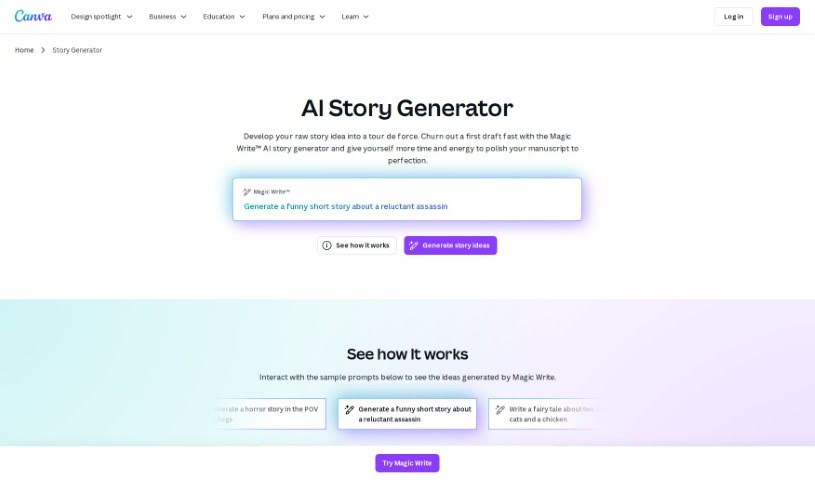
Screenshot of Canva AI Story generator

Canva AI Story generator

Discover what the Canva AI Story Generator is and learn how to use it effectively in 2025. We'll explore its features and see how it stacks up against other story generators.

Screenshot

What is Canva AI Story Generator?

The Canva AI Story Generator is your creative partner right inside Canva. It’s a neat feature that uses artificial intelligence to help you whip up engaging visual stories. Basically, it helps you generate narratives and visuals super fast, which is fantastic for making presentations pop, creating eye-catching social media posts, and so much more. By tapping into AI, Canva users can really speed up how they build compelling stories, automating some of the trickier bits of content creation. This tool really empowers you to get your ideas across in a way that’s both visually appealing and impactful, making storytelling much more accessible and fun for all sorts of projects.

Who Created the Canva AI Story Generator?

This handy tool was brought to life by Melanie Perkins, Cliff Obrecht, and Cameron Adams. They’re the brilliant minds behind Canva, which they founded way back in 2012. Melanie Perkins, as the CEO and co-founder, has really steered the ship. Canva itself has grown incredibly fast, becoming a go-to platform for anyone needing to create designs easily, whether you’re an individual or running a business. It’s famous for being super user-friendly and offering a massive range of design options.

Who is the Canva AI Story Generator For?

This tool is a real game-changer for a bunch of people:

  • Marketers: Need to create compelling campaign narratives?
  • Educators: Want to make lessons more engaging?
  • Content Creators: Looking for a faster way to tell your story?
  • Social Media Managers: Crafting daily posts just got easier.
  • Business Owners: Visualize your brand’s journey or product benefits.
  • Graphic Designers: Speed up concept development and initial drafts.
  • Journalists: Quickly outline story structures or create visual summaries.
  • Bloggers: Generate engaging intros or narrative arcs for posts.
  • Event Planners: Create promotional stories or event timelines.
  • Nonprofit Organizers: Share your mission and impact stories effectively.

How Do I Use the Canva AI Story Generator?

Using the Canva AI Story Generator is pretty straightforward. Here’s a step-by-step guide:

  1. Get into Canva: First off, head over to the Canva website and log in. If you’re new, signing up is free and quick!
  2. Find the Story Generator: Look for the “Story Generator” feature. You might spot it on the main homepage or within the design tools section.
  3. Pick Your Story Type: Decide what kind of story you’re aiming for. You can usually choose from options like a general narrative, a script, or other formats Canva offers.
  4. Add Your Details: This is where you feed the AI. Give it the key ingredients: who are the characters, where does it take place, what are the main plot points, and any other important info you have.
  5. Let the AI Work: Hit the button to start the generation process. The AI will then take your input and create a story for you.
  6. Tweak It (If You Want): Once the AI gives you a story, you’re not locked in! Feel free to edit the text, swap in your own images, rearrange the layout, or play with different styles to make it truly yours.
  7. Check and Save: Before you finish, give your creation a good look. Preview it to make sure everything looks right and meets your expectations. Then, save it to your Canva account or download it for later.
  8. Share or Use It: You can share your story straight from Canva to social media, or use it however you planned – for fun, for a presentation, or for any professional project.

Following these steps should help you make the most of the Canva AI Story generator to create really engaging content!

Related AI Tools

Discover more tools in similar categories that might interest you

123RF AI Image Generator

Creative Image Generation
Learn More

Stay Updated with AI Tools

Get weekly updates on the latest AI tools, trends, and insights delivered to your inbox

Join 25,000+ AI enthusiasts. No spam, unsubscribe anytime.