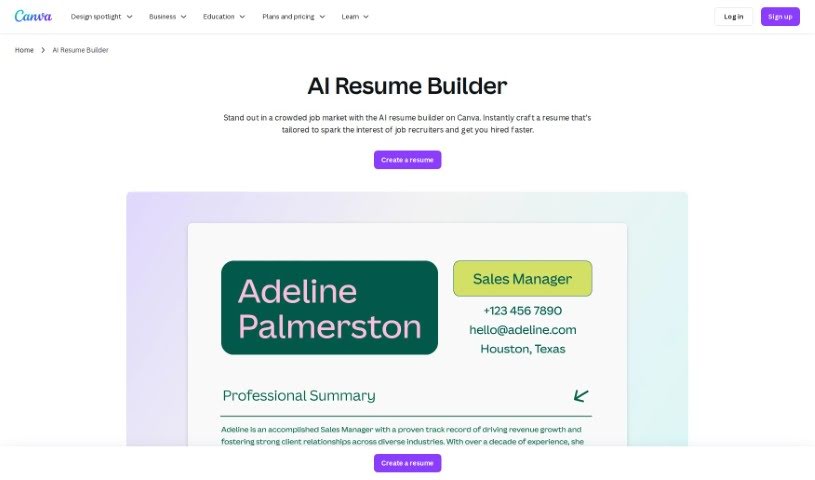
Screenshot of Canva AI Resume Builder

Canva AI Resume Builder

Discover what Canva's AI Resume Builder is all about and how you can use it effectively in 2025. We'll walk through its features and see how it stacks up against other resume builders.

Screenshot

What’s the Deal with Canva AI Resume Builder?

Canva AI Resume Builder is your smart assistant for crafting a really professional resume. It’s a tool from Canva that uses artificial intelligence to help you out. What does that mean for you? Well, it offers intelligent suggestions for your content, gives you great layout options, and recommends ways to improve what you’ve written. The whole idea is to make your resume look its best and really grab attention. By using AI, Canva’s builder is designed to make putting your resume together quicker and more effective, especially when you’re trying to impress potential employers. You get personalized advice and design touches that fit exactly what you need, helping you shine in a crowded job market.

Who’s Behind Canva AI Resume Builder?

Canva’s AI Resume Builder was brought to life by Melanie Perkins, Cliff Obrecht, and Cameron Adams. Melanie Perkins is one of Canva’s co-founders and serves as its CEO. The company itself got its start back in 2012 in Australia. Since then, it’s really taken off, becoming a go-to online graphic design platform for millions of people around the world who need to create all sorts of visual content.

Who Should Use Canva AI Resume Builder?

This tool is a great fit for a wide range of professionals, including:

  • Graphic Designers
  • Marketing Specialists
  • Software Developers
  • Project Managers
  • Sales Professionals
  • Human Resources Managers
  • Data Analysts
  • Content Creators
  • Educators
  • Financial Analysts
  • Web Designers
  • Copywriters
  • Entrepreneurs
  • Consultants
  • Customer Service Representatives

How Do I Actually Use Canva AI Resume Builder?

Ready to build your resume with Canva? Here’s a simple breakdown of how to do it:

  1. Get to Canva: First, head over to Canva’s website. You’ll want to find the AI Resume Builder feature there.
  2. Pick a Template: Browse through the available resume templates and choose one that really speaks to your personal style and professional field.
  3. Add Your Info: Now, start filling in your details. This includes your contact information, your work history, your education, your skills, and any other sections that are important for your resume.
  4. Let the AI Help: This is where the magic happens! Let Canva’s AI work its wonders. It will suggest design improvements and layout tweaks based on the information you’ve already entered.
  5. Review and Tweak: Take a good look at the AI’s suggestions. Feel free to make any manual edits you want to ensure it’s exactly how you envision it.
  6. Save or Print: Once you’re happy with everything, you can download your resume in formats like PDF or an image file. Or, if you prefer, you can print it right from Canva.
  7. Explore More: Don’t stop there! Check out other handy features, like sharing your resume online, working on it with others, or looking into Canva’s premium options for even more customization possibilities.

By following these steps, you can really make the most of Canva AI Resume Builder to create a professional-looking resume that’s perfectly suited to your needs and helps you stand out.

This guide should give you a clear picture of how to use Canva’s AI Resume Builder effectively.

Related AI Tools

Discover more tools in similar categories that might interest you

Adaface AI Resume Parser

Human Resource Recruitment
Learn More

Stay Updated with AI Tools

Get weekly updates on the latest AI tools, trends, and insights delivered to your inbox

Join 25,000+ AI enthusiasts. No spam, unsubscribe anytime.