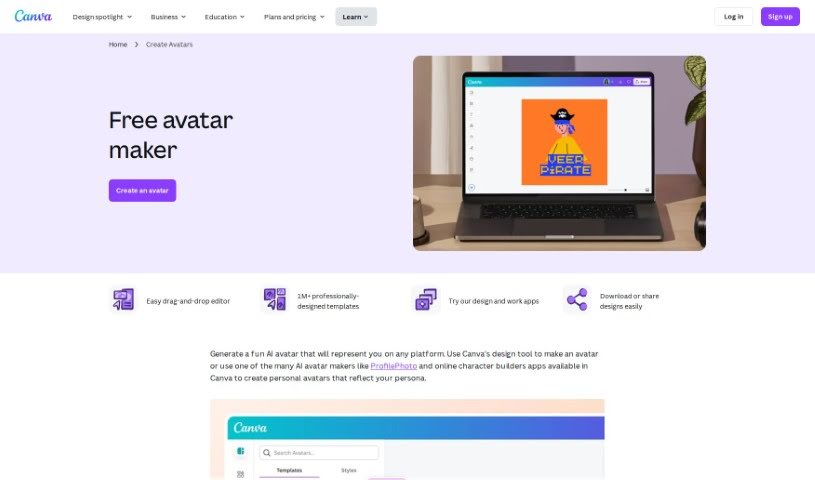
Screenshot of Canva AI Avatar Generator

Canva AI Avatar Generator

Curious about Canva's AI Avatar Generator? We'll walk you through exactly what it is, how to use it effectively in 2025, explore its features, and see how it stacks up against other AI image generators.

Screenshot

What Exactly is the Canva AI Avatar Generator?

The Canva AI Avatar Generator is a super handy tool built right into Canva. It lets you whip up personalized avatars pretty quickly for all sorts of things. You can kick things off by picking a customizable avatar template that catches your eye, or if you’re feeling creative, you can build a character from the ground up using their free avatar generator. This tool gives you plenty of ways to make your avatar truly yours – think adding borders, frames, and backgrounds. You can even tweak image settings and apply filters to get just the right look. Plus, there are AI avatar generator apps you can explore to create realistic AI avatars without breaking a sweat. These custom avatars are fantastic for all sorts of uses, like sprucing up your online profiles, making professional business cards, creating engaging instructional materials, jazzing up presentations, and so much more. They really add a personal touch and help you make a memorable impression.

So, Who’s Behind the Canva AI Avatar Generator?

This neat tool was actually developed by the talented team at Canva. You know, the design and publishing platform that Melanie Perkins, Cliff Obrecht, and Cameron Adams started back in 2012. Canva offers a whole suite of design services, and their AI avatar generator is just one piece of that puzzle, making it easy for anyone to create personalized avatars for their various online needs.

Who Would Find the Canva AI Avatar Generator Useful?

This tool is a real gem for a wide range of creative and professional folks:

  • Graphic Designers: Perfect for adding unique character elements to projects.
  • Social Media Managers: Great for creating consistent and engaging profile visuals.
  • Marketing Professionals: Ideal for branding and campaign materials.
  • Content Creators: Adds a personal, visual flair to blogs, videos, and more.
  • Educators: Useful for creating engaging learning materials or class mascots.
  • HR Professionals: Can be used for internal communications or employee profiles.
  • Web Developers: Adds custom imagery for websites and applications.
  • Gaming Designers: A starting point for character concepts.
  • Freelancers: Helps build a professional and distinct personal brand.
  • Photographers: Can be used for creative client deliverables or personal branding.
  • Brand Managers: For developing consistent visual identities.
  • Entrepreneurs: Essential for establishing a professional online presence from the start.

How Do I Actually Use the Canva AI Avatar Generator?

Ready to dive in? Here’s a straightforward guide to get you creating your own avatars with Canva:

  1. Get Inspired: First off, fire up Canva, either through the app or your web browser. Then, just search for “Avatar” – this will bring up all the online avatar makers you can play with.
  2. Pick a Free Avatar Template: Take a look through the customizable avatar templates. You can filter them by category, style, or theme to find something you like, or if you’re feeling adventurous, just start with a blank page.
  3. Design Your Character or Avatar: Once you’re in the editor, click on “Apps” in the sidebar. From there, search for the “Character Builder” app to start crafting your own character. Alternatively, you can explore the various AI avatar generator apps available to create free AI avatars with ease.
  4. Add Some Flair to Your Design: Now for the fun part! You can really personalize your avatar by adding borders, frames, backgrounds, illustrations, or stickers from Canva’s extensive media library.
  5. Build a World for Your Avatar: Make your avatar pop by colorizing it, adjusting image settings, adding cool fonts, and incorporating those borders, frames, and backgrounds we talked about. You might also want to check out Canva’s AI vector generator for a truly unique avatar creation experience.
  6. Download and Share Your Creation: Once you’re happy with it, you can share your avatar directly on social media, pop it into other Canva designs, or download it to use in all sorts of projects – think online profiles, business cards, or presentations. It’s that simple!

Related AI Tools

Discover more tools in similar categories that might interest you

123RF AI Image Generator

Creative Image Generation
Learn More

Stay Updated with AI Tools

Get weekly updates on the latest AI tools, trends, and insights delivered to your inbox

Join 25,000+ AI enthusiasts. No spam, unsubscribe anytime.