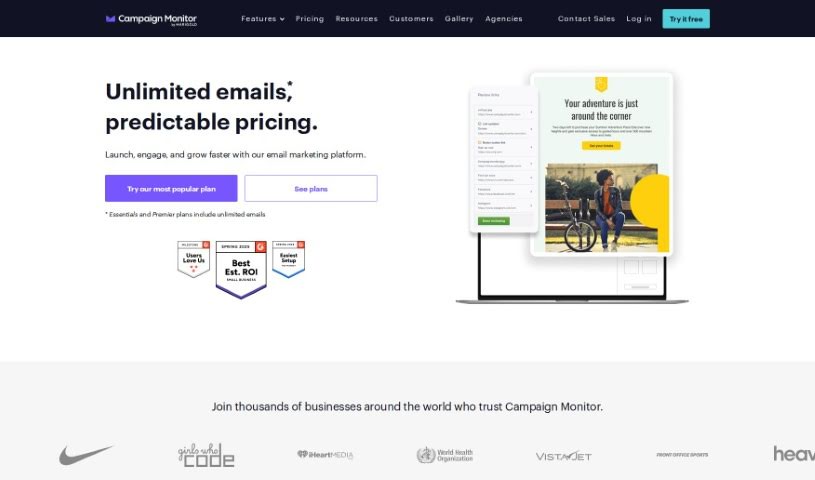
Screenshot of Campaign Monitor

Campaign Monitor

Discover what Campaign Monitor is and how to use it effectively in 2025. We'll dive into its features and see how it stacks up against other email marketing tools.

Screenshot

What is Campaign Monitor?

Campaign Monitor is an email marketing platform that got its start back in 2004, founded by Ben Richardson and David Greiner. It’s part of the larger organization Marigold. Essentially, it’s packed with user-friendly tools designed to help you create, send, and fine-tune your email marketing campaigns. It is your go-to for connecting with your audience through email, complete with automation features.

What’s really neat is how easy it makes designing emails. You can use a drag-and-drop interface, which means you can build visually appealing content without needing any special design skills. Plus, Campaign Monitor lets you manage loyalty programs using automation, so you don’t have to juggle extra tools. They also offer professionally designed templates, making it straightforward to launch targeted campaigns that really hit the mark.

Who created Campaign Monitor?

Campaign Monitor was actually founded in 2004 by Ben Richardson and David Greiner. The company itself operates under the parent organization Marigold. Their main focus? Making it easier for people to create, send, and optimize their email marketing campaigns. Campaign Monitor provides straightforward tools that help users design and manage their email marketing strategies effectively.

How to use Campaign Monitor?

Ready to make the most of Campaign Monitor? Here’s a simple breakdown of how to use its key features:

  1. Super Easy to Use: You can jump right in and use the drag-and-drop email builder. This means you can customize templates exactly how you like them, no coding required.
  2. Total Control Over Customization: Want to tweak every little detail of your campaign? The email builder lets you make precise adjustments to ensure everything perfectly matches your brand.
  3. Looks Great on Any Device: All the templates are designed to be responsive. This is a big deal because it means your emails will look fantastic whether someone’s viewing them on a phone, tablet, or computer.
  4. Team-Friendly Template Management: If you have an email designer on your team, they can lock down certain parts of a template. This way, everyone else can update specific sections without accidentally messing up the overall design or crucial brand elements. It keeps things consistent and professional.

By following these steps, you’ll find it’s pretty straightforward to navigate Campaign Monitor and really get the most out of your email marketing. The platform is designed to be user-friendly, with a strong emphasis on letting you customize everything and ensuring your emails look good on mobile. It’s a really helpful tool for anyone looking to boost their email marketing efforts.

Related AI Tools

Discover more tools in similar categories that might interest you

Stay Updated with AI Tools

Get weekly updates on the latest AI tools, trends, and insights delivered to your inbox

Join 25,000+ AI enthusiasts. No spam, unsubscribe anytime.