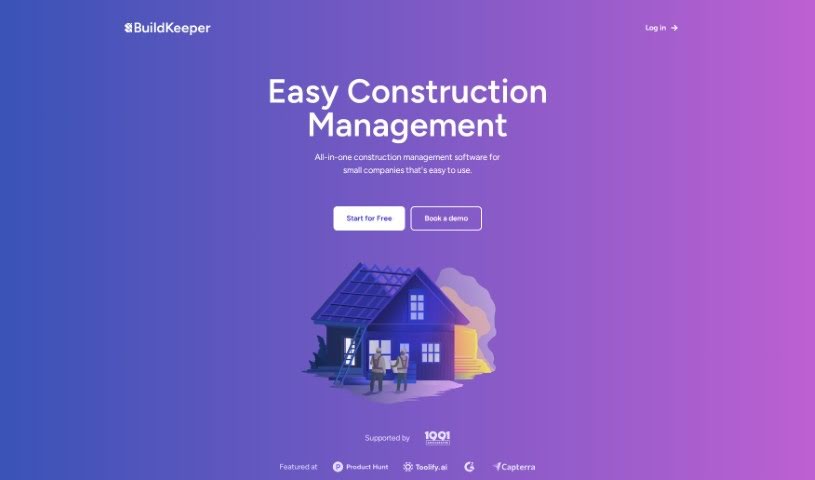
Screenshot of BuildKeeper

BuildKeeper

Discover BuildKeeper, a construction management software designed for small to mid-sized businesses. Learn about its features, how it streamlines projects, and how to use it for better budget and task management in 2025. See how it stacks up against other construction tools.

Screenshot

What is BuildKeeper?

BuildKeeper is a construction management software that’s really designed with small to mid-sized businesses in mind. What makes it stand out is its focus on simplicity, affordability, and saving you time through automation. It acts as a central hub for all your projects, offering straightforward tools that are easy to get the hang of. You’ll find it includes handy features for managing tasks, keeping an eye on your budget, taking notes, and handling expenses efficiently. The whole idea is to boost your productivity and make sure your projects run smoothly. BuildKeeper aims to help you avoid missing any financial details, cut down on manual work, and give you much better control over your money. They also offer plans that you can customize to fit what you need, though they don’t share specific pricing upfront.

Who created BuildKeeper?

While the specific founder’s name isn’t mentioned in the documents we have, BuildKeeper was launched on June 18, 2024. It’s a construction management software built for small to mid-sized businesses. The goal was to create something simple, affordable, and packed with automation features to make project management much smoother.

What is BuildKeeper used for?

BuildKeeper helps you with several key aspects of managing construction projects:

  • Managing tasks: It has dedicated tools to help you keep track of what needs to be done.
  • Budget management: You can oversee your spending and how your finances are performing.
  • Note-taking: There are features for jotting down important information.
  • Expense management: It helps you manage all the costs associated with your projects.
  • Automated processes: These are built in to save you time and resources.
  • Customizable plans: You can choose options that are tailored to your specific needs.
  • Efficiency enhancement: It uses AI integration to make things more efficient.
  • Centralized platform: It’s a single place to oversee all parts of your construction projects.
  • Tracking progress: You can keep an eye on how your projects are moving along.
  • User-friendly interface: It’s designed to be easy to navigate and use.

Who is BuildKeeper for?

  • Construction businesses

How to use BuildKeeper?

To get the most out of BuildKeeper for your construction projects, here’s a straightforward guide:

  1. Manage Your Budget: Use BuildKeeper to keep a close watch on project expenses and financial performance. This is key for making sure your projects are cost-effective.
  2. Boost Efficiency with AI: Take advantage of BuildKeeper’s AI integration. It can automate routine tasks, which means less manual work for you and a significant boost in efficiency.
  3. Handle Tasks Effectively: Make sure you’re using the dedicated task management tools. They’ll help you track progress and keep everyone productive.
  4. Document and Track Expenses: Don’t forget to use the note-taking and expense management features. They’re great for keeping records and managing project costs properly.
  5. Pick the Right Plan: Look at the different plans BuildKeeper offers – like Starter, Professional, and Enterprise – and choose the one that best fits what you need.
  6. Keep an Eye on Progress: BuildKeeper’s tools are pretty comprehensive. Use them to track project progress, see which tasks are done, how resources are being used, and how your budget is holding up. This helps everything run smoothly.
  7. Tailor It to You: If you have specific requirements, see if BuildKeeper’s customization support can help you adjust the software to match them.
  8. Enjoy the Easy Interface: You’ll find BuildKeeper is designed to be simple and intuitive. This makes navigating and using all the management tools much easier.
  9. Save Time and Resources: By using BuildKeeper’s AI-powered features to automate tasks, you’ll save valuable time and resources, leading to better overall productivity.
  10. Stay Organized and Efficient: Use BuildKeeper as your central place for everything related to construction projects. This keeps you organized and makes your work much more efficient, leading to smoother project execution.

By following these steps, you can really make BuildKeeper work for your construction management needs, improving both efficiency and productivity on your projects.

Related AI Tools

Discover more tools in similar categories that might interest you

Stay Updated with AI Tools

Get weekly updates on the latest AI tools, trends, and insights delivered to your inbox

Join 25,000+ AI enthusiasts. No spam, unsubscribe anytime.