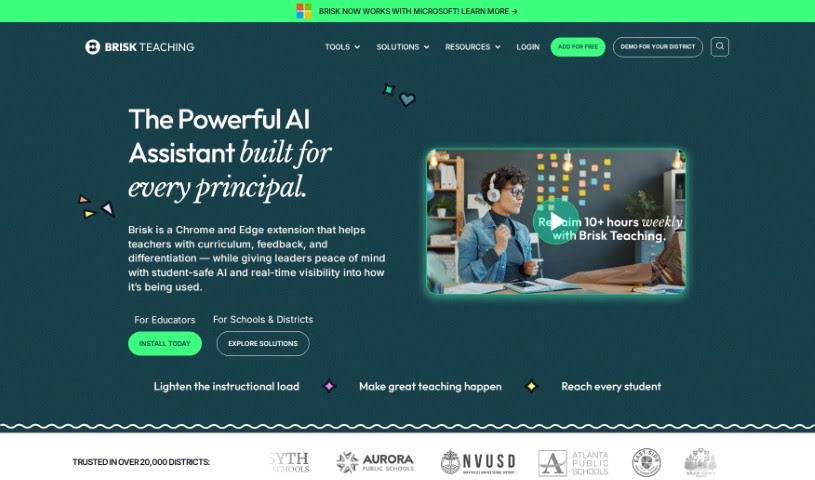
What is Brisk Teaching?
Brisk Teaching is a really neat educational technology tool. It comes as a Chrome extension, built to help teachers and educators with all sorts of tasks. It is a digital assistant for your classroom. It can spot AI-generated writing from students, check for plagiarism, find grammar mistakes, help you build your curriculum, give you ideas for feedback, and even assess the reading level of texts. What’s great is how smoothly it works with Google Docs and Google Classroom. You don’t have to upload files manually; you can check for AI content right there as you’re working. The whole point is to make teaching tasks simpler, so you can spend less time on admin and more time actually teaching. The team behind Brisk includes tech experts, teachers, and parents who really know their stuff in educational technology and are dedicated to supporting educators.
Who created Brisk Teaching?
Brisk Teaching was brought to life by Arman, Corey, and Tom. Arman, a computer scientist, started Brisk because he’s passionate about using technology to give educators more power. Corey, who has more than twenty years in education, was key in driving big changes and shaping the vision. Tom, with two decades of engineering experience, contributed his skills in creating consumer products and EdTech. Brisk officially launched on March 20, 2023. Their main goal? To make teachers’ lives easier by reducing their workload with AI-powered tools for all sorts of teaching needs.
What is Brisk Teaching used for?
Here’s a look at what Brisk Teaching can do for you:
- Curriculum Development: It helps you create and find learning content, worksheets, resources, and exam questions tailored to your needs.
- Personalized Feedback: You can customize the feedback Brisk generates to match your unique teaching style.
- Curriculum Customization: Brisk can adapt your curriculum based on your teaching preferences. It learns from your feedback and the materials you already use.
- Reading Level Tools: It can assess how difficult texts are for different age groups and even adjust the reading level of online content.
- Google Docs Integration: It can take articles you convert and put them right into Google Docs, making them easy to share with students. Plus, it helps generate extra materials from them.
- Writing Analysis: Brisk can detect AI-generated writing, check for plagiarism, identify grammar errors, and even gauge student effort by looking at version history data on assignments.
- Differentiated Learning: It supports tailoring lessons for individual students or groups, helping you personalize the curriculum.
- Quiz Generation: You can create reading comprehension quizzes by converting articles and having them populated into Google Docs.
- Class Feedback Analysis: Brisk can analyze feedback across your entire class to show you where students might be struggling, so you can adjust your lesson plans.
- Comprehensive Curriculum Support: It aids in curriculum development with features for personalized creation, feedback generation, and making engaging materials.
- Flexible Curriculum Options: You can localize, personalize, and differentiate your curriculum to fit the specific preferences and needs of individual students or whole classes.
- AI-Powered Feedback: Brisk can generate feedback using its AI capabilities.
- Style-Matched Feedback: It customizes feedback to align with your personal teaching style.
- Preference-Based Personalization: Brisk personalizes curriculum by analyzing and responding to your feedback and the curriculum you’ve used.
- Student Effort Tracking: It assesses student effort on assignments by analyzing version history data.
- Support for Differentiation: Brisk helps you differentiate curriculum for individual students or groups.
- Online Text Leveling: You can change the reading level of any online text you find.
- Content Conversion: It populates converted articles into Google Docs, useful for sharing with students or creating additional materials like reading comprehension quizzes.
Who is Brisk Teaching for?
Brisk Teaching is designed for:
- Teachers
- Educators
- Instructional Coaches
- Principals
How to use Brisk Teaching?
To get the most out of Brisk Teaching, here’s a simple guide:
- Get Brisk: First, add the Brisk Chrome extension. It’s free to grab from the Chrome Web Store.
- Explore Key Features: Take advantage of what Brisk offers, like providing feedback, adjusting text reading levels, creating content, inspecting writing, and turning content into quizzes or slide decks.
- Seamless Integration: Brisk works smoothly with Google Docs and Google Classroom. This means you can detect AI-generated writing without having to upload files manually.
- Everyday Use: Use the tool for checking plagiarism, finding grammar errors, helping with curriculum development, and sourcing learning content, worksheets, resources, and exam questions.
- Make it Yours: Customize the feedback to match your teaching style. You can also personalize and differentiate your curriculum, and adjust the reading levels of online text to suit your students.
- Understand Student Effort: Keep an eye on student effort by analyzing version history. This gives you valuable insights and shows you where students might need more support.
- Easy Teaching Workflow: You’ll find the interface user-friendly, which helps your teaching workflow. It also helps you create engaging curriculum and make real-time adjustments based on feedback.
By following these steps, educators can really make Brisk Teaching work for them, improving student learning and making their teaching process much smoother.