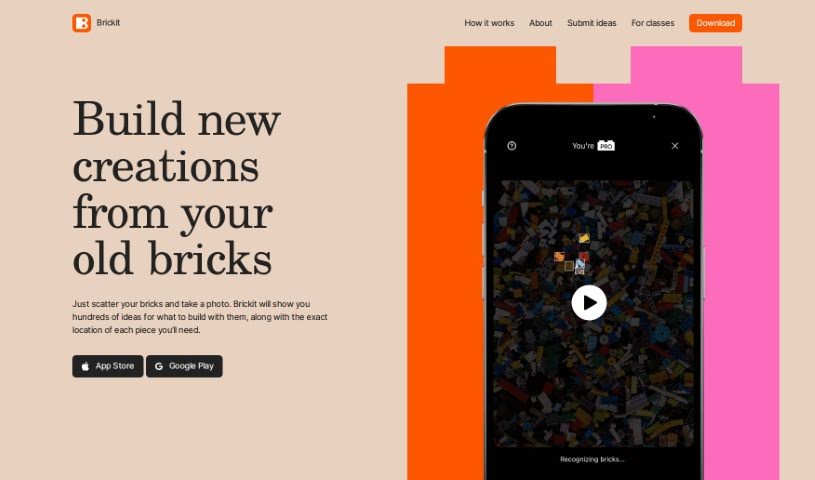
Screenshot of Brickit App

Brickit App

Discover what the Brickit App is all about and learn how to use it effectively in 2025. We'll explore its features and see how it stacks up against other 3D model generators.

Screenshot

What is Brickit App?

Brickit is a really neat app that’s all about sparking creativity and making building with old bricks fun again. It uses smart technology, specifically machine learning, to scan and figure out what individual pieces you have in a big pile of bricks. Then, it gives you cool ideas for building all sorts of things – think starships, dragonflies, and lots more! Brickit provides step-by-step instructions, but it also really encourages you to just go with the flow and improvise, rather than sticking strictly to the rules. It’s perfect for families, especially kids aged 3 to 7 and their parents, as it makes for a great educational and interactive activity. You can grab Brickit for both iOS and Android, and it offers plenty of basic features for free, with optional Pro features if you want to take your building to the next level.

Who created Brickit App?

Leo, the founder, came up with the idea for the Brickit app after seeing his son’s massive collection of bricks. With his background working at tech giants like Google and Yandex, Leo wanted to find an easy way to identify and actually use all those bricks. That’s how Brickit was born! His team, a group of tech enthusiasts spread across Europe and the US, focuses on using machine learning to recognize bricks and suggest fun builds from scanned piles.

How to use Brickit App?

Using Brickit App is pretty straightforward. Here’s how you can get started:

  1. Gather Your Bricks: First, just collect all your LEGO bricks or similar pieces in one spot.
  2. Scan Your Bricks: Open up the Brickit App on your phone or tablet (iOS or Android). Then, snap a photo of your pile of bricks.
  3. Get Building Ideas: The app will then analyze the bricks in your photo and give you a bunch of different building ideas. You’ll see what you can create with the pieces you actually have.
  4. View Detailed Instructions: Brickit will also show you exactly where each piece you need is located within your pile for the suggested builds.
  5. Share Your Creations: Built something awesome? You can share your amazing creations with other Brickit users right through the app.
  6. Enjoy Creative Freedom: While Brickit gives you detailed instructions, it really wants you to feel inspired and improvise. Don’t feel like you have to follow the instructions perfectly!
  7. Explore Additional Features: The app itself is free to download and use. If you’re looking for more advanced features, there’s a Pro version available.
  8. Download the App: You can easily download Brickit from the App Store if you have an iOS device, or from the Google Play Store if you’re on Android.

Brickit is designed for everyone, but it’s especially great for kids aged 3 to 7 and their parents. Honestly, though, anyone who loves building with bricks will have a blast. The app uses machine learning to figure out what bricks you have and suggest fun building ideas. So, get creative, have fun, and bring your brick creations to life with Brickit!

Related AI Tools

Discover more tools in similar categories that might interest you

123RF AI Image Generator

Creative Image Generation
Learn More

Stay Updated with AI Tools

Get weekly updates on the latest AI tools, trends, and insights delivered to your inbox

Join 25,000+ AI enthusiasts. No spam, unsubscribe anytime.