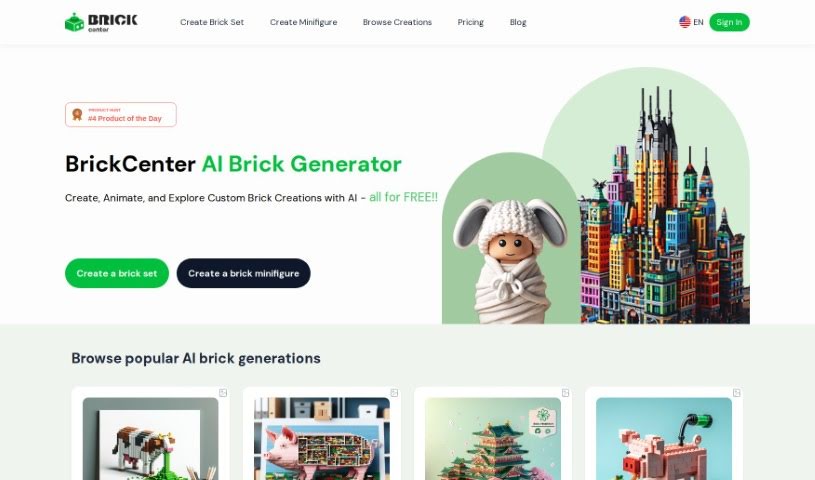
Screenshot of BrickCenter

BrickCenter

Discover what BrickCenter is and how to use it effectively in 2025. We'll explore its features and see how it stacks up against other Image Generators.

Screenshot

What is BrickCenter?

BrickCenter is a really neat platform that uses AI to help you create your own brick sets from just a text description. You can also make unique brick minifigures by uploading an image. Their main goal? To make creativity super accessible for everyone. They offer tools that let you bring all those brick ideas you’ve been dreaming up into reality. With BrickCenter’s AI brick Generator, you can easily whip up personalized brick sets and minifigures, turning your imaginative concepts into actual creations. The platform is all about letting you unleash your creativity without any limits, providing a smooth, user-friendly experience for designing high-quality brick builds.

Who created BrickCenter?

While the specific individual behind BrickCenter isn’t named in the documents, the company is all about pushing the boundaries of brick creativity using AI. They’re focused on making creativity accessible to everyone, letting users generate custom brick sets from text and unique minifigures from images. They really emphasize a user-friendly design and giving you lots of creative freedom. You can even try it out for free, and if you like it, there’s an option to subscribe for unlimited access and more features.

How to use BrickCenter?

Using BrickCenter is pretty straightforward. Here’s how you can get started:

  1. First, head over to the BrickCenter website and find the AI brick Generator feature.
  2. Next, decide if you want to create a custom brick set using a text description or a unique brick minifigure from an image.
  3. If you’re going for a brick set from text, just type in a detailed description of the design you’re imagining.
  4. If you’re uploading an image to create a minifigure, simply select the image and upload it to the platform.
  5. Now, let the AI brick Generator do its magic! Based on your text, it’ll create a detailed brick design. If you uploaded an image, it’ll generate a unique brick minifigure from it.
  6. You get to create up to 3 designs for free with the basic service.
  7. If you want unlimited designs and access to more features, you can subscribe to BrickCenter’s service.
  8. Enjoy all the creative freedom BrickCenter’s AI brick Generator offers. It can handle all sorts of design requests, from specific models like cars to really intricate art pieces.
  9. Take some time to explore BrickCenter’s user-friendly interface and just let your imagination run wild with the high-quality brick designs that advanced AI technology creates.
  10. Really embrace the chance to make creativity accessible to everyone through BrickCenter’s innovative platform.

By following these steps, you’ll be able to get the most out of BrickCenter’s AI brick Generator for all your design projects.

Related AI Tools

Discover more tools in similar categories that might interest you

123RF AI Image Generator

Creative Image Generation
Learn More

Stay Updated with AI Tools

Get weekly updates on the latest AI tools, trends, and insights delivered to your inbox

Join 25,000+ AI enthusiasts. No spam, unsubscribe anytime.