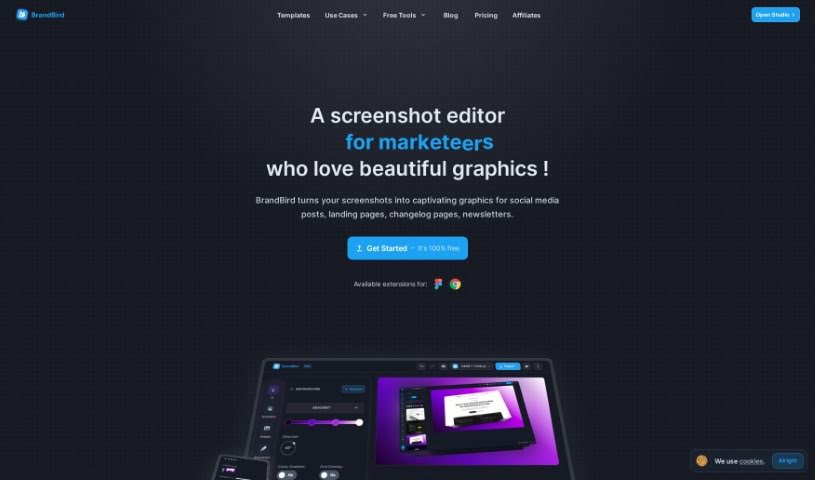
Screenshot of BrandBird

BrandBird

Discover what BrandBird is and how to use it to create stunning visuals for your SaaS business in 2025. We'll cover its features, how it works, and how it stacks up against other design tools.

Screenshot

What is BrandBird?

BrandBird is a really handy platform, created by Jim Raptis, designed specifically to help SaaS founders easily whip up engaging visuals. Think graphics for product updates, social media posts, and newsletters – all without needing a design background. The whole idea behind BrandBird is to make designing super simple. It offers features that let you quickly create things like screenshot mockups and other graphics. Plus, it’s got a super user-friendly interface, works great for all sorts of digital needs, helps boost your brand’s look, and delivers professional-quality results. It’s even great at turning ordinary images into polished graphics that perfectly match your brand’s unique style. People have also really liked its features like 3D effects, smart positioning tools, mockups and frames, annotation layers, different backgrounds, support for social media sizes, and secure ways to handle your data. Users often praise it for how efficient it is, the professional look of the designs it produces, and how easy it is to use.

Who created BrandBird?

Jim Raptis is the person behind BrandBird – he’s the founder, designer, and engineer all rolled into one. Jim used to be a SaaS founder and content creator himself, and he knows firsthand how tough it can be to create eye-catching visuals. That struggle is exactly why he built BrandBird, aiming to make it simple for other SaaS founders to create beautiful graphics without any hassle. He’s spent over 8 years launching and running SaaS businesses, always focusing on giving users a great experience and developing things quickly. Jim’s main focus is on making sure users are happy and encouraging experimentation, which is why BrandBird feels so user-centric.

What is BrandBird used for?

BrandBird can help you with a bunch of things:

  • Keeping your data secure
  • Highlighting your product’s best features
  • Importing tweets to use in your designs
  • Importing entire websites
  • Using a handy Chrome Extension
  • Using a Figma Extension
  • Simply copying and pasting content
  • Adding your own custom watermarks
  • Creating different layouts
  • Exporting your work as WebP files

How to use BrandBird?

To get the most out of BrandBird, here’s a simple guide:

  1. Sign Up: First things first, create an account on BrandBird so you can start using all its features.
  2. Explore Features: Take some time to check out the tools available, like the 3D Effects, Mockups & Frames, Annotation Layers, and the unique Backgrounds. These can really make your designs pop.
  3. Import Content: You can easily grab content using the Chrome Extension to screenshot websites. You can also paste images, text layers, and even tweets directly into BrandBird.
  4. Customize: Make your graphics truly yours by using Brand Kits, adding Custom Watermarks, and choosing from various layouts like Before-After comparisons or Masonry grids.
  5. Export: When you’re ready, export your designs as WebP files. This format gives you high quality while keeping file sizes small.
  6. Discover Integrations: See how third-party integrations can help streamline your entire workflow even further.
  7. Shortcuts and Quick Access: To work even faster, learn the keyboard shortcuts and use the quick access menu for efficient navigation.
  8. Create Professional Graphics: You can easily design eye-catching visuals for social media, your website, newsletters, and much more.
  9. Cancel or Seek Support: If you ever need to, you can cancel your plan. Just a heads-up, refunds are available within 24 hours. And of course, if you need any help at all, don’t hesitate to reach out.
  10. Stay Updated: Keep an eye on BrandBird’s Twitter account for special discounts and to find out about new features as they’re released.

By following these steps, you’ll be able to use BrandBird to create fantastic graphics and really boost your online presence without breaking a sweat.

Related AI Tools

Discover more tools in similar categories that might interest you

123RF AI Image Generator

Creative Image Generation
Learn More

Stay Updated with AI Tools

Get weekly updates on the latest AI tools, trends, and insights delivered to your inbox

Join 25,000+ AI enthusiasts. No spam, unsubscribe anytime.