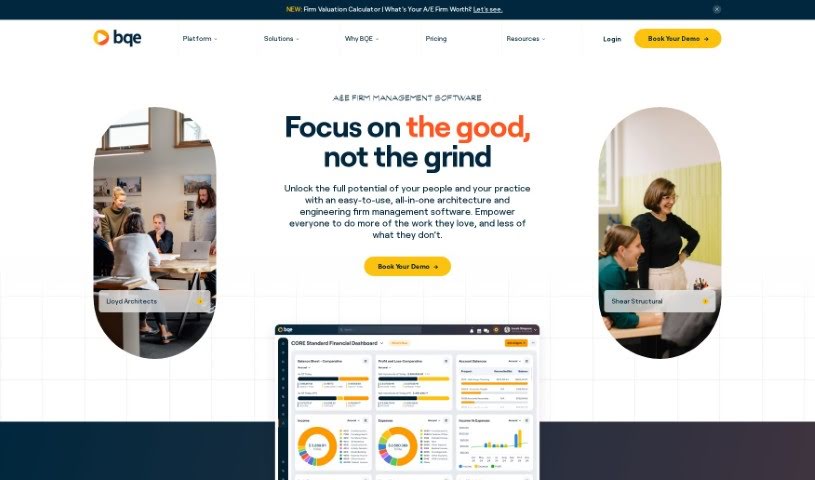
Screenshot of BQE CORE

BQE CORE

Discover what BQE CORE is and how to use it effectively in 2025. We'll explore its features and see how it stacks up against other accounting tools.

Screenshot

What is BQE CORE?

BQE Core is an all-in-one accounting and invoicing software. It’s designed to handle every part of a firm’s operations from a single place, and it’s specifically built for Architecture, Engineering, and Professional Service Firms. It is a way to make managing your business smoother, simplify how you get things done, and save precious time by cutting out the hassle of switching between different systems. It really boosts efficiency.

This software gives you real-time insights, automates tricky processes, and provides tools for managing projects, handling accounting, and analyzing performance. The goal is to empower your teams and help your business grow. It’s a great fit for firms in sectors like Professional Services, Consulting, Architecture, and Engineering. BQE Core offers a wide range of features, including robust project management, detailed project accounting, insightful reporting and analytics, easy time and expense tracking, smooth payment processing, mobile accessibility so you can work from anywhere, comprehensive professional services automation, human resources management, and CRM capabilities. If you’re curious, you can always request a demo to see the software in action and get a feel for what it can do.

Who created BQE CORE?

Shafat Qazi, the founder of the company, is the visionary behind BQE Core. As we mentioned, it’s an integrated accounting and invoicing software, really fine-tuned for Architecture, Engineering, and Professional Service Firms. The main idea is to bring all your management tasks together onto one platform. This means you get handy features for project management, billing, tracking your time, generating reports, and doing analytics. It’s all about helping teams perform better and making your business run more efficiently, thanks to real-time insights and automation. It’s worth noting that over 50,000 users already trust BQE Core to help them grow sustainably and increase their revenue.

How to use BQE CORE?

To really get the most out of BQE Core, here’s a simple breakdown of how to use it:

  1. Get to Know BQE Core: First off, remember it’s an integrated accounting and invoicing software. It’s a great fit for all sorts of firms, including Professional Service Firms, Consulting Firms, Architecture, and Engineering firms.
  2. Explore the Key Features:
    • Project Management: Keep all your projects organized and managed efficiently, all in one spot.
    • Billing and Invoicing: Make your billing process smooth and easy, with options for customization and automation.
    • Time and Expense Tracking: Accurately track your time and expenses to ensure fair and precise billing for your clients.
    • Reporting and Analytics: Dive into insightful analytics to help you make smarter decisions for your business.
    • Mobile Access: Need to work on the go? Access the platform from anywhere, giving you more flexibility.
  3. Requesting a Demo:
    • Head over to the BQE Core website. You can request a demo there to see the software in action and really get a feel for its capabilities.
  4. Training and Support:
    • Training: Good news – free live and on-demand training courses are available for BQE Core customers. If you need more, you can always purchase additional training hours.
    • Support: They offer award-winning customer support to help you out. Plus, it’s available 24/7/365, even while you’re still in your trial period.
  5. Accessibility:
    • BQE Core is a cloud-hosted application, which means you don’t need to download any software. You can access it through any internet browser, or if you prefer, you can download the mobile app from the Apple App Store or Google Play Store.
  6. Pricing:
    • The cost of BQE Core depends on which modules you need and how many users you have. To get an exact quote, you’ll need to submit a pricing request.
  7. Cancellation:
    • You can cancel your subscription by simply not renewing it when your plan is up for renewal. You can also disable auto-renewal. Just keep in mind that you can’t cancel before your current plan expires.

By following these steps, you’ll be able to use BQE Core really effectively to manage your firm’s operations and achieve better results.

Related AI Tools

Discover more tools in similar categories that might interest you

Stay Updated with AI Tools

Get weekly updates on the latest AI tools, trends, and insights delivered to your inbox

Join 25,000+ AI enthusiasts. No spam, unsubscribe anytime.