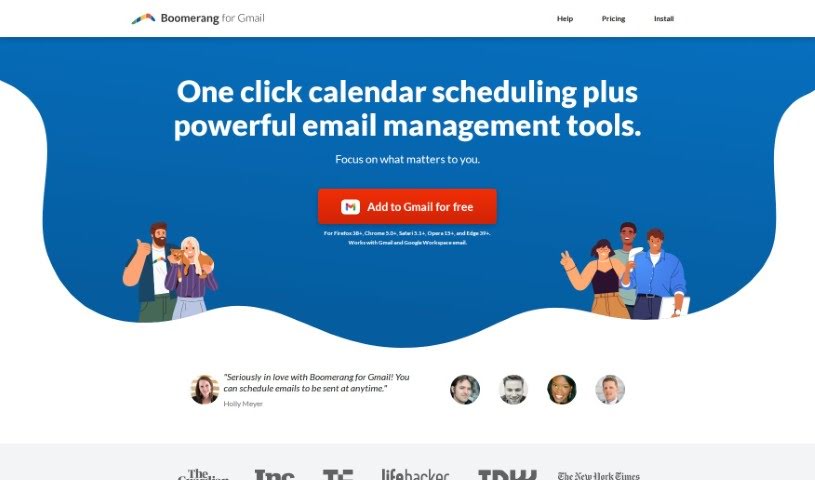
Screenshot of Boomerang for Gmail

Boomerang for Gmail

Discover what Boomerang for Gmail is and how to use it effectively in 2025. We'll explore its features and see how it stacks up against other professional tools.

Screenshot

What is Boomerang for Gmail?

Boomerang for Gmail is like having an AI assistant right there with you as you write emails, helping you make them as effective as possible. It offers real-time advice while you’re composing, looking at your writing style and suggesting ways to improve your communication. The goal is to make sure your emails hit the right note – polite, positive, and just subjective enough to get the best response. It’s built on insights from millions of messages, so it can help you make every email you send better. You’ll find features like instant help, tips on your writing style, advice on optimizing your tone, and analytics to see what makes your emails more likely to get a reply. Boomerang for Gmail works directly within Gmail, giving you advice right in the compose window. By using machine learning and all that data from countless emails, it helps you improve your writing style and tone. Getting started is simple: just install Boomerang in your web browser to give your Gmail experience a boost.

Who created Boomerang for Gmail?

Boomerang For Gmail was actually created by Aye Moah and Alex Moore. Aye Moah, who used to be an engineer at IBM, is a co-founder of Baydin, the company behind Boomerang For Gmail. She studied Computer Science at Stanford University. Alex Moore, another co-founder, has a background in software engineering and is the company’s Chief Technology Officer. Boomerang For Gmail has become a really popular tool for managing emails, offering features like scheduling emails and tracking responses to help people be more productive and efficient.

What is Boomerang for Gmail used for?

Boomerang for Gmail helps you:

  • Focus on important tasks: Block out time for deep work so you can finish projects without interruptions.
  • Boost productivity: Reclaim hours that might otherwise be lost to distractions.
  • Manage your schedule: Set up automatic times to turn off email notifications after work hours.
  • Plan ahead: Schedule notes for birthdays or holidays when you have the time to write them.
  • Follow up effectively: Make sure you don’t miss following up with sales leads.
  • Communicate across time zones: Easily connect with people in different parts of the world.
  • Organize travel details: Clear out travel confirmation emails and have them reappear on the day of your trip.
  • Write better emails: Get real-time help with your writing, optimize your tone for maximum impact, and improve your overall email effectiveness.
  • Increase response rates: Understand what makes people reply to your emails.
  • Streamline communication: Write more actionable and effective emails with AI guidance, and manage travel confirmations efficiently.
  • Stay on top of things: Remind yourself to pay bills and optimize your tone for different recipients.

Who is Boomerang for Gmail for?

Boomerang for Gmail is a great tool for a wide range of professionals, including:

  • Sales professionals and teams
  • Business Executives
  • Marketers
  • Customer service representatives
  • Project managers
  • Customer support staff
  • Marketing professionals
  • Recruiters
  • Entrepreneurs
  • Job seekers
  • And many others!

How to use Boomerang for Gmail?

To get the most out of Respondable, which is part of Boomerang for Gmail, here’s how you can use it:

  1. Get Real-Time Guidance: Let Respondable’s AI help you as you write emails. You’ll get instant advice to make your messages more impactful and increase the chances of getting a response.
  2. Analyze Your Writing Style: Use Respondable to check your writing style and make smart adjustments that really improve how effectively you communicate.
  3. Perfect Your Email Tone: Respondable helps you find that sweet spot – balancing politeness, positivity, and just the right amount of subjectivity for your emails.
  4. Learn Effective Communication Tips: Get practical advice from Respondable on how to craft emails that work better, tailored specifically for whoever you’re writing to.
  5. Understand Response Rates: Use Respondable’s analytics to get a deeper understanding of what makes people respond to your emails.

Getting started with Respondable is straightforward:

  • Easy Integration: Respondable is built right into Gmail, so you don’t need to switch between different apps for advice.
  • Quick Setup: Just install Boomerang in your web browser to start using Respondable and make your Gmail experience even better.
  • Explore Features: Check out what Respondable offers, like instant feedback, analytics on email effectiveness, and the machine learning techniques that power it.

By following these steps, you can really transform your email communication with Respondable | Boomerang for Gmail, making it much easier to get the responses you need.

For more in-depth information, feel free to visit the official help center at https://help.boomeranggmail.com/.

Related AI Tools

Discover more tools in similar categories that might interest you

Stay Updated with AI Tools

Get weekly updates on the latest AI tools, trends, and insights delivered to your inbox

Join 25,000+ AI enthusiasts. No spam, unsubscribe anytime.