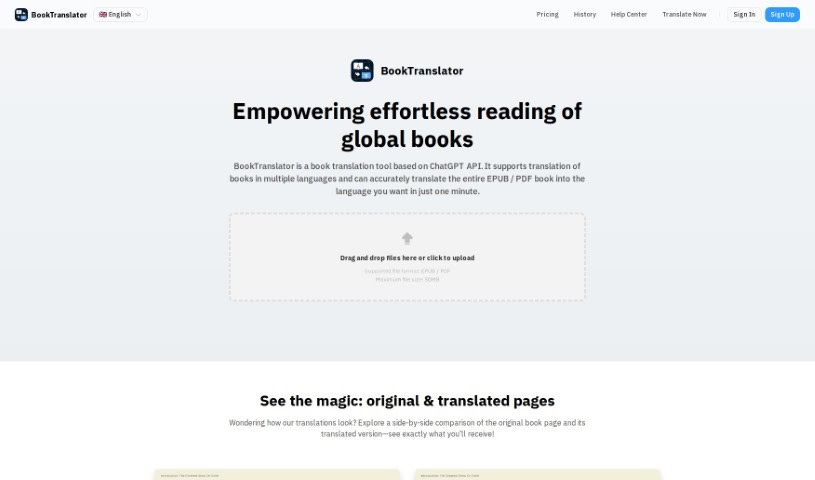
Screenshot of BookTranslator

BookTranslator

Discover BookTranslator, the tool that makes reading global literature a breeze. Learn how to use its one-click translation, multi-language support, and bilingual comparison features in 2025. See how it stacks up against other student tools.

Screenshot

What Exactly is BookTranslator?

BookTranslator is your personal key to unlocking literature from all over the world. It’s designed to help readers dive into books in different languages by offering a super simple, one-click way to translate entire books. What’s great is that it really tries to keep the author’s original voice and intent intact. It handles a bunch of languages, including Chinese, English, Japanese, Korean, Spanish, French, German, and many more. This means you can switch between languages or read a translated version without any hassle. Plus, it’s incredibly fast – most translations are ready in just a minute or two, and you get notified right away when it’s done.

Who’s Behind BookTranslator?

BookTranslator was started by a team who are passionate about tearing down language barriers in the world of books. Their goal? To let you translate whole books quickly and accurately with just one click, all while making sure the author’s original tone comes through. They support a wide range of languages like Chinese, English, Japanese, Korean, Spanish, French, and German, making it easier than ever to explore books from different cultures. The service is known for being super speedy, sending you notifications the moment a translation is finished, and offering a neat feature that lets you compare the original text with the translated version side-by-side for a deeper understanding.

What Can You Do with BookTranslator?

Here’s a breakdown of what BookTranslator offers:

  • Full Book Translation: Just one click, and you get a complete book translation that aims to stay true to the author’s original tone and intent.
  • Lots of Languages: You can access a huge variety of languages, making it super easy to read books from anywhere in the world.
  • Bilingual Comparison: There’s a handy feature that lets you compare the original text right next to the translated version, which really helps you understand things better.
  • Super Fast: It’s incredibly quick! Most books get translated in just a minute or two.
  • Instant Notifications: You’ll get real-time updates on your translation job, either through app notifications or an email.
  • Complete Translation: One-click service for translating full books that respects the author’s original tone and intent.
  • Multi-language Support: Access to a plethora of languages making it easy to read books from across the globe.
  • Bilingual Comparison: Feature to compare the original text with the translated version for improved comprehension.
  • Ultimate Speed: Quick translation capabilities with most books translated in just one or two minutes.
  • Instant Notifications: Real-time updates on the status of your translation job through app notifications or email.

Who Would Find BookTranslator Useful?

BookTranslator is a great tool for a variety of people, including:

  • Authors
  • Translators
  • Anyone who loves reading literature in different languages
  • Writers
  • Readers in general
  • People learning new languages
  • Researchers
  • Language students
  • Educators

How Do I Use BookTranslator?

Getting started with BookTranslator is pretty straightforward. Just follow these simple steps:

  1. First, head over to the BookTranslator website.
  2. Next, you’ll upload your book file. It accepts EPUB or PDF formats, and you can upload files up to 50MB.
  3. Then, just pick the language you want the book translated into.
  4. Hit the button to start the translation process – it really is just one click!
  5. Now, you just need to wait a moment for the super-fast translation to finish. It usually takes only one to two minutes.
  6. You’ll get an instant notification, either in the app or via email, as soon as your translation is ready to go.
  7. Once it’s done, you can open up the translated version and start reading seamlessly in your chosen language.
  8. For even better understanding, make sure to use the bilingual comparison feature. This lets you see the original text right next to the translated version, side-by-side.

BookTranslator really makes the whole experience user-friendly, with top features like full translations, support for many languages, quick turnaround times, and instant notifications to keep your workflow smooth. By following these steps, you can easily access books from all sorts of languages, opening up your world of literature without any fuss.

Related AI Tools

Discover more tools in similar categories that might interest you

Academic Help Free Essay Generator

Education Academic Writing
Learn More

Stay Updated with AI Tools

Get weekly updates on the latest AI tools, trends, and insights delivered to your inbox

Join 25,000+ AI enthusiasts. No spam, unsubscribe anytime.