What is Booke AI?
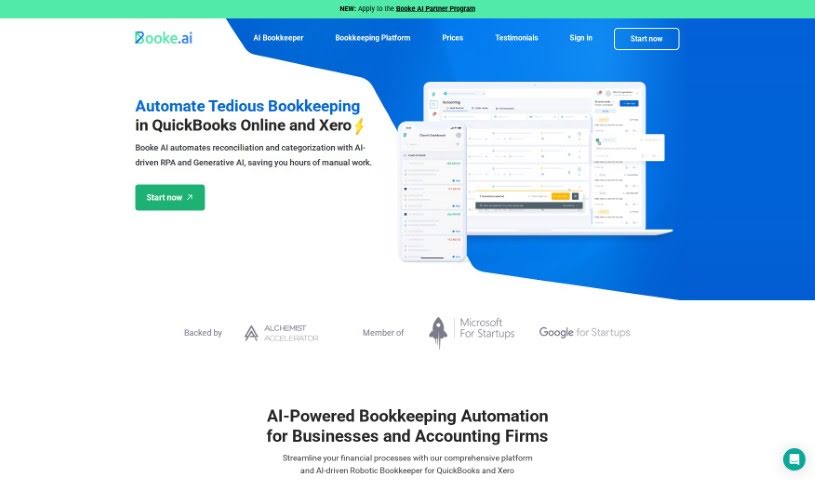
Booke AI is a really handy application that uses AI to make bookkeeping much simpler. It is having a robotic AI bookkeeper that can automatically handle uncategorized transactions and fix coding mistakes. It also offers expert help with reconciliation, giving you suggestions to speed things up and make them more accurate. Booke AI plays nicely with popular accounting software like Xero, QuickBooks, and Zoho Books, so moving your data over is a breeze. Plus, its AI-powered feature for invoices and receipts means you can just scan them, and it pulls out all the necessary data in real-time – no more manual typing!
Beyond that, Booke makes it easier for you to work with clients. It has built-in communication tools that cut down on endless calls and emails. You can also create and share good-looking reports with just one click. The main idea is to automate bookkeeping tasks, saving you and your business a ton of time and effort.
Who created Booke AI?
Booke AI was developed by a team of talented developers, led by the founder. While the founder’s name isn’t specifically mentioned in the details we have, the company itself focuses on AI-driven solutions for bookkeeping. They specialize in automated reconciliation, pulling data from documents, spotting errors, and improving how people communicate about bookkeeping. Booke AI offers several key features, including its Robotic AI Bookkeeper, automatic transaction categorization, tools to make communication smoother, easy integration with major accounting software, and reports that you can interact with. Essentially, they’re using AI to make bookkeeping tasks much less of a hassle.
What is Booke AI used for?
Booke AI is designed to help with a variety of bookkeeping tasks:
- Client Portal: Access your bookkeeping information easily on both desktop and mobile.
- Reconciliation AI-assistant: Get AI-powered help to make reconciling accounts faster and more accurate.
- OCR AI for Documents: Automatically process invoices, bills, and receipts by extracting data.
- Import Options: Easily bring in data from Dropbox and Google Drive.
- Browser Extension: Communicate with clients and perform bulk reconciliations right from your browser.
- Custom Branding: Get a white-label, custom-branded portal for your business.
- Robotic AI Bookkeeper: This feature regularly checks new bank transactions.
- Auto-Categorization: It automatically categorizes your banking transactions.
- Software Integration: Connects with accounting software like QuickBooks, Xero, and Zoho.
- Automated Data Extraction: Processes invoices, bills, and receipts in real-time using AI.
- Streamlined Communication: Built-in tools improve how you communicate with clients.
- Interactive Reports: Generate and share visually appealing reports easily.
- Daily, Weekly, Monthly Bookkeeping: Handles routine bookkeeping using GPT-driven RPA.
- Accounts Payable Workflow: Manages your accounts payable process.
- Client Query Tool: Helps answer client questions about transactions.
- Two-way Integrations: Works seamlessly with Xero, QuickBooks (including Desktop), and Zoho.
- Proactive Error Detection: The AI constantly looks for inconsistencies and alerts you to potential problems.
- Improving Communication: Makes bookkeeping communication processes much smoother.
- Automated Reconciliation Assistance: Provides help with reconciling accounts.
- Bulk Reconciliation: Perform reconciliations for many items at once using the browser extension.
- Smart Document Data Extraction: Extracts data from invoices and receipts efficiently.
Who is Booke AI for?
Booke AI is a great tool for:
- Accountants
- Bookkeepers
- Business owners
- Small Business Owners
- Financial Professionals
- Finance professionals
- Financial managers
How to use Booke AI?
Getting started with Booke AI is pretty straightforward. Here’s a simple breakdown:
- Pick a Plan: First, choose the plan that best fits what your business needs. You can go for the Data Entry Automation Hub for $20 a month or the more comprehensive Robotic AI Bookkeeper plan for $50 a month.
- Get the App: Download the Booke AI Client Portal app. It’s available on both the Apple Store and Google Play Store, so you can use it easily on your computer or your phone.
- Check Out the Features:
- Reconciliation AI-assistant: Use the AI to help you reconcile accounts automatically. It really speeds things up.
- OCR AI: This feature lets you automate processing for invoices, bills, and receipts. The AI handles the data extraction.
- Integration: Connect Booke AI to your existing accounting software, like Xero, QuickBooks, or Zoho. This makes transferring data super smooth.
- Robotic AI Bookkeeper: This is the core AI technology that helps make your bookkeeping tasks faster and more efficient.
- How it Works Day-to-Day:
- Data Entry Help: The AI can help fix any transactions that weren’t categorized correctly or had coding errors.
- Better Communication: Use the built-in tools to improve how you collaborate with clients and keep communication flowing.
- Easy Reports: Need to share your progress? You can generate interactive reports with just one click.
- Smart Document Data Extraction in Action:
- Got stacks of paperwork? Booke AI can instantly turn them into organized data. It’s designed to read invoices and receipts in any language or currency.
- Catching Errors Early:
- The AI is always on the lookout for inconsistencies. It will alert you to potential issues before they become bigger problems, which is a real lifesaver.
- Making Bookkeeping Communication Simple:
- The client portal is designed for easy connection. Accountants and business owners can connect instantly, share documents, ask questions, and get answers all in one convenient place.
By following these steps, you’ll be able to use Booke AI effectively to automate and simplify your bookkeeping, saving valuable time and effort for your business.