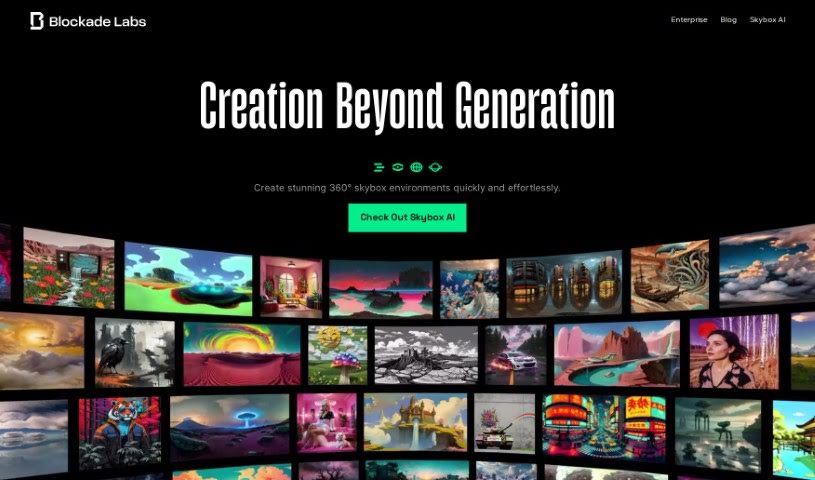
Screenshot of Blockade Labs

Blockade Labs

Discover Blockade Labs and its Skybox Lab platform in 2025. Learn how to use its features to create stunning 360° worlds from text prompts and compare it to other AI art generators.

Screenshot

What is Blockade Labs?

Blockade Labs is a company that’s really making waves with its AI-powered tool called Skybox Lab. It is your personal portal to creating unique 360° skybox experiences, all just by typing in a few words. It’s designed to be super user-friendly, so you can build these immersive virtual environments really quickly, even if you’ve never touched code before. For those who want to dive deeper and integrate this tech into their own projects, Skybox Lab also offers API access. Essentially, Blockade Labs is all about connecting technology with your creative ideas, opening up new ways to build worlds.

Who created Blockade Labs?

Blockade Labs was started by a team passionate about AI and creative tools. They launched their main platform, Skybox Lab, on March 7, 2023. This platform is their answer to making it simple for anyone to generate 360° skybox experiences just by using text prompts. It’s a straightforward way to create virtual spaces. Beyond the main platform, Blockade Labs also provides API access, which is great for developers who want to weave this technology into their own applications or workflows.

Who is Blockade Labs for?

  • People building virtual reality experiences
  • Game developers looking for quick environment creation
  • Anyone working with visual media who needs immersive backdrops

How to use Blockade Labs?

Ready to jump into Blockade Labs’ Skybox Lab? It’s pretty straightforward. Here’s a quick rundown:

  1. Get into Skybox Lab: First off, head over to the Blockade Labs website. You’ll find the Skybox Lab platform waiting for you there.
  2. Create Your 360° World: This is where the magic happens! Just type in what you want to see – describe your ideal 360° skybox. The platform will generate it for you in a massive 8K resolution, giving you incredible detail.
  3. Tweak and Perfect: Once you have your initial creation, you can really fine-tune it. Adjust specific details, get new ideas from prompts, and even change things like the time of day or the weather to get the exact look and feel you want.
  4. Export and Use It: Need to use your creation elsewhere? You can turn your skybox into a 3D mesh with just one click. Then, export it for use in your favorite 3D applications, save it as HDRi lighting, or even in a cube map format.
  5. Remix Your Own Images: Feeling inspired by your own photos? You can use your own 360° images as a starting point to create unique AI-generated skyboxes.
  6. Share and Connect: Share what you’ve made with the community! Plus, if you’re a developer, you can integrate your skyboxes directly into the Unity Engine using the provided API access.
  7. Join the Community: Get involved with the Blockade Labs community. It’s a great place to see what others are creating and explore the exciting world of building virtual environments.

By following these steps, you can quickly build amazing 360° skybox experiences with Blockade Labs’ Skybox Lab. You don’t need any coding skills at all. The platform makes it easy to customize, integrate, and share your creations, offering a really smooth and creative journey into virtual world-building.

Related AI Tools

Discover more tools in similar categories that might interest you

123RF AI Image Generator

Creative Image Generation
Learn More

Stay Updated with AI Tools

Get weekly updates on the latest AI tools, trends, and insights delivered to your inbox

Join 25,000+ AI enthusiasts. No spam, unsubscribe anytime.