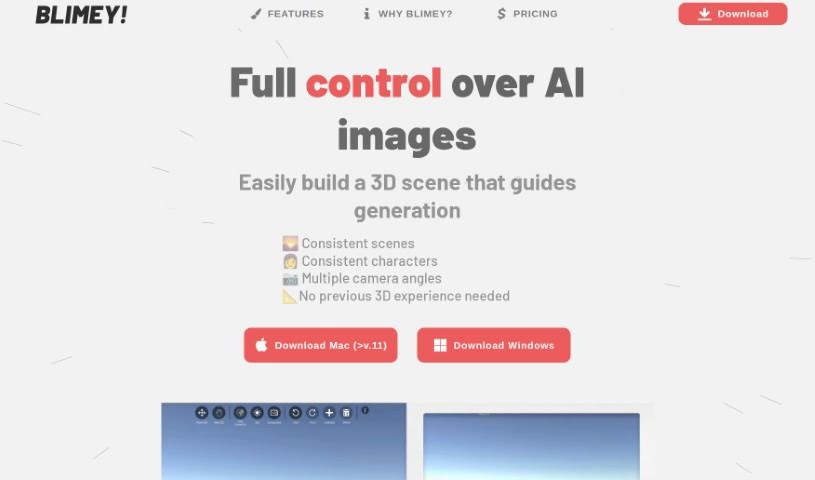
Screenshot of Blimey

Blimey

Discover Blimey, an AI image generator from 2025, and learn how to use it effectively. We'll explore its features and see how it stacks up against other image generators.

Screenshot

What is Blimey?

Blimey is a really neat AI image generation tool, created by Markus. What’s cool about it is that it gives you a lot of control over the images you create. You can easily guide things like the composition, the colors, the overall style, and so much more. Blimey offers some great features, including the ability to create high-quality images, customize colors precisely, manage the composition, generate images quickly, and even do 3D rendering. Essentially, you get full command over the AI-generated images because you build a 3D scene that acts as a blueprint for the whole process.

If you’re curious for more details or have specific questions, just ask away!

Who created Blimey?

Markus is the creative force behind Blimey. He launched the platform on June 14, 2024, and he’s the founder who currently runs the company all by himself. Markus developed Blimey with a clear goal in mind: to quickly generate images that perfectly match his own vision. He really wanted to give users control over the colors and composition when creating AI images. The platform itself provides high-quality image creation, total control over composition and color customization, fast image generation, 3D rendering capabilities, and the flexibility to use multiple camera angles. You can choose to subscribe monthly or yearly, with pricing set in USD. Markus is always open to feedback, and you can reach him at [email protected].

What is Blimey used for?

Blimey is a versatile tool that can help you with a variety of creative tasks:

  • Generate 3D models: Create your own 3D assets.
  • High-quality images: Produce visually stunning results.
  • Complete control over composition: Arrange elements exactly how you want them.
  • Color customization: Fine-tune every color.
  • Style customization: Define the artistic style of your images.
  • Fast image generation: Get your images quickly.
  • 3D rendering: Render your scenes in 3D.
  • Easy-to-use 3D scene feature: Build scenes without needing prior 3D experience.
  • Multiple camera angles: View and generate images from various perspectives.
  • Generating new 3D models: Create fresh 3D assets on the fly.
  • Background change: Easily swap out backgrounds.
  • Control Composition: Maintain precise control over how your image is framed.
  • Control Colors: Adjust and perfect the color palette.
  • Multiple Scene Angles: Explore different viewpoints of your scene.
  • Full control over AI-generated images: Have the final say in every detail.
  • Consistent scenes: Ensure continuity across multiple image generations.
  • Consistent characters: Keep characters looking the same across different images.
  • Reference Image Upload: Use your own images to guide the AI.
  • Easy Navigation: Move around the tool intuitively, much like in a video game.
  • Efficiency in content creation: Speed up your workflow significantly.
  • Full control over AI-generated images: Make sure the output matches your exact vision.
  • Consistent scenes generation: Reliably reproduce specific scene setups.
  • Consistent characters design: Maintain character integrity across your projects.
  • Multiple camera angles customization: Tailor your camera perspectives precisely.
  • Depth control in image creation: Manage the sense of depth in your images.
  • Pose control for image generation: Dictate the poses of characters or objects.
  • Easy navigation like gaming with WASD or arrow keys: Navigate your 3D scene with familiar controls.
  • Download for Mac and Windows: Get the software for your operating system.

Who is Blimey for?

Blimey is a fantastic tool for anyone involved in visual creation and marketing:

  • Graphic designers: Craft unique visuals with precise control.
  • Marketing professionals: Create eye-catching campaigns.
  • Content creators: Produce engaging visuals for various platforms.
  • Digital artists: Explore new ways to bring your art to life.
  • Ad designers: Develop compelling advertisements.
  • Branding designers: Ensure visual consistency for brands.
  • Artists: Experiment with AI-driven creative processes.
  • Digital marketers: Enhance online presence with custom imagery.
  • Brands & Agencies: Streamline visual content production.
  • Product Managers: Visualize product concepts and features.
  • UI/UX Designers: Create mockups and prototypes with custom assets.

How to use Blimey?

Using Blimey is straightforward, even if you’re new to 3D. Here’s a simple guide:

  1. Download Blimey: First, grab the right version for your Mac or Windows computer. You can find the download links within the documentation.
  2. Get Started: The best way to begin is by creating a 3D scene. This scene will guide the AI in generating your images. Don’t worry if you’ve never worked with 3D before; it’s designed to be user-friendly.
  3. Generate 3D Models: If the pre-made 3D models in the tool don’t quite fit what you’re imagining for your scene, you have options. You can upload your own reference images to help the AI, or you can generate entirely new models right within Blimey.
  4. Scene Influence: Take charge by controlling the scene’s composition, the colors used, and setting up multiple camera angles to capture exactly what you need.
  5. Navigation: Moving around within the tool is easy. You can use the standard WASD keys or your arrow keys, just like in many video games.
  6. Cost and Subscriptions: Blimey offers a couple of ways to pay. You can opt for a pay-per-image model, or you might prefer a subscription plan. The document provides details on pricing and how credits work for generating images.
  7. Feedback and Support: Markus, the creator, is available to help. You can reach out to him via email if you have any feedback or need support with the tool.
  8. Additional Features: Blimey also includes handy features like changing backgrounds, saving your scenes so you can return to them later, importing .obj files (a common 3D file format), and generally giving you more creative freedom.
  9. Advantages: Some key benefits include having complete control over your image composition, the ability to customize colors precisely, the speed of image generation, and the high quality of the final images.
  10. Considerations: Keep in mind that there are charges per image, the free trials might be limited, and you’ll need to get comfortable with the concept of 3D scenes to get the most out of it.

By following these steps, you’ll be well on your way to using Blimey effectively to create AI-generated images that perfectly match your unique vision and specific needs. For even more in-depth information, be sure to check out the official Blimey user guide.

Related AI Tools

Discover more tools in similar categories that might interest you

123RF AI Image Generator

Creative Image Generation
Learn More

Stay Updated with AI Tools

Get weekly updates on the latest AI tools, trends, and insights delivered to your inbox

Join 25,000+ AI enthusiasts. No spam, unsubscribe anytime.