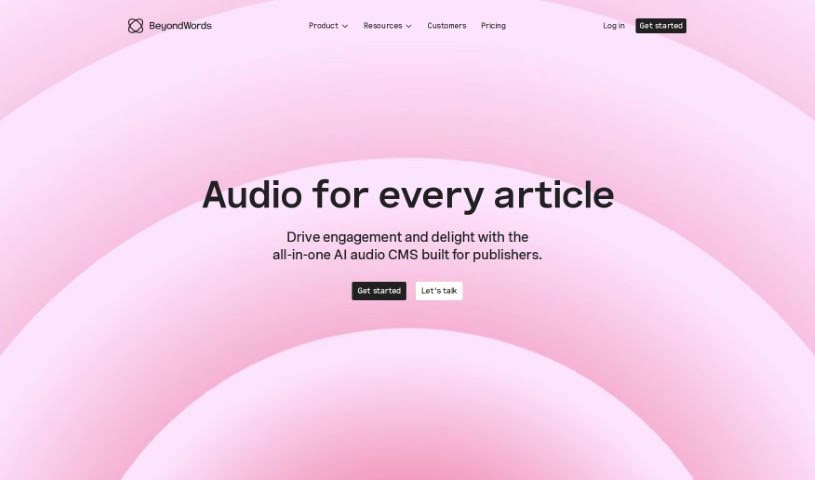
Screenshot of BeyondWords

BeyondWords

Discover what BeyondWords is and how to use it effectively in 2025. We'll explore its features and see how it stacks up against other Text-to-Speech tools.

Screenshot

What is BeyondWords?

BeyondWords is a really neat tool that turns your written text into engaging, immersive audio. It uses advanced AI voices to smoothly weave audio into your publishing process, making things better for everyone. The voices sound incredibly natural, almost like a real person speaking. You can even tweak things like tone, pitch, and speed to get the perfect audio version of your content. Plus, it’s super easy to use, with a straightforward interface for managing all your audio files. Adding audio doesn’t just make your content more enjoyable; it also helps with SEO, potentially boosting your website’s ranking and bringing in more visitors naturally.

Founded back in 2017 by Patrick O’Flaherty and James MacLeod, BeyondWords has become a go-to for text-to-speech services, especially in the news media world. Over 100 publishers worldwide trust it.

Who created BeyondWords?

Patrick O’Flaherty and James MacLeod started BeyondWords in 2017. Back then, it was actually called SpeechKit. Today, it’s a top choice for text-to-speech in the news media industry, with more than 100 publishers using it. Patrick and James, along with their skilled team of ML and language engineers who’ve worked at places like Google and Brave, are always working on new text-to-speech tools and technologies. They’re focused on expanding what publishers can do with audio.

What is BeyondWords used for?

BeyondWords is incredibly versatile. You can use it to:

  • Automate audio production: Make audio content without the hassle.
  • Boost your publishing workflow: Integrate audio right into your CMS.
  • Create unique AI voices: Craft custom voices that fit your brand.
  • Turn articles into audio: Make your written content accessible as spoken word.
  • Improve content marketing: Use audio to make your marketing efforts more impactful.
  • Help with investment research: Convert complex reports into easy-to-listen audio.
  • Make white papers engaging: Transform dense documents into audio formats.
  • Enhance internal communications: Use spoken audio for clearer messages within your team.
  • Connect with audiences: Deliver accurate text-to-speech for better engagement.
  • Grow your reach and revenue: Use audio to attract more listeners, keep them engaged, and even create new subscription products.
  • Improve SEO: Add audio versions of your content to help your website rank higher and attract more organic traffic.
  • Reach more people: Make your journalism and content accessible to a wider audience through compelling audio.
  • Empower creators: Give content creators, publishers, and marketers the tools to easily produce audio.
  • Customize voices: Tailor AI voices to match your content and who you’re trying to reach.
  • Transform newsletters: Turn your newsletters into engaging audio experiences.
  • Generate audio for research: Create spoken versions of investment research and white papers.
  • Boost engagement with voice cloning: Use advanced voice cloning for unique audio.
  • Improve user experience: Offer natural-sounding AI voices that people enjoy listening to.
  • Use top-tier voices: Choose from exclusive AI voices developed with professional voice actors or the latest TTS options from Amazon, Microsoft, and Google.
  • Handle pronunciation automatically: Use Automatic SSML to normalize text and ensure accurate pronunciation at scale.
  • Seamless integration: Fit audio into your workflow without needing expensive equipment or voice actors.
  • Optimize for search engines: Properly index audio files to improve SEO and website ranking.

Who is BeyondWords for?

BeyondWords is a great fit for:

  • Content creators
  • Publishers of all kinds
  • Marketers looking to expand their reach
  • Digital writers
  • Marketing teams
  • Professional services firms
  • Think tanks
  • Voice actors exploring new tech
  • Content Marketing Teams
  • News Publishers

How to use BeyondWords?

Getting started with BeyondWords is pretty straightforward. Just follow these simple steps:

  1. Sign Up: First, create an account on the BeyondWords website. This gives you access to everything the platform offers.
  2. Input Your Text: Next, paste or type the text you want to turn into audio. This could be anything from a full article to a short newsletter.
  3. Pick a Voice: You’ll have a selection of AI voices to choose from. They come in different accents, languages, and tones, so you can find the perfect match for your content and audience.
  4. Customize It: Once you’ve chosen a voice, you can fine-tune its tone, pitch, and speed. This helps you create an audio version that truly represents your text.
  5. Integrate Easily: BeyondWords connects smoothly with your existing Content Management System (CMS). This makes converting text to audio a breeze.
  6. Boost Your SEO: Adding audio versions of your content can really help your website’s search engine ranking. It improves your SEO and can attract more organic traffic.
  7. Manage and Publish: The platform has an intuitive interface that makes it easy to organize and manage all your audio files. You can update, edit, and publish them right alongside your written content.
  8. Choose a Plan: BeyondWords offers several subscription plans – Pilot, Pro, Pro Plus, and Enterprise – each with different features and usage limits, so you can pick the one that best suits your needs.
  9. Explore Advanced Features: Don’t forget to check out extras like voice cloning for creating your own custom AI voices and automatic SSML for ensuring accurate pronunciations, especially for larger projects.
  10. Reach More People: Use BeyondWords to connect with your audience, keep them engaged, and even drive revenue by making audio content creation simple and effective.

By following these steps, you’ll be able to create compelling and immersive audio content from your text quickly and easily with BeyondWords.

Related AI Tools

Discover more tools in similar categories that might interest you

Stay Updated with AI Tools

Get weekly updates on the latest AI tools, trends, and insights delivered to your inbox

Join 25,000+ AI enthusiasts. No spam, unsubscribe anytime.