What is Bannerbear?
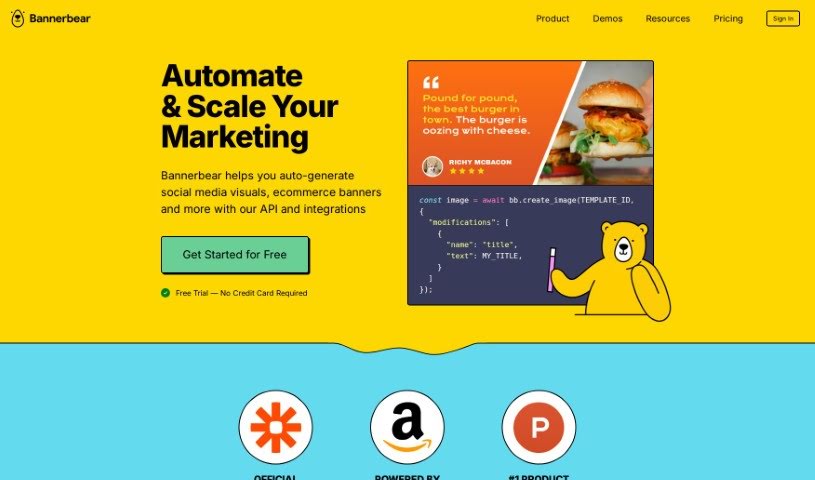
Bannerbear is a really helpful tool designed to automate and scale your marketing efforts. Essentially, it lets you automatically create social media visuals, e-commerce banners, and a whole lot more, all through its API and various integrations. This means you can set up automated workflows for those repetitive marketing tasks that usually take up a lot of time, and you don’t even need to know how to code. You can easily add image and video generation capabilities directly into your own apps by using Bannerbear’s REST API or their official libraries for Ruby, Node, and PHP. The platform also offers a bunch of useful integrations, like Zapier, Make.com (formerly Integromat), Airtable, Signed URLs, Simple URLs, Forms, Crawlers, and Team Members. These integrations give you many different ways to generate the images and videos you need. Plus, Bannerbear provides features such as global content delivery through a CDN, access to its REST API, optional two-factor authentication for security, control over how long your data is kept, and priority support for users who need it.
Who created Bannerbear?
Bannerbear was actually founded by Jon back in January 2020. While the company is based in Singapore, it operates as a completely remote team, with members spread out all over the world. Besides Jon, the team includes folks like Rayon, Jeffrey, Nia, Josephine, Julianne, and Dhea. Each person plays a key role, helping out with things like customer support, design, and marketing.
What is Bannerbear used for?
Bannerbear is incredibly versatile and can be used for a wide range of tasks:
- Delivering Assets: You can get your image and video assets delivered via a Content Delivery Network (CDN), which is great for hotlinking.
- API Integration: Connect it with external services or your own custom app using the REST API.
- Automated Workflows (Zapier): Integrate with Zapier to create automated workflows for your marketing tasks.
- Automated Workflows (Make.com): Similarly, use Make.com (formerly Integromat) for automated workflows.
- Airtable Data: Generate images directly from your Airtable data.
- Secure URLs: Create secure URLs that allow for on-demand image generation.
- Dynamic URLs: Generate dynamic URLs for on-demand image creation on external platforms.
- HTML Forms: Build HTML forms to generate images on demand.
- Website Data Pulling: Pull data from public websites to create on-demand images and graphics.
- Team Collaboration: Add multiple team members to your account, assigning different roles for designing templates and managing API keys.
- On-Demand Generation (Airtable): Generate images from Airtable data.
- On-Demand Generation (Secure URLs): Create secure URLs that generate images when you need them.
- On-Demand Generation (Dynamic URLs): Create dynamic URLs to generate images on demand on any external platform.
- On-Demand Generation (Websites): Generate images and social media graphics on demand from public websites.
- On-Demand Generation (HTML Forms): Create HTML forms to generate images on demand.
- Team Management: Add multiple team members to one account with different roles, which is perfect for designing templates and managing API keys.
- Account Protection: Use Two-Factor Authentication for enhanced account security.
- Data Management: Control when your data expires and is deleted from the servers.
- Zapier Integration: Integrate with Zapier for automated workflows.
- AWS S3 Integration: Connect directly to your AWS S3 Bucket for Bring Your Own Storage (BYOS).
- External Service Integration: Integrate Bannerbear with external services or your own app.
- Zapier Workflows: Create automated workflows for image and video generation using the Zapier integration.
- Application Image Generation: Create secure URLs for generating images on demand within applications.
- External Platform Image Generation: Generate dynamic URLs for images on demand on external platforms.
- Interactive Image Generation: Create HTML forms to interact and generate images on demand.
- Website Data for Graphics: Use the Crawlers integration to pull data from websites for on-demand images and graphics generation.
- Collaborative Team Features: Add multiple team members to one account with different roles for collaboration.
- Security Features: Enable Two-Factor Authentication and data expiration control for security.
- Managed Media Storage: Connect to your organization’s AWS S3 Bucket for managed media storage.
Who is Bannerbear for?
Bannerbear is a great tool for:
How to use Bannerbear?
To get the most out of Bannerbear, here’s a straightforward guide:
- Start with a Free Trial: Head over to Bannerbear’s website and sign up for a free trial. You won’t even need a credit card to get started.
- Automate Marketing Tasks: Begin by automating marketing tasks like creating social media visuals and e-commerce banners. You can do this easily using the API and the various integrations available.
- Explore the API: Get comfortable with the API by creating images and videos. You can use the REST API directly or work with the official libraries for Ruby, Node, and PHP.
- Use Integrations: Take advantage of the many integrations offered, such as Zapier, Make.com/Integromat, Airtable, and Signed URLs. These let you connect Bannerbear with other apps without needing to code.
- Manage Your Team: Use the Team Members feature to add multiple people to your account. You can set defined roles for them and also enable optional Two-Factor Authentication for added security.
- Organize with Projects: The Projects feature is super useful for keeping your templates organized. You can group them into different workspaces, each with its own unique API key.
- Generate Images with Forms: Use the Forms integration to create HTML forms. These are handy for generating images on demand, whether for your team or for your users.
- Fetch Data with Crawlers: The Crawlers integration lets you fetch data from public websites. You can then use this data to create images and social media graphics instantly.
- Save Bandwidth with CDN: If you need to save bandwidth, you can hotlink to your image/video assets that are delivered via a global CDN.
- Get Support: Email support is available if you run into any issues. Plus, priority support means you’ll get quicker responses when you need assistance.
By following these steps, you’ll be able to efficiently use Bannerbear to automate your marketing tasks and create really engaging visuals for all your projects.