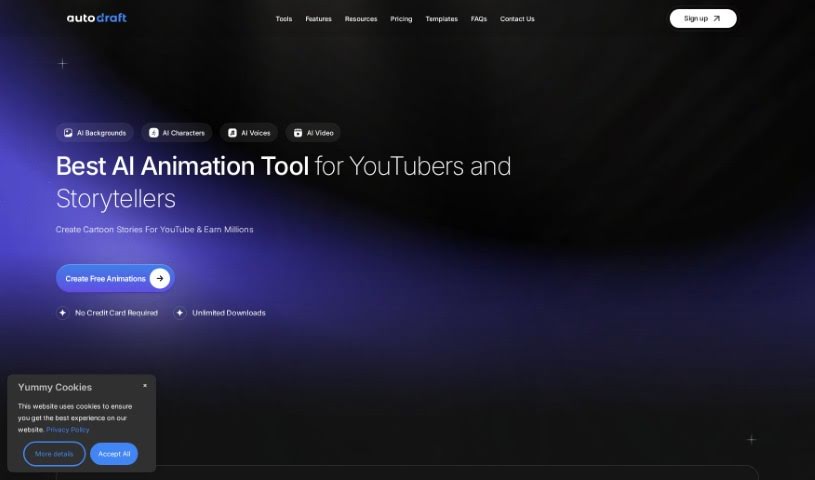
Screenshot of Autodraft AI

Autodraft AI

Discover what Autodraft AI is and how to use it effectively in 2025. We'll explore its features and see how it stacks up against other Image Generators.

Screenshot

What is Autodraft AI?

Autodraft AI is a really neat AI tool designed to help you turn your creative ideas into amazing artwork. It can create images from text descriptions and also modify existing ones. It is a digital artist that understands what you’re thinking! One of its coolest features is the AI-paint function. This can actually fix or fill in parts of an image that are missing or damaged. What’s great about Autodraft AI is how easy it is to use; its interface understands everyday language. So, you can just describe what you want, and it’ll do its best to create it. It’s perfect for graphic designers, content creators, or anyone who loves visual storytelling. It really makes bringing AI into your creative process feel natural and straightforward.

Who created Autodraft AI?

AutoDraft was actually developed by an innovative founder who’s really into creating advanced AI technology. The company behind AutoDraft is all about making a user-friendly tool that can handle all sorts of creative tasks. What makes AutoDraft stand out is its AI-powered text-to-image and image-to-image features. This means you can generate brand-new visuals or give existing ones a fresh look with ease. The AI-paint function is a real lifesaver, especially if you’ve got images that need repairing or if you’re just looking to explore some new design ideas. Plus, with its natural language interface, AutoDraft fits right into your creative workflow, opening up tons of possibilities for visual storytelling and design.

What is Autodraft AI used for?

Here are some of the ways you can use Autodraft AI:

  • Create new images from text descriptions: Just type what you imagine, and Autodraft AI will bring it to life visually.
  • Modify and enhance existing images: Use its AI assistance to tweak and improve the pictures you already have.
  • Restore and complete images: It’s great for fixing images that are missing pieces or have been damaged.
  • Translate verbal descriptions into visuals: If you can describe it, Autodraft AI can help visualize it.
  • Boost your creative workflow: AI-driven possibilities can really speed things up and open new avenues.
  • Edit historical photos: Give old pictures a new lease on life.
  • Repair damaged artworks: Bring cherished pieces back to their former glory.
  • Experiment with creative design ideas: Play around and see what new concepts you can explore.
  • Generate stunning visual artworks: Create beautiful, unique pieces from scratch.
  • Interact and describe your vision: Simply talk to the tool to create the visuals you’re thinking of.

How to use Autodraft AI?

AutoDraft is a really advanced AI tool that’s fantastic for turning your creative ideas into compelling artwork. Here’s a simple guide to using it effectively:

  1. Get Started with AutoDraft: First, head over to the AutoDraft website. Take a moment to look around and get familiar with all the features it offers.
  2. Create Images from Text: Use the text-to-image function to generate new visuals. Just describe what you want in plain language, and AutoDraft will do the work of bringing your vision to life.
  3. Modify Your Images: You can easily adapt and improve existing images using the image-to-image feature. Feel free to try out different modifications to get exactly the look you want.
  4. Use the AI-Paint Feature: Make sure to try out the AI-paint tool. It’s perfect for restoring or filling in any missing parts of an image. This is super handy if you need to repair damaged artwork or edit old historical photos.
  5. Talk to AutoDraft: You can interact with AutoDraft by simply describing your ideas out loud. The tool is designed to understand natural language, so it can accurately turn your descriptions into visual elements.
  6. Fit it into Your Creative Process: Integrate AutoDraft into how you normally work. It’s a great way to explore new creative avenues powered by AI. Graphic designers, content creators, and anyone involved in storytelling will find its functions really versatile.

By following these steps, you can really make the most of AutoDraft’s innovative capabilities. It’s a great way to make your creative projects smoother and produce artwork that really stands out.

Related AI Tools

Discover more tools in similar categories that might interest you

123RF AI Image Generator

Creative Image Generation
Learn More

Stay Updated with AI Tools

Get weekly updates on the latest AI tools, trends, and insights delivered to your inbox

Join 25,000+ AI enthusiasts. No spam, unsubscribe anytime.