What is Autoapply?
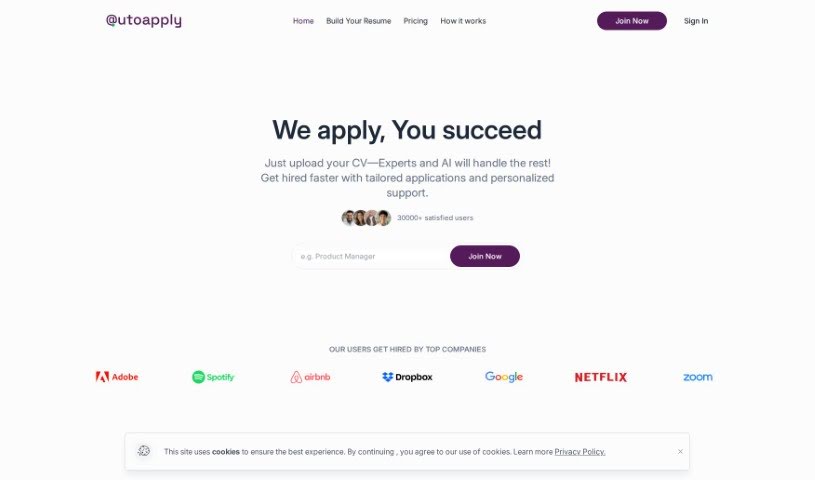
AutoApply is a smart tool that uses AI to make job hunting much easier for people looking for work. It’s designed to automate job applications, help you tailor your CV, and even write personalized cover letters. The whole idea is to save you a ton of time and effort when you’re searching for your next role.
One of its neat features is JOB GPT, which uses your personal information to automatically apply for jobs that seem like a good fit. Plus, it has an AI CV Builder that helps you create customized resumes quickly. To keep you organized, AutoApply also includes job search management tools, like a Dashboard where you can track all your submitted applications and set your job preferences, making the whole experience smoother.
Who created Autoapply?
AutoApply was developed by a platform that’s all about AI-driven job applications, launched on May 2, 2023. While the founder’s name isn’t shared, the platform itself is focused on helping users get hired faster. It offers AI-powered applications, custom CVs, and personalized cover letters. You can also set your job preferences, like salary expectations, location, and work rights, to really fine-tune your job search.
What is Autoapply used for?
- It matches your skills with what employers are looking for.
- It can save you around 80 hours on job searching.
- It customizes every single application you send.
- It helps you craft creative answers for application questions.
- There’s a Dashboard to keep track of all your applications.
- It’s preparing for upcoming interview support.
- A coaching service is also on the way.
- You can set up preferences for up to four different job roles.
- It provides direct links to track your applications.
- It really transforms the entire job search process.
- It uses ChatGPT to answer application questions.
Who is Autoapply for?
- Software Developers
- Data Analysts
- Marketing Specialists
- Graphic Designers
- Project Managers
- Human Resources Managers
- Sales Executives
- Financial Analysts
- Content Writers
- Web Designers
- Business Consultants
- Research Scientists
- Customer Service Representatives
- Network Engineers
- Operations Managers
How to use Autoapply?
Ready to get started with Autoapply? Here’s a simple breakdown:
- Get Started: First, just open up the Autoapply tool on your computer or through its dedicated software.
- Set Your Inputs: Tell the tool what you need it to do. This means providing the necessary data or settings for whatever task you want to automate.
- Configure Settings: Next, you’ll set your preferences. This are telling Autoapply exactly how you want it to work – what rules to follow, what conditions to look for, and what actions to take.
- Test It Out: Before you let it run on its own, it’s a good idea to do a test run. Use some sample data or a practice environment to make sure the automation is working just right.
- Start Automating: Once you’re happy with how everything is set up and the test went well, you can go ahead and start the automation process. Autoapply will then handle the tasks for you.
- Keep an Eye on It: As Autoapply works, it’s smart to monitor its performance. Just check in to make sure it’s running smoothly and producing the results you expect.
- Fix Any Issues: If you run into any problems, don’t worry. You can troubleshoot by figuring out what’s wrong and making any needed adjustments to your settings or the data you’re using.
- Make It Even Better: Periodically, take a look at how the automation is going and see if there are ways to improve it. Tweaking the settings or configurations can often boost efficiency and effectiveness.
- Keep Records: It’s really helpful to document the whole automation process – what settings you used, what data went in, and what came out. This is great for future reference or if you need to check things later.
By following these steps, you can really make the most of Autoapply to automate tasks and make your workflow much smoother.