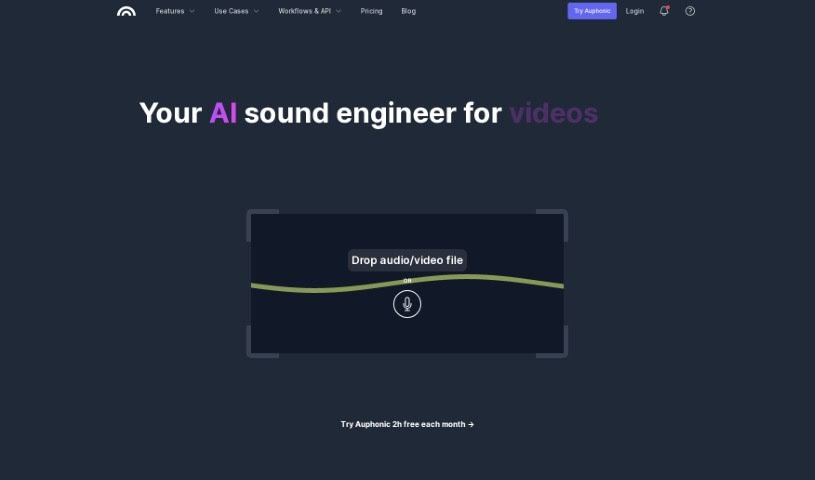
Screenshot of Auphonic

Auphonic

Discover Auphonic, your go-to tool for automatic audio post-production in 2025. We'll walk you through its features, how to use it, and how it stacks up against other audio tools.

Screenshot

What is Auphonic?

Auphonic is your personal audio engineer, but it’s all automatic! It’s a smart tool designed to make your audio recordings sound their absolute best. It does this through a bunch of clever features:

  • Intelligent Level Balancing: This is a big one. It automatically adjusts the volume so that different speakers, music, and speech all sit nicely together, no more sudden loud music or quiet voices.
  • Noise and Reverb Reduction: Got background hum or echo? Auphonic can help clean that up.
  • Filtering and AutoEQ: These tools help remove unwanted sounds like harsh ‘s’ sounds (sibilance) and generally make your audio sound clearer and warmer.
  • Multitrack Algorithms: If you’re working with multiple audio sources, Auphonic can create a really well-balanced mix.
  • Loudness Specifications: It ensures your audio meets industry standards, so it’s consistently loud enough without being too loud.
  • Automatic Silence Cutting: Say goodbye to those awkward long pauses; Auphonic can trim them out for you.
  • Speech-to-Text: It can even transcribe your audio, which is super handy for creating show notes or captions.

Auphonic gives you a generous 2 hours of free processing each month, which is great for getting started. If you need more, they have affordable paid plans. It’s also fantastic for video production, can be set up for automatic workflows, and even integrates with other services via its API. You can publish your polished audio directly to popular platforms like YouTube, Libsyn, PodBean, Soundcloud, and Facebook. People really like it because it uses AI reliably to handle the audio processing, making your life much easier.

Who created Auphonic?

Auphonic was brought to life by Georg Holzmann. The company officially launched on March 1, 2023. Their whole focus is on making automatic audio post-production services a breeze. They offer all those great features we just talked about – intelligent level balancing, noise and reverb reduction, filtering, autoEQ, multitrack algorithms, loudness standards, cutting out silence, and integrating speech-to-text.

What is Auphonic used for?

Auphonic is incredibly versatile and can be a lifesaver for many audio and video tasks:

  • Making videos sound professional.
  • Setting up automated workflows so you don’t have to do repetitive tasks.
  • Perfecting your podcast episodes.
  • Connecting with other tools through API integrations.
  • Producing educational content that’s easy to listen to.
  • Creating polished audiobooks.
  • Publishing your finished audio automatically.
  • Ensuring lectures and recordings have high-quality audio.
  • Handling batch productions, especially useful for premium users with lots of content.
  • Integrating smoothly with other software and tools you might already be using.
  • Automatically optimizing podcast episodes for the best listening experience.
  • Streamlining workforce and workflow automation in audio-related tasks.
  • Automating the publishing process so your content gets out there faster.

Who is Auphonic for?

If you work with audio or video, chances are Auphonic can help you. It’s a great fit for:

  • Podcasters, of course!
  • Audio producers who want to save time.
  • Content creators across the board.
  • Video creators looking for better audio quality.
  • Educators who want their lectures to sound clear.
  • Audiobook producers aiming for professional polish.
  • Anyone who needs to manage audio for a podcast.
  • CEOs of audio companies looking for efficiency.
  • Content creators who need to produce consistently good audio.
  • CEOs of educational services wanting clear learning materials.
  • Audio Engineers who want to speed up their post-production workflow.

How to use Auphonic?

Using Auphonic is pretty straightforward. Here’s a step-by-step guide to get you started:

  1. Upload Your Audio: The first step is simple – just upload your audio file to the Auphonic platform.
  2. Intelligent Level Balancing: Let Auphonic work its magic with the intelligent level balancing. It automatically adjusts volumes between different speakers, music, and speech, so everything sounds balanced.
  3. Noise and Reverb Reduction: You can tell Auphonic what kind of noise to remove and whether to keep or get rid of any music in your track. It’s really good at cleaning up unwanted background sounds and echo.
  4. Filtering and AutoEQ: Use these tools to fine-tune your audio. They help remove frequencies that can sound harsh or cause sibilance, leading to a clearer, warmer sound.
  5. Automatic Silence Cutting: This feature is a real time-saver. It automatically detects and removes silent parts of your audio, making your recordings more concise.
  6. Multitrack Algorithms: If you’re working with multiple audio tracks, Auphonic’s algorithms are designed for optimized mixdowns. Features like automatic ducking (lowering music when someone speaks) and noise gates are included.
  7. Define Loudness Specifications: Set your desired loudness levels to ensure consistency across all your files and meet industry audio standards.
  8. Speech-to-Text: This handy feature provides multilingual transcriptions and can even generate show notes automatically, which is incredibly useful for podcasts and videos.
  9. Video Production Support: Auphonic doesn’t just do audio; it supports video production too, helping to enhance the audio, add metadata, and manage chapters.
  10. Automated Workflows and Publishing: Take advantage of automated workflows, API integrations, and the ability to publish your enhanced audio directly to platforms like YouTube and Facebook.
  11. Free and Paid Plans: Remember, Auphonic offers a free plan that covers the first 2 hours of audio processing each month. If you need more, they have affordable paid options available.

Following these steps should help you make your audio files sound significantly better using Auphonic’s powerful features and automation. It really streamlines the process of getting professional-sounding audio.

Related AI Tools

Discover more tools in similar categories that might interest you

Stay Updated with AI Tools

Get weekly updates on the latest AI tools, trends, and insights delivered to your inbox

Join 25,000+ AI enthusiasts. No spam, unsubscribe anytime.