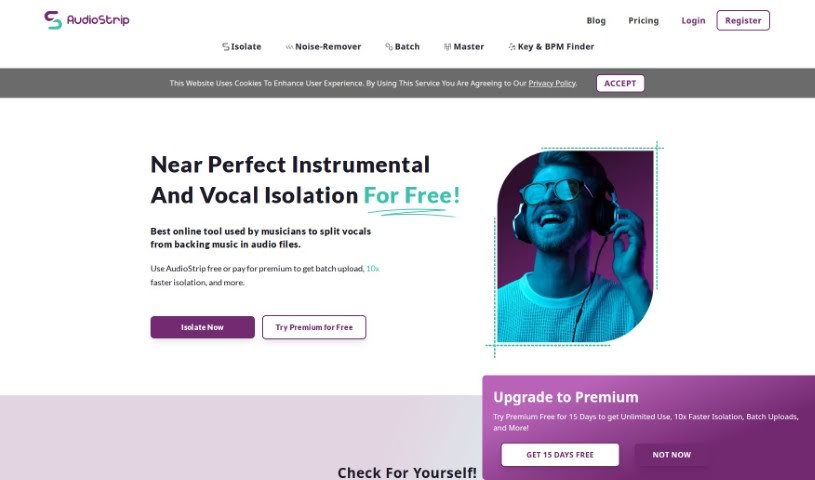
Screenshot of AudioStrip

AudioStrip

Discover what AudioStrip is and how to use it effectively in 2025. We'll explore its features and see how it stacks up against other voice generators.

Screenshot

What is AudioStrip?

AudioStrip is a platform packed with AI-powered tools designed for all sorts of audio tasks – think generating, editing, and customizing sound. Whether you need to create professional soundtracks, boost your audio quality, or convert files, AudioStrip has you covered. It’s built with a super user-friendly interface and smart algorithms, making audio processing smooth and efficient for everyone, from podcasters and musicians to content creators and voiceover artists.

Here are some of AudioStrip’s standout features:

  1. Crafting Professional Soundtracks: AudioStrip gives you a range of pre-made soundtracks that you can easily tweak to fit your project perfectly. The goal is to make your audio sound better and more engaging for listeners.
  2. Editing and Improving Your Audio: You can edit and enhance audio files with AudioStrip without much fuss. Need to get rid of background noise, adjust volume, or add cool audio effects? You can do all that to get the best sound quality.
  3. Seamless File Conversion: AudioStrip makes converting audio files to different formats, like WAV to MP3 and back again, a breeze. Plus, it does it in high quality, so your sound doesn’t suffer.
  4. Personalized Audio Settings: Want to fine-tune your sound? You can adjust settings like the equalizer, bass, and treble to create a truly personalized audio experience that matches your taste.
  5. Easy-to-Use Interface: The platform is designed to be intuitive and straightforward. This means both beginners and seasoned audio pros can easily navigate and make the most of its features.

Basically, AudioStrip is a really versatile audio tool provider that’s made to meet the needs of anyone creating audio content. It helps you make engaging audio with a professional touch, offering a smooth experience for people working in all sorts of audio fields.

Who created AudioStrip?

AudioStrip is a platform that offers AI-powered audio tools for creating, editing, and customizing sound. Janelle Hayes founded the company, which aims to help with everything from making soundtracks to converting files, all while focusing on a user-friendly experience and delivering high-quality results. Janelle’s vision for AudioStrip is all about making audio processing seamless for podcasters, musicians, content creators, and voiceover artists, positioning it as a top spot for improving and producing audio.

What is AudioStrip used for?

  • It has a user-friendly interface.
  • You can create professional soundtracks.
  • It’s great for audio editing and enhancement.
  • It handles file conversion easily.
  • You can customize audio settings.

Who is AudioStrip for?

  • Podcasters
  • Musicians
  • Content creators
  • Voiceover Artists

How to use AudioStrip?

Here’s how to get started with AudioStrip:

  1. Sign Up: First, create an account on the AudioStrip platform. You can sign up using your email and a password.
  2. Upload Your Audio: Once you’re logged in, upload the audio file you want to work on. You can just drag and drop it, or use the upload button.
  3. Pick Your Editing Tools: After uploading, you’ll see a variety of editing tools. You can trim, cut, add fade effects, adjust volume, and much more.
  4. Edit Your Audio: Use these tools to make the changes you want. You can split the audio, remove parts you don’t need, or improve the sound quality.
  5. Add Effects: AudioStrip offers a bunch of effects to make your audio sound even better, like equalization, reverb, or echo. Just pick the ones you like and adjust their settings.
  6. Preview Your Work: Before you save, it’s always a good idea to preview the audio to make sure it sounds just right.
  7. Save Your Edits: When you’re happy with everything, save your edited audio file. You can choose the output format and quality settings.
  8. Download or Share: Finally, you can download the edited audio to your device or share it directly on social media or with others.

Following these steps should make it easy for you to edit and enhance your audio files using AudioStrip.

Related AI Tools

Discover more tools in similar categories that might interest you

Stay Updated with AI Tools

Get weekly updates on the latest AI tools, trends, and insights delivered to your inbox

Join 25,000+ AI enthusiasts. No spam, unsubscribe anytime.