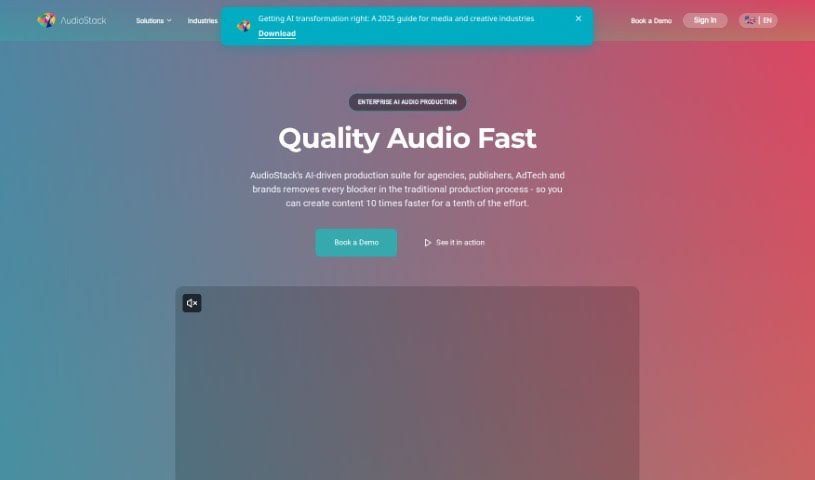
What is Audiostack?
AudioStack, which you might know as Aflorithmic, is a really neat AI tool that’s changing how we create and work with audio. It is a smart assistant for all things sound. It uses some pretty advanced technology and clever algorithms to make it super easy for you to create, tweak, and improve audio content for just about anything you need. Whether you’re looking for realistic voiceovers, catchy podcast intros, or background music that fits just right, AudioStack can help. Plus, it’s not just about creating new sounds; you can also easily edit existing audio. Want to change the pitch or speed? Need to add some cool effects? AudioStack lets you do all that with a user-friendly interface. It even plays nicely with other software and platforms, which really helps speed things up and makes your workflow smoother. Honestly, it’s a game-changer for anyone making content, running marketing campaigns, or managing a business.
Who created Audiostack?
AudioStack, which used to be called Aflorithmic, was brought to life by a team led by Antoine Pichard. This company is all about pushing the boundaries with AI for audio. They’ve developed some really innovative tools that let you create, customize, and polish audio content using advanced algorithms and the latest technology. With AudioStack, generating high-quality, natural-sounding audio is straightforward, making it a fantastic resource for content creators, marketers, and businesses across many different fields.
What is Audiostack used for?
AudioStack is incredibly versatile, helping you with a wide range of audio tasks:
- Massive Audio Variations: Generate thousands of different audio versions for your assets quickly.
- Targeted Ads: Easily customize content, calls to action, dealer tags, background music, voices, accents, and languages for specific audio or video ads.
- Realistic Sound Creation: Produce incredibly lifelike and natural-sounding audio for voiceovers, podcast intros, and background music.
- Audio Customization: Tweak audio by adjusting pitch, speed, and volume, and add effects like reverb and echo to get that perfect creative touch.
- Seamless Integration: It connects smoothly with various platforms and software, letting you drop generated or edited audio right into your projects.
- Boost Productivity: Streamline your workflow with easy-to-use APIs and plugins.
- Inspiration Library: Access a large collection of high-quality audio samples and templates to spark your creativity.
- Engage Your Audience: Empower content creators, marketers, and business owners to craft captivating audio that grabs attention and makes messages stick.
- Video Voiceovers: Create professional voiceovers for your videos.
- Podcast Intros: Generate engaging intros for your podcasts.
- Website Background Music: Produce fitting background music for your websites.
- Audio File Editing: Modify existing audio by adjusting pitch, speed, and volume.
- Adding Audio Effects: Apply effects like reverb, echo, and equalization to give your audio more character.
- Project Integration: Easily incorporate generated or edited audio into your various projects.
- Template Variety: Find inspiration and starting points with an extensive library of high-quality audio samples and templates.
- Audience Engagement: Create compelling audio content that helps you connect better with your audience and amplify your message.
- Website Music: Produce background music specifically for websites.
- Project Workflow: Integrate generated or edited audio directly into your projects.
- Easy Access: Enjoy seamless integration with platforms and software for quick access.
- Creative Spark: Use a wide array of high-quality audio samples and templates for inspiration.
- Efficiency Boost: Enhance your productivity and make your audio content creation process smoother.
- Video Voiceovers: Create voiceovers for videos.
- Website Soundtracks: Develop background music for websites.
- Audio Effects: Add effects like reverb, echo, and equalization to your audio files.
- Project Workflow: Incorporate generated or edited audio directly into your projects.
- Content Creation: Create captivating audio content for content creators, marketers, and business owners.
- Voiceovers: Generate voiceovers from text or subtitles for videos.
- Podcast Intros: Create engaging podcast intros.
- Website Music: Produce background music for websites.
- Audio Editing: Edit audio files by adjusting pitch, speed, volume, and adding effects.
- Audio Effects: Add effects to audio files like reverb, echo, and equalization.
- Video Editing Integration: Incorporate audio into video editing software.
- Productivity Tools: Enhance productivity with easy-to-use APIs and plugins.
- Sample Library: Provide a library of high-quality audio samples and templates.
- Audience Connection: Help users create captivating audio content that resonates with audiences.
- Text-to-Voice: Transform text into AI voices.
- Ad Variations: Generate audio for ads with many different variations.
- Full Audio Production: Turn text into fully produced audio content.
- Professional Audio: Create professional audio with AI.
- Studio Quality: Produce studio-quality audio at an unprecedented speed.
- Ad Creation: Create, edit, or version audio ads directly from text.
- Speech Integration: Integrate speech providers for AI audio.
- Voice Features: Access text-to-speech voices and voice cloning features.
- Automated Audio: Automatically transform content into high-quality audio.
- Video Voiceovers: Create text-to-speech voices and voice cloning for videos.
- Video Narration: Generate voiceovers from text or subtitles for videos.
- Audio Editing Suite: Edit audio files by adjusting pitch, speed, volume, and adding effects.
- Professional Ads: Create professional audio ads from text.
- Ad Versioning: Efficiently create thousands of versions of audio for ads.
- Inspiration: Access a library of high-quality audio samples and templates.
- Podcast Quality: Automatically transform content into fully produced, podcast quality audio.
- Audio Enhancement: Enhance audio content for various purposes.
- Asset Variations: Create thousands of variations of audio for assets in minutes.
- Targeted Ad Customization: Efficiently vary content, CTAs, dealer tags, sound beds, voices, accents, languages, and more for targeted audio/video ads.
- Comprehensive Editing: Edit existing audio files by adjusting pitch, speed, volume, and adding effects like reverb, echo, and equalization.
- Realistic Audio Generation: Generate high-quality, realistic, and natural-sounding audio for voiceovers, podcast intros, and background music.
- Accent & Language Mimicry: Mimic different accents, languages, and tones in generated audio.
- Content Creator Empowerment: Empower content creators, marketers, and business owners to create captivating audio content.
- Custom Audio: Create custom and enhanced audio content for various purposes.
Who is Audiostack for?
AudioStack is designed for:
- Content Creators
- Marketers
- Business Owners
- Content creators
- Marketers
- Business owners
How to use Audiostack?
Getting started with AudioStack is pretty straightforward. Here’s a simple breakdown:
- Sign Up: First, create your account on the AudioStack platform. This gives you access to all their features and tools.
- Explore Features: Take some time to get familiar with what’s available. You’ll find tools for generating audio, editing it, and manipulating it in various ways.
- Generate Audio: Use AudioStack to create high-quality audio for your projects. Whether it’s for voiceovers, background music, or sound effects, it’s designed to deliver.
- Edit Audio: Need to tweak something? The editing tools let you modify existing audio files. You can adjust things like pitch, speed, and volume, and add effects to make the audio sound even better.
- Integrate with Platforms: One of the great things about AudioStack is how smoothly it integrates with other software and platforms. This makes it really easy to get your generated audio right into your projects.
- Explore Templates: If you’re looking for inspiration or a starting point, check out the extensive library of audio samples and templates AudioStack offers.
- Customization: Make the audio your own. You can select different accents, languages, tones, and styles to perfectly match what your project needs.
- Experiment and Create: Don’t be afraid to play around! Experiment with the tools, create different versions of your audio content, and refine them until you’re happy with the result.
- Enhance Productivity: Make the most of AudioStack’s efficient features. They’re there to help you boost your productivity and streamline your entire audio content creation process.
By following these steps, you’ll be able to use AudioStack effectively to create, edit, and enhance all sorts of audio content.