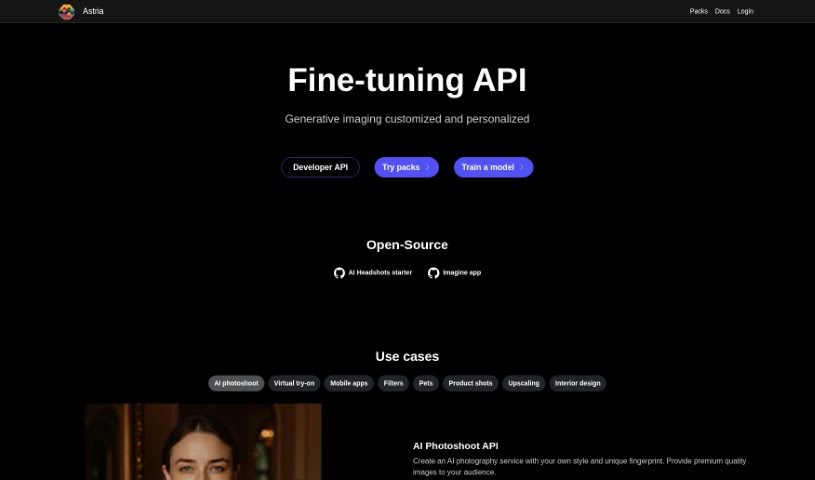
Screenshot of Astria

Astria

Discover what Astria is and how to use it effectively in 2025. We'll explore its features and see how it stacks up against other AI image generators.

Screenshot

What is Astria?

Astria is a powerful AI tool that lets you train custom models with your own unique ideas, styles, or products. It is a way to teach AI exactly what you want it to create. You can use it for all sorts of things, like generating personalized avatars, professional-looking portraits, dramatic movie-style photoshoots, eye-catching visuals for marketing campaigns, or even storyboards for films. It’s also great for making sure images stay consistent with a particular style. Plus, Astria offers a handy API, which means developers can build custom apps that use AI to generate images for things like avatars, concept art, and much more.

Who created Astria?

Astria was developed by a founder who also established the company behind it. This company focuses on providing an AI-powered image generation tool that’s useful for many different applications. You can use it to create avatars, professional portraits, unique photo-shoots, marketing visuals, movie storyboards, and images that all share a distinct style. Astria also comes with a programmatic API, which is a big deal for developers. It lets them build custom apps for things like creating avatars, preparing images for printing, generating concept art, or simply adding AI-generated images to their existing apps.

What is Astria used for?

Astria is incredibly versatile! Here are just some of the ways people use it:

  • Interior Design: Redecorate your room or bring a sketch to life visually.
  • Mobile Apps & Filters: Add cool new features or filters.
  • Pets: Monetize your pet store by creating AI-generated images of furry friends.
  • Product Shots: Change backgrounds and perfectly match lighting to your products.
  • Photography Enhancement: Add more detail and enhance your existing photographs.
  • Social Media: Create applications that let users embed themselves into images.
  • Service Augmentation: Add new generative features to your service while keeping user identity and similarity intact.
  • Upscaling: Improve image quality by adding detail and enhancing photographs.

Astria also offers a programmatic API for creating custom apps. This is useful for generating avatars, preparing images for printing, creating concept art, or simply adding AI-generated images to your app’s offerings. You can even use it to change backgrounds and match lighting for product shots, or add detail and enhance photographs in upscaling tasks. For interior design, you can redecorate rooms or move from a sketch to a realistic visual.

Beyond these, you can train models with unique concepts, people, styles, or products. This allows you to create avatars, professional 4K portraits, movie-like photoshoots, visuals for product campaigns, movie storyboards, and images that maintain a consistent, unique style. The API is also great for creating custom apps for avatars, printing, concept art, or augmenting existing apps with AI-generated images. For social media, you can build apps that let users put themselves right into the image. Plus, you can add new generative features to your service while ensuring identity and similarity are preserved.

Astria also provides a single API call that handles a lot for you, including fine-tuning, using predefined prompts, upscaling, and correcting faces. You’ll always get updates with the latest models and features, and its unique infrastructure is built for fine-tuning with auto-scaling and fast processing.

Who is Astria for?

Astria is a great tool for a variety of professionals:

  • Interior designers looking to visualize spaces.
  • Mobile app developers wanting to add AI image features.
  • Pet store owners aiming to create engaging visuals.
  • Product photographers needing to perfect their shots.
  • Photographers looking to enhance their work.

How to use Astria?

Astria is an AI-powered generative image tool that lets you train models with your own unique concepts, people, styles, or products. Here’s a simple step-by-step guide to get you started:

  1. Train Your Models: First, you’ll want to train models using your specific concept, person, style, or product. This process involves fine-tuning a neural network AI model so it learns to generate images based on what you’ve provided.
  2. The Fine-Tuning Process: When you fine-tune the AI model with a new concept, it creates a new model file (around 4GB) that essentially holds all the knowledge about that new concept.
  3. Create Images: Now you can generate images! You do this by using prompts – basically, text instructions that you feed to the fine-tuned model. Each prompt usually generates a set of 8 images by default.
  4. Generate Videos: Astria can even create videos at 24 frames per second. To make a video, just use the frame: command within your prompt text.
  5. Explore Use Cases: Remember, Astria is super versatile. You can use it for creating avatars, professional portraits, movie-like photoshoots, visuals for product campaigns, storyboards for movies, and for maintaining consistent images with a unique style.
  6. Integrate with the API: Astria offers a programmatic API, which is fantastic for developers. It allows you to build custom applications for generating avatars, preparing images for printing, creating concept art, or generally boosting your existing apps with AI-generated images.

By following these steps, you can really make the most of Astria’s capabilities and generate high-quality, AI-powered images for all sorts of different needs.

Related AI Tools

Discover more tools in similar categories that might interest you

123RF AI Image Generator

Creative Image Generation
Learn More

Stay Updated with AI Tools

Get weekly updates on the latest AI tools, trends, and insights delivered to your inbox

Join 25,000+ AI enthusiasts. No spam, unsubscribe anytime.