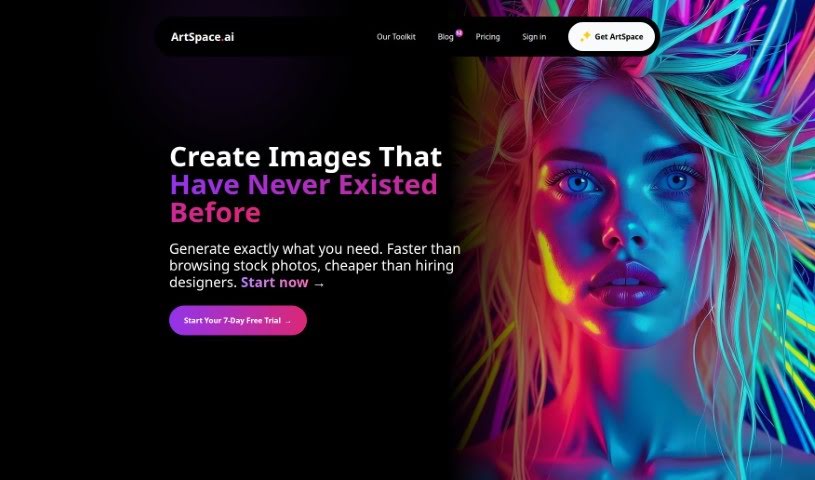
What is Artspace?
ArtSpace.ai is a really advanced platform that uses artificial intelligence to create incredibly realistic artwork. You don’t need any fancy painting skills or Photoshop expertise to use it, which is pretty neat. It’s designed for everyone, whether you’re just starting out or you’re a seasoned pro. Artspace can take your text descriptions and turn them into images that really match what you’re thinking. Plus, it has cool features like ‘Fill,’ which lets you extend your images, and ‘Replace,’ so you can swap out objects. There’s also a ‘Prompt Optimizer’ to help you get your ideas just right. You can create images as large as 4096x4096 pixels, and there’s no limit to how big your canvas can be, making it super accessible for anyone.
Who created Artspace?
Nico Engler is the person behind Artspace. He launched the platform on October 2, 2023. It’s packed with advanced AI tools that help you create stunningly realistic art. The best part? You don’t need to be a painting whiz or a Photoshop guru, so it’s perfect for both beginners and professionals alike. Artspace.ai offers some unique functions, like turning your text prompts into images, a handy ‘Object Replace’ feature for swapping things out, and a ‘Prompt Optimizer’ to really nail down your ideas. You can also generate images in high resolution, up to 4096x4096 pixels, and you have the freedom to work on a canvas of any size you can imagine.
What is Artspace used for?
- Create stunningly realistic artwork: Get images that look incredibly lifelike.
- Turn your words into pictures: It translates text prompts into vivid, detailed images.
- Extend your images: Use the ‘Fill’ feature to expand your artwork beyond its original borders.
- Modify or swap out objects: Easily change or remove elements within your images.
- Refine your ideas: The ‘Prompt Optimizer’ helps turn your brief thoughts into perfectly crafted prompts.
- Produce high-resolution images: Create visuals up to 4096x4096 pixels.
- Work without limits: You can use an unlimited canvas size for your creations.
- Vibrant anime art: Create colorful anime-style visuals with Anime Alchemist.
- One-click upscaling: Boost your images to 4096x4096 pixels with a single click.
- Keep your art safe: Store, access, and admire your work in a private library.
- An infinite digital canvas: Never worry about running out of space.
- Easy to use: The interface is accessible and versatile.
- Tech meets art: It blends artistic insights with technology.
- Diverse, lifelike art: Produces a wide range of natural-looking images.
- Remove unwanted objects: Clean up your images by taking out specific items.
- Works everywhere: Optimized for both mobile and desktop use.
- Expand beyond borders: Extend your images naturally.
- In-paint and out-paint: You can fill in or extend parts of an image.
- Connects with CopySpace.ai: Integrates smoothly with this SEO blogging tool.
- Your own private gallery: Keep your creations organized and accessible.
- Multiple drawing styles: Experiment with different artistic looks.
- Simple prompt optimization: Get better prompts with just one click.
- Artbox for edge extension: A tool specifically for extending image edges.
- Third-party integration: An API is available for other applications.
- No special skills needed: You don’t need paint or Photoshop experience.
- Text-to-image translation: Easily convert text into visuals.
- Detailed visuals: Produces images with a lot of detail.
- Features like ‘Fill’: Includes helpful tools like the ‘Fill’ function.
- ‘Replace’ objects: Modify specific items within your images.
- ‘Prompt Optimizer’ refines prompts: Helps you improve your input text.
- High-resolution outputs: Creates images up to 4096x4096 pixels.
- Generating ultra-realistic artwork: Focuses on creating lifelike images.
- Interpreting text prompts into vivid images: Turns your descriptions into lively visuals.
- Extending images beyond borders with the ‘Fill’ feature: Expands images beyond their original edges.
- Modifying or removing objects from images: Lets you change or delete elements.
- Prompt optimization for refining input: Helps you make your prompts better.
- Creating high-resolution outputs up to 4096x4096 pixels: Generates detailed images.
- Working on an unlimited canvas size: Gives you complete freedom for your art.
- Suitable for beginners and professionals: Great for all skill levels in digital art.
- Seamless integration with CopySpace.ai: Works well with this SEO blogging tool.
- Enhancing creativity: Offers continuous updates and new tools to boost your creative process.
Who is Artspace for?
- Amateur artists looking to explore digital art.
- Professional artists seeking new tools and workflows.
- Beginners in digital art who want an accessible starting point.
- Seasoned professionals who appreciate advanced AI capabilities.
- Anyone interested in art, whether as a hobbyist or a dedicated creator.
- Designers needing quick, high-quality visuals.
How to use Artspace?
Ready to start creating with Artspace.ai? It’s pretty straightforward. Just follow these simple steps:
- Get Started: First, you’ll need to sign up for an account or log in if you already have one on the Artspace.ai platform.
- Explore the Tools: Take a moment to check out the main features. Get familiar with how text-to-image translation works, how the ‘Fill’ feature can extend your images, how ‘Replace’ lets you modify objects, and how the ‘Prompt Optimizer’ can help you fine-tune your ideas.
- Create Your Art: Start generating! Input your text prompts to create vivid, detailed images. Make sure your descriptions are clear so the platform can translate your concepts accurately.
- Tweak Your Images: Want to change something? Use the ‘Replace’ function. Just mask the area you want to modify or remove an object from.
- Enhance and Expand: You can create images up to 4096x4096 pixels, and there are no limits on your canvas size, so feel free to go big!
- Organize and Connect: Keep your creations tidy by storing them in your private gallery. You can also integrate Artspace seamlessly with CopySpace.ai and explore all the different drawing styles available.
- Stay Involved: Connect with other users, benefit from regular updates that bring new tools, and reach out if you have any questions or run into issues.
- Choose Your Plan: We have different subscription options depending on how much you plan to use the platform. Plans start at $5.99 per month for beginners and go up to $49.99 for unlimited usage.
By following these steps, you’ll be able to use Artspace.ai to its full potential, creating amazing artworks that perfectly match your vision and creative spark.