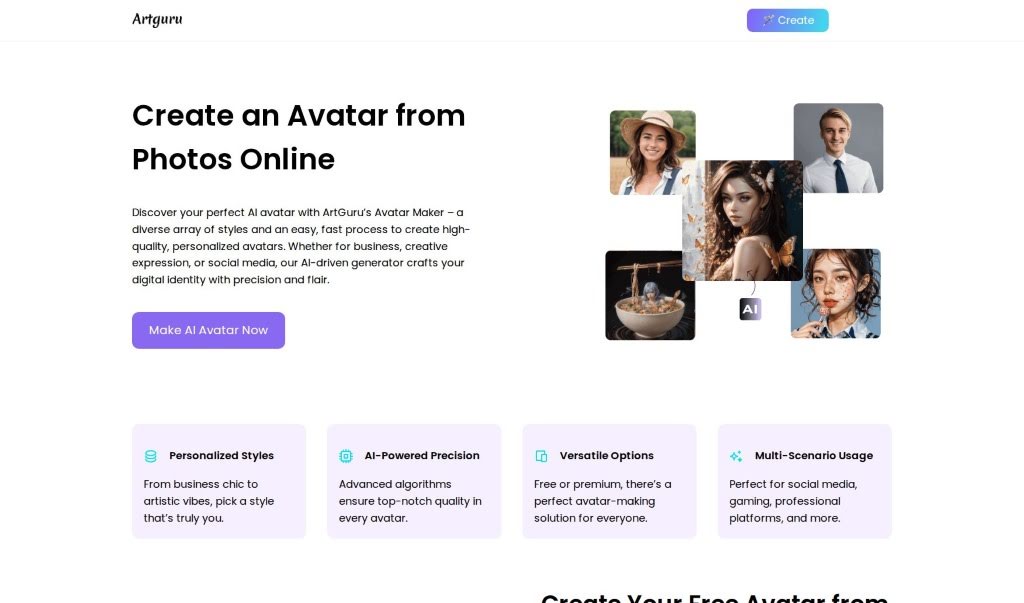
Screenshot of Artguru AI AI Avatar Generator

Artguru AI AI Avatar Generator

Curious about the Artguru AI Avatar Generator? We'll walk you through exactly what it is and how to use it in 2025. Discover its features and see how it stacks up against other AI portrait tools.

Screenshot

What is Artguru AI AI Avatar Generator?

The AI Avatar Generator from Artguru is a really neat tool that lets you create unique, expressive avatars using some pretty advanced AI. You can pick from tons of different styles to customize your avatar, and get up to 100 avatars generated all at once. Plus, it’s got automatic image enhancement built right in, so your avatars will look sharp. It offers super realistic and on-trend styles, which is great for keeping up with what’s popular on social media. The interface is super easy to use, and it only takes four simple steps: pick a gender, choose your styles, upload your photos, and then generate your avatars. It’s really straightforward, making it simple for anyone to create a personalized avatar. The tool also gives you clear instructions on how to get the best, most accurate results, making it a super convenient and efficient way to make your own avatars.

Who created Artguru AI AI Avatar Generator?

Artguru is the company behind this AI Avatar Generator. They offer a powerful tool that lets you customize avatars from a wide range of styles, generate up to 100 at a time, and even includes automatic image enhancement. Artguru really focuses on creating realistic and expressive avatars using advanced AI models, and they make sure to keep up with the latest trending styles. You can create your own unique avatars by just following a simple, four-step process.

Who is Artguru AI AI Avatar Generator for?

  • Social Media Managers
  • Graphic Designers
  • Game Developers
  • Content Creators
  • Marketing Professionals
  • Podcasters
  • YouTubers
  • Authors
  • Educators
  • HR Professionals

How to use Artguru AI AI Avatar Generator?

Ready to create your avatar? Just follow these simple steps:

  1. Choose Gender: First, pick the gender for your avatar – whether it’s female, male, or another option. This helps define its overall look and characteristics.
  2. Pick Styles: Next, select up to 10 different styles from the wide variety available. Choose the ones that best match what you’re going for.
  3. Upload Photos: Now, gather 6 to 30 close-up selfies of yourself. Make sure they show different facial expressions and are taken against various backgrounds. This helps the AI create more accurate avatars.
  4. Generate Avatars: Once you’ve uploaded your photos, the AI model will get to work creating your avatars, aiming for realistic and expressive features.

Just a quick tip: to get the most accurate and high-quality AI avatars, make sure you upload clear, close-up shots of the same person. The time it takes to generate your avatars can vary a bit depending on how many photos you upload and the processing power being used, but it usually takes a few hours. As for pricing, it depends on the styles you pick and how many avatars you want. You can start with 6 styles and 20 avatars for $2.99, or go all out with 19 styles and 100 avatars for $9.99.

Related AI Tools

Discover more tools in similar categories that might interest you

123RF AI Image Generator

Creative Image Generation
Learn More

Stay Updated with AI Tools

Get weekly updates on the latest AI tools, trends, and insights delivered to your inbox

Join 25,000+ AI enthusiasts. No spam, unsubscribe anytime.