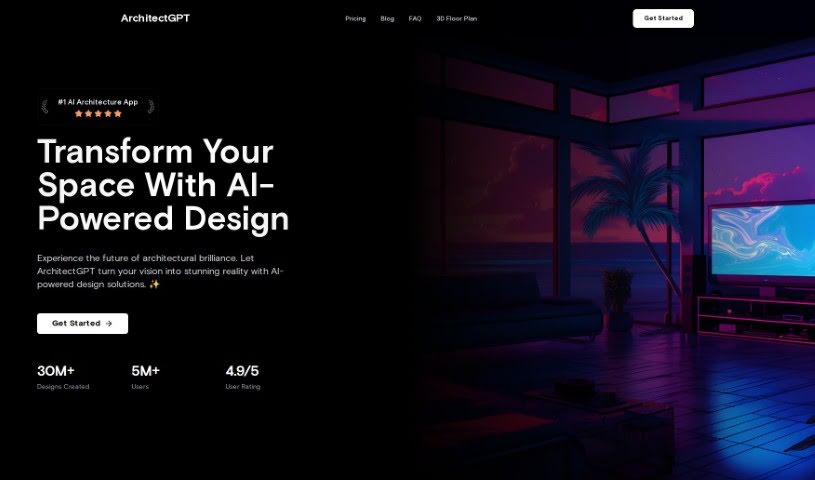
What is ArchitectGPT?
ArchitectGPT is a really neat tool that takes your home sketches or 3D renders from programs like AutoCAD and SketchUp and turns them into stunning, photorealistic images. It’s built for architects, interior designers, and real estate developers who want to easily show off their concepts. You can quickly improve your existing designs and use features like an image enhancer, upscaler, virtual staging, custom themes, and even a 360-degree panorama mode. The platform is known for its high-quality images, smooth user experience, creative themes, and options to customize rooms exactly how you want them, helping you make your design projects look amazing with incredible accuracy and detail.
Who created ArchitectGPT?
ArchitectGPT comes from a company that specializes in AI solutions for architecture and design. They offer a suite of AI-powered tools for everything from home design to virtual staging and interior design. This platform really brings together advanced AI technology with a professional design touch, delivering top-notch, photorealistic visuals for all sorts of design projects. ArchitectGPT, their AI companion, is designed to make your workflow smoother, spark your creativity, and handle even the most ambitious design projects with surprising ease. Many users have shared how ArchitectGPT has transformed their sketches and 3D renders into incredibly detailed visuals, significantly boosting their work quality and simplifying their design processes.
What is ArchitectGPT used for?
- It’s revolutionizing how we create home and commercial spaces using AI.
- You can easily stage and display interiors in all sorts of styles, which is way cheaper than traditional staging.
- It lets you craft every little detail of a room, picking from curated themes and color palettes to suit any mood.
- You can explore a 360-degree view of virtually designed spaces, really letting you step inside your vision.
- Instantly update and reimagine spaces using just your mobile device – it’s super convenient and creative.
- It effortlessly turns your home sketches, AutoCAD, Revit, and SketchUp 3D renders into breathtaking, photorealistic images.
- You can enhance existing designs with its image enhancer and upscaler for super-fine details.
- It creates photorealistic images from 3D renders, which streamlines your workflow, improves quality, and makes designs more appealing and easier to grasp.
- With AI-powered design capabilities, it truly revolutionizes projects, letting you transform sketches into detailed visuals and experiment with different styles seamlessly.
- It’s great for improving architectural design presentations, converting 3D renders into stunning, photorealistic images without a fuss, effectively bridging the gap between your initial concept and the final reality.
- AI-Powered home design
- Virtual staging capabilities
- Tailored customization of rooms
- Immersive 360 panoramas
- On-The-Go designing
- Sketch to Image feature
- Enhance and upscale existing designs
- Text-to-Image floorplan feature
- HousePlanGPT for advanced house planning
- Custom themes creation
- Tailored Customization
- Enhance + Upscale Existing Designs
- DreamStyle Text-To-Image Generation
- Text-To-Image Floorplan Conversion (Beta)
- Sketch-To-Image from Raw Sketches
- It revolutionizes the creation of home and commercial spaces with AI that quickly translates ideas into visual realities.
- You can upload an image of your space, use your cursor to highlight areas you want to change, and then simply tell or type what you want done.
- It transforms home sketch drawings, AutoCAD, Revit, & SketchUp 3D renders into photorealistic images.
- You can enhance existing designs effortlessly.
- It allows you to create bespoke themes using text inputs for both exterior and interior designs.
- You can leverage the Advanced House Planning Assistant for unparalleled design and planning insights.
Who is ArchitectGPT for?
- Architects
- Interior Designers
- Real Estate Developers
- Architects
- Interior designers
- Real Estate Developers
How to use ArchitectGPT?
Using ArchitectGPT is pretty straightforward. Here’s how you can get started:
- First, upload a picture of your space.
- Then, pick from a variety of design themes – think homes, landscapes, or commercial spaces.
- You can customize pretty much every part of the room to your exact liking.
- Choose from curated color palettes to perfectly match your style.
- The platform is really user-friendly, making the whole design experience smooth and easy to navigate.
- Use the virtual staging feature to showcase spaces cost-effectively.
- Enjoy immersive 360 panoramas that give you detailed previews of your designed spaces.
- You can describe your dream space using text, and the AI will create the design for you.
- Just snap a picture on your mobile device for quick design inspiration on the go.
- Make sure to try out innovative features like Sketch To Image to turn your sketches into realistic visuals, and Enhance + Upscale for refining existing designs without any hassle.
ArchitectGPT really brings AI-powered creativity to the table, offering diverse design themes, a super smooth user experience, and high-quality visuals. Features like Virtual Staging and HousePlanGPT for advanced house planning are also included. With top features like AI-driven home design, virtual staging capabilities, tailored customization, immersive panoramas, and the ability to design on the go, ArchitectGPT is built to streamline your workflow and boost creativity for all your architecture and interior design projects.