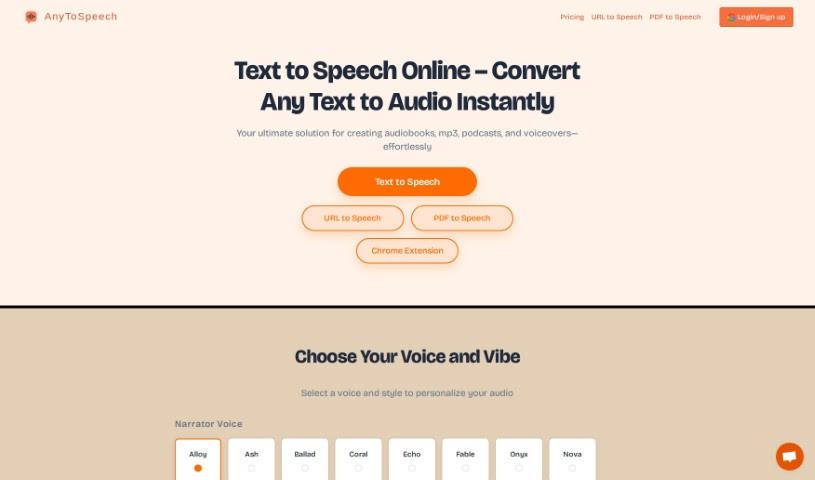
What is AnyToSpeech?
AnyToSpeech is a handy online tool that uses AI to turn written text into spoken audio. It is a digital voice for your documents! It’s really flexible, letting you convert all sorts of files – plain text, PDFs, Word documents, scanned pages, and even images – into natural-sounding speech. What’s great is that it supports many languages and offers a variety of voices and accents, so you can find just the right narrator. You can even listen to sample voices before you pick one. It’s designed to be super simple to use, with a straightforward interface. Plus, there’s a free tier that lets you convert up to 600 characters at no cost, which is perfect for trying it out or for smaller tasks. It’s a fantastic resource for students, professionals giving presentations, or anyone who just wants to listen to their writing.
Who created AnyToSpeech?
An undisclosed founder developed AnyToSpeech. The company behind it focuses specifically on providing this AI text-to-speech online converter service. They’ve built a platform that makes it easy for users to turn various document types – like text files, PDFs, Word docs, scans, and images – into natural-sounding audio. The interface is really user-friendly. AnyToSpeech also offers a wide selection of voices in different languages and accents, making it suitable for a broad range of needs, whether for learning, business, or personal projects. They also provide sample voices so you can hear what you’re getting before you commit.
What is AnyToSpeech used for?
AnyToSpeech is incredibly versatile and can be used for many things:
- Making things easy: Its simple interface means you can convert text to speech without any hassle.
- Personal use: Listen to your own writing, emails, or notes.
- Transforming documents: Effortlessly turn text, PDFs, documents, scans, or images into spoken words.
- Finding the right voice: You can choose from a wide range of realistic voices in different languages and accents, and even listen to samples to pick your favorite narrator.
- Quick conversions: The straightforward interface makes text-to-speech conversion fast and simple.
- Free access: You get up to 600 characters of speech conversion for free, which is great for trying out the service or for smaller jobs.
- Learning: Convert educational materials into audio to help with studying and comprehension.
- Business: Create audio versions of presentations for better accessibility or to share information easily.
- Personal documents: Turn personal writings or letters into spoken formats for easier listening.
- Accessibility: It’s a valuable tool for individuals with visual impairments, converting written text into speech.
- Storytelling: Enhance narratives or voiceovers by transforming written content into audio.
- Business presentations: Make your presentations more engaging or accessible.
- Multiple languages: Supports a variety of languages for broader use.
- Voiceover for videos: Add narration to your video projects.
- Summarized speech: Get shorter audio versions of your text.
- Language learning: Use it as a tool to practice pronunciation and listening skills.
Who is AnyToSpeech for?
This tool is great for a variety of people:
- Educators: To create accessible learning materials.
- Business professionals: For presentations and communication.
- Students: To help with studying and understanding content.
- Anyone needing to convert text: If you need to turn written words into spoken audio, this tool is for you.
- Individuals for personal use: To listen to personal writings or documents.
How to use AnyToSpeech?
Using AnyToSpeech is pretty straightforward. Here’s a quick guide:
- Pick a voice: You can listen to sample voices to find a narrator you like. This step is optional, but helpful!
- Upload your file: You can upload documents in many common formats, including PDF, DOC, DOCX, CSV, TXT, XLS, XLSX, and even image files like BMP, JPG, PNG, PBM, or WEBP.
- Choose speech type: After uploading, you can select whether you want the full text converted or just a summarized version. Keep in mind, the free use is limited to 200 characters for this choice.
- Upgrade if needed: If you need more characters than the free limit, you can upgrade. It costs $14 for 100,000 characters, which is quite a lot!
- Try it free: You don’t need to sign up or provide any credit card details to use the free trial.
- Carry over characters: Any characters you don’t use in a month will roll over to the next month. Plus, if you’re not happy with the product and haven’t used it, you can get a refund within 7 days.
- Manage your subscription: You have the flexibility to cancel, pause, upgrade, or downgrade your subscription whenever you need to.
- Payment options: By default, AnyToSpeech works on a one-time payment basis, but you can opt for a monthly subscription if that suits you better.
Once you follow these steps, you’ll be able to easily convert your written documents into natural-sounding audio, choosing from various languages and accents to get the perfect voice for your needs.