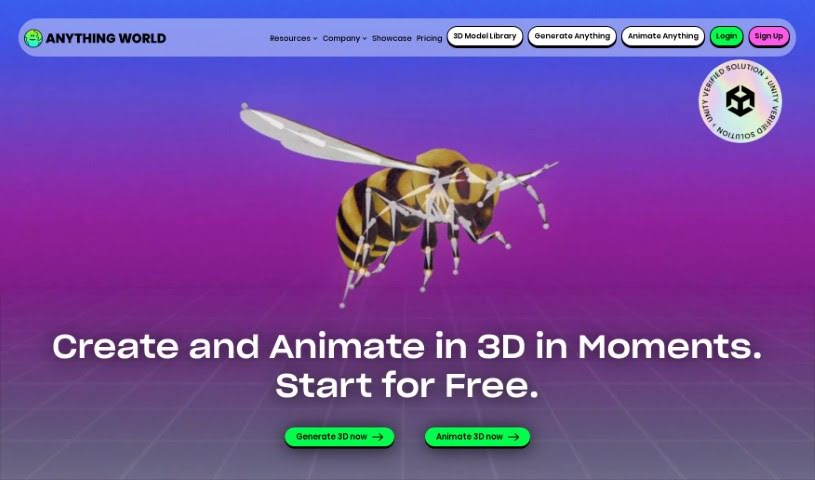
Screenshot of Anything World

Anything World

Discover what Anything World is and how to use it effectively in 2025. We'll explore its features and see how it stacks up against other 3D model generators.

Screenshot

What is Anything World?

Anything World is a platform that uses machine learning to automatically rig 3D models. This means it can create realistic movement and animation without you having to do it all by hand. It is a smart way to build the skeleton for your 3D characters or objects. By using these machine learning algorithms, the platform makes it much simpler to create skeleton structures for your 3D models. This really helps you create sophisticated animations efficiently, whether you’re working on games, apps, or building for the metaverse. Basically, Anything World cuts out the tedious manual rigging work, saving you a ton of time and effort. Plus, you get access to a huge variety of 3D models. The platform also provides helpful resources like documentation, a place to connect with other users, and showcases of cool projects to give you ideas and show off what the platform can do.

Who created Anything World?

Animation Rigging was actually started by Seb and Gordon. They founded Anything World, a startup with a big goal: to make 3D creation easy for everyone using AI. They launched the platform, which uses machine learning, on October 2, 2023. Their whole mission is to empower anyone to become a 3D content creator. Anything World is designed to handle those repetitive tasks in 3D world creation, offering intuitive tools that make the whole production process much smoother.

What is Anything World used for?

  • It automates the whole process of rigging 3D models.
  • It helps you create sophisticated animations efficiently and effectively.
  • You get unlimited access to a wide range of 3D models, perfect for games, apps, and the metaverse.
  • It saves animators and developers a lot of time and effort by getting rid of manual rigging.
  • It enables realistic movement and animation by automating the rigging process.
  • It encourages collaboration and sparks creativity within its user community.
  • You can find inspiration in the showcase of projects made with the platform.
  • It offers a complete set of features and resources for animation and rigging.
  • It allows for more flexibility and creativity when developing games or creating apps.
  • You’ll find a roadmap, documentation, and a community to connect with and collaborate.
  • It automates rigging for 3D models.
  • It allows for the efficient creation of sophisticated animations.
  • It automates the creation of skeleton structures for realistic movement.
  • It eliminates the need for manual rigging.
  • It saves time and effort for animators and developers.
  • You can access a wide range of 3D models.
  • It provides greater flexibility and creativity in game development.
  • It’s great for app creation and building immersive virtual experiences.
  • It fosters community collaboration.
  • It offers inspiration through a showcase of project capabilities.

Who is Anything World for?

  • Animators
  • Game developers
  • App developers
  • Creators of virtual reality experiences

How to use Anything World?

To get the most out of the Animation Rigging tool, just follow these simple steps:

  1. Access the Platform: Head over to the Animation Rigging platform and sign up for an account. This will give you access to all its features and resources.
  2. Pick Your Model & Project: Choose a 3D model from the platform’s extensive library that fits your project perfectly.
  3. Automate Rigging with AI: Use Animation Rigging’s machine learning capabilities to automate the rigging process. Say goodbye to manual rigging!
  4. Create Your Animations: Now, use the platform to build sophisticated animations for your 3D models. This will bring them to life with realistic movement and make your project look fantastic.
  5. Connect and Collaborate: Jump into the Animation Rigging community! Check out the documentation, connect with other users, and collaborate on projects. It’s a great way to learn and grow together.
  6. Stay in the Loop: Keep up with the latest in animation by regularly checking the Animation Rigging blog, news, and events sections.
  7. Find Your Inspiration: Browse the showcase of projects made with Animation Rigging. It’s a great way to get ideas and see what’s possible with the tool.
  8. Check Pricing: If you’re interested in exploring more, take a look at the pricing and membership options to unlock additional features and resources.

By following these steps, you can really use Animation Rigging to its full potential, automating your rigging processes and creating amazing animations for your 3D models quickly and effectively.

Related AI Tools

Discover more tools in similar categories that might interest you

123RF AI Image Generator

Creative Image Generation
Learn More

Stay Updated with AI Tools

Get weekly updates on the latest AI tools, trends, and insights delivered to your inbox

Join 25,000+ AI enthusiasts. No spam, unsubscribe anytime.