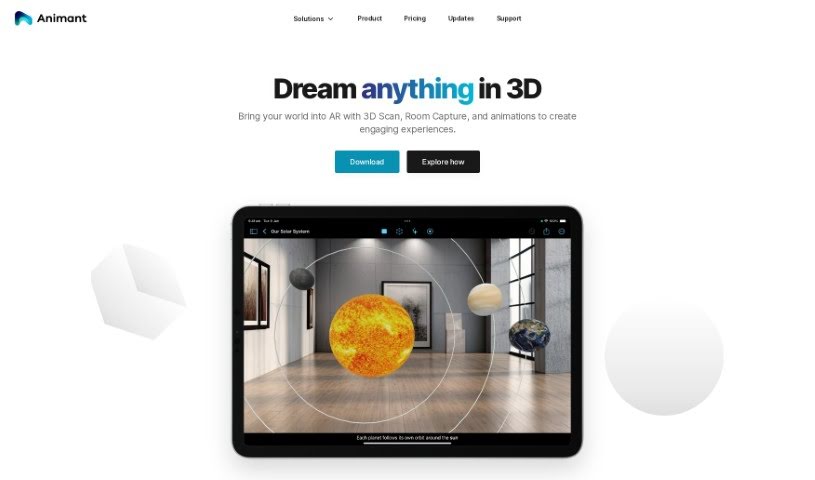
Screenshot of Animant

Animant

Discover what Animant is and how to use it effectively in 2025. We'll explore its features and see how it stacks up against other 3D model generators.

Screenshot

What is Animant?

Animant is a really neat AI tool that helps you create interactive 3D stories just by typing what you want. You can make simple 3D objects accurately, even if you’ve never done 3D animation before. It also has cool augmented reality (AR) features, and you can mix 2D stuff like photos, PDFs, and videos with your 3D content. Plus, your privacy is protected because it doesn’t collect any personal information. Animant also includes studio tools for capturing objects, setting up lighting, using physics, rendering offline, and adding captions with markdown. Everything happens right on your device. You can get Animant for iOS, iPadOS, and macOS, and they’re planning to bring it to Apple Vision Pro soon. You can even use it offline and add captions to your scenes using markdown.

Who created Animant?

Animant was developed by a team that founded the company back in 2024. This platform offers an AI tool that lets you create interactive 3D stories from written scenes, so you don’t need any special 3D skills. It’s great for making product demos, blending 2D and 3D content, and using AR features smoothly.

What is Animant used for?

  • Creating product demos
  • Making 3D models using your camera
  • Blending 2D and 3D content together
  • Setting up AR Waypoints to guide object routes
  • Adding captions with markdown
  • Having captions read aloud
  • Applying textures to 3D objects
  • Achieving scene realism with texture and environment settings
  • Using external lighting and physics
  • Scanning rooms to create 3D floor plans
  • Telling interactive 3D stories
  • Creating scenes using natural language
  • Accurately generating 3D objects
  • Making augmented reality (AR) easier
  • Scanning physical objects
  • Creating 3D floor plans
  • Making product demos
  • Helping out in practical classroom sessions

Who is Animant for?

  • 3D modelers
  • Product designers
  • Teachers looking for practical classroom tools

How to use Animant?

Here’s how you can get started with Animant:

  1. Subscription: You can pick the Free tier or upgrade to the Pro tier for more features at $5.99/month USD.
  2. Scene Creation: Just write out your scenes in plain language, and Animant’s AI will turn them into interactive 3D stories.
  3. Object Generation: Describe the objects you need in your scenes, and Animant’s AI will accurately create simple 3D versions.
  4. Product Demos: Build engaging product demos by crafting detailed interactive 3D scenes.
  5. Augmented Reality (AR): See your 3D interactive experiences in the real world by using the AR features.
  6. Camera Modeling: Use the ‘Object Capture’ feature to scan physical objects and create 3D models right from your camera.
  7. Content Integration: Mix 2D content like photos, PDFs, and videos with your 3D models to make your interactive stories richer.
  8. Waypoint Feature: Guide how 3D objects move along a path for more complex animated scenes using waypoints.
  9. Studio Features: Explore tools like object capture, lighting, physics, offline rendering, and markdown-based captions.
  10. Privacy: You can feel secure knowing Animant doesn’t collect personally identifiable information, so your privacy is well-protected.
  11. Platform Support: It’s currently available for iOS 16+, iPadOS 16+, and macOS Ventura 13+. They also plan to support Apple Vision Pro.
  12. Offline Capability: You can create scenes and use most Sensei requests even when you’re offline, as the content renders directly on your device.
  13. Captions: Add markdown-based captions to your scenes and have them read aloud as part of the Storyline, which is great for accessibility.
  14. Realism Enhancements: Make your scenes look more realistic by creating textures from photos, applying them to objects, and using panoramic images for your scene environments.
  15. Lighting and Physics: Use external lighting and physics support so your scenes react realistically and follow natural laws.
  16. Room Capture: Scan an entire room with the ‘Room Capture’ feature to get a clear view of 3D floor plans.

By following these steps, you can easily use Animant’s features to create engaging and interactive 3D narratives.

Related AI Tools

Discover more tools in similar categories that might interest you

123RF AI Image Generator

Creative Image Generation
Learn More

Stay Updated with AI Tools

Get weekly updates on the latest AI tools, trends, and insights delivered to your inbox

Join 25,000+ AI enthusiasts. No spam, unsubscribe anytime.