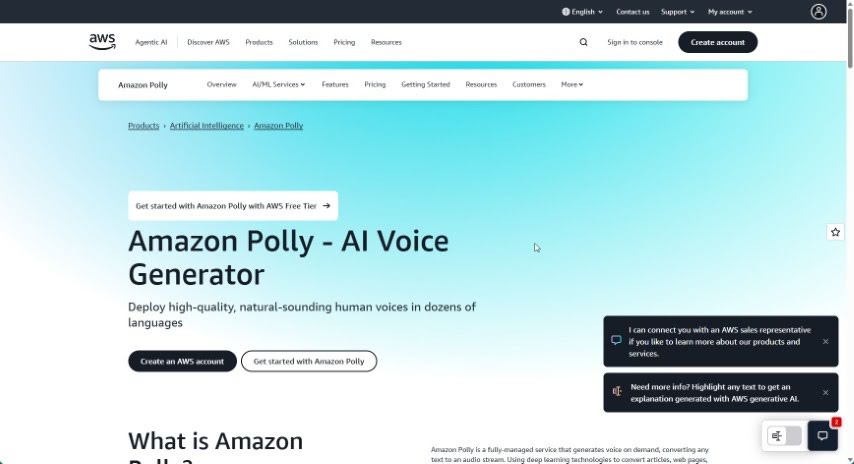
Screenshot of Amazon Polly

Amazon Polly

Curious about Amazon Polly? This 2025 guide explains what this powerful text-to-speech service is, how to use it effectively, and how it stacks up against other TTS tools.

Screenshot

What is Amazon Polly?

Amazon Polly is a text-to-speech (TTS) service from Amazon Web Services (AWS). It’s designed to help developers easily add lifelike speech capabilities to their applications. It is a way to give your apps a voice that sounds remarkably human, thanks to advanced deep learning technology. With Polly, you can transform written text into natural-sounding speech in a variety of languages and accents. This makes your content much more engaging and accessible for everyone. You can even tweak things like how fast the speech plays, its volume, and how certain words are pronounced to get it just right for your specific needs. It’s a popular choice for e-learning, tools that help people with disabilities, and ways to connect better with customers, all by adding high-quality synthesized speech.

Who created Amazon Polly?

Amazon Polly was developed by Amazon Web Services (AWS), which is part of Amazon.com. While the exact person who founded Amazon Polly isn’t specified in the information I have, Amazon itself was started by Jeff Bezos way back in 1994. As a Text-to-Speech (TTS) service, Polly uses sophisticated deep learning to create speech that sounds very much like a real person talking. It offers a wide selection of languages and voices, giving you plenty of options for your voice technology needs.

How to use Amazon Polly?

Ready to give Amazon Polly a try? Here’s a simple step-by-step guide:

  1. Log in to the AWS Management Console: Head over to the Amazon Polly console and sign in using your AWS account details.
  2. Pick a Text Sample or Type Your Own: You can either choose one of the sample texts Amazon Polly provides or type in your own text that you want to convert.
  3. Select a Voice: Amazon Polly has a range of voices and languages available. Pick the one that best fits what you’re creating.
  4. Choose Your Output Format: Decide how you want the speech file saved. Common options include MP3 or OGG.
  5. Adjust Speech Settings: You can fine-tune the speech by changing the volume, speaking rate, and pitch to get the perfect sound.
  6. Preview the Speech: Before you finalize everything, it’s a good idea to listen to a preview of the synthesized speech to make sure it sounds just right.
  7. Generate the Speech: Once you’re happy with the preview, go ahead and generate the speech in your chosen format.
  8. Save or Use the Speech: You can either download the speech file to your computer or integrate it directly into your applications using the SDKs and APIs provided.
  9. Keep an Eye on Usage and Costs: It’s smart to monitor how much you’re using Amazon Polly and what it costs, so you can manage your resources effectively.

Following these steps will help you make the most of Amazon Polly for creating great synthetic speech for all sorts of projects.

Related AI Tools

Discover more tools in similar categories that might interest you

Stay Updated with AI Tools

Get weekly updates on the latest AI tools, trends, and insights delivered to your inbox

Join 25,000+ AI enthusiasts. No spam, unsubscribe anytime.