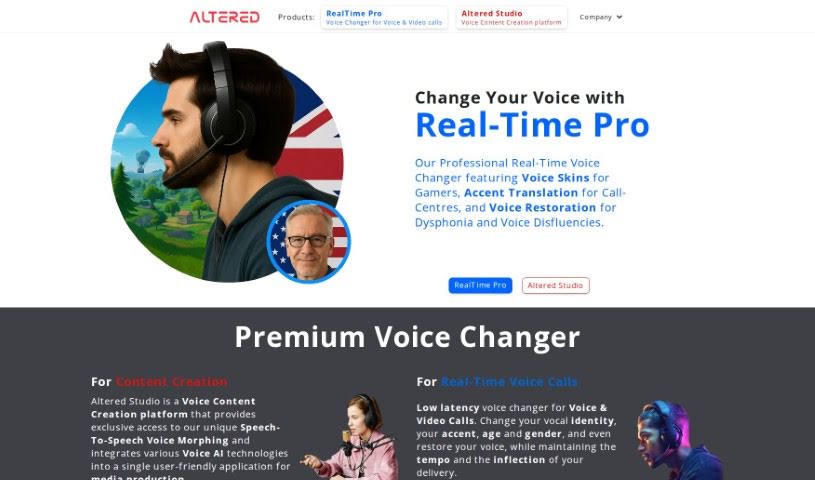
Screenshot of Altered Studio

Altered Studio

Discover what Altered Studio is and how to use it effectively in 2025. We'll explore its features and see how it stacks up against other voice cloning tools.

Screenshot

What is Altered Studio?

Altered Studio is a professional AI voice changer software and service packed with features for media production, real-time communication, voice cloning, and AI voice cleaning. It’s designed to be user-friendly, bringing together various voice AI technologies into one application. You get exclusive access to unique speech-to-speech voice morphing technology, which lets you change your voice to different curated or custom voices. This means you can create really engaging and professional voice performances. Altered Studio also offers real-time generative AI specifically for voice creators, aiming to boost human talent in acting and set a new standard for the audio industry. Plus, they offer premium services like custom voice cloning, text-to-speech for narration, and AI voice cleaning to make your recordings sound even better. You’ll also find features like transcription, translation, and a real-time AI voice changer for your voice chats, all designed to help you express yourself creatively and give listeners truly immersive experiences.

Who created Altered Studio?

Altered Studio was founded by Samuel Justice. He’s also the Co-founder and Supervising Sound Designer at Sweet Justice. Altered Studio is really excited about contributing to making game development more accessible for everyone.

What is Altered Studio used for?

  • Creating content
  • Cloning voices
  • Real-time communication
  • Generative AI for voice creators
  • Editing and changing voices
  • Voice chat
  • Voice production
  • Producing multiple characters
  • Premium voice changing
  • Creating custom voices
  • Making voice content for media production
  • Communicating in real-time with ultra-low latency voice morphing for voice chat
  • Using generative AI for voice creators to enhance human talent in acting
  • Custom voice cloning to get those specific voices projects need
  • Text-to-speech for narration
  • Cleaning and editing AI voices to optimize recordings
  • Transcription and translation services
  • Adding voice-overs to projects
  • Improving media projects with high-quality, realistic voices
  • Giving listeners worldwide immersive experiences
  • A platform for voice content creation
  • Custom voice cloning
  • Various voice AI features
  • Producing voices by creating engaging performances
  • Ultra-low latency voice morphing for voice chat
  • Exclusive speech-to-speech voice morphing technology
  • Adopting new vocal identities for voice chats on different platforms

Who is Altered Studio for?

  • Voice actors
  • Content creators
  • Podcasters
  • Game developers
  • Film and TV producers
  • Musicians
  • Public speakers
  • Educators
  • Advertisers
  • Social media influencers

How to use Altered Studio?

Here’s a simple, step-by-step guide to using Altered Studio:

  1. Sign Up: First, create your account on the Altered Studio website. It’s a quick process.
  2. Dashboard: Once you log in, you’ll land on your dashboard. This are your main control center for everything.
  3. Create a New Project: Look for the “New Project” button and click it to start something fresh.
  4. Import Media: Time to bring in your files! Upload things like images, videos, and audio clips into your project library.
  5. Edit Media: Use the editing tools to make your media files shine. You can trim videos, add filters to images, or adjust audio levels.
  6. Add Effects: Explore the wide range of effects Altered Studio offers. You can add transitions, text overlays, animations, and much more to your project.
  7. Customize: Get into the details and fine-tune your project. Adjust colors, fonts, and other elements until it perfectly matches your vision.
  8. Preview: Before you finalize everything, use the preview feature. It’s a great way to see how all your edits and effects come together.
  9. Save and Export: Happy with how it looks? Save your work, then choose the export option. Pick the format and quality you need for your final output.
  10. Share: Now for the fun part! Share your creation directly to social media platforms or download it to your device.

Following these steps will help you effectively use Altered Studio to create professional and visually appealing multimedia projects.

Related AI Tools

Discover more tools in similar categories that might interest you

Stay Updated with AI Tools

Get weekly updates on the latest AI tools, trends, and insights delivered to your inbox

Join 25,000+ AI enthusiasts. No spam, unsubscribe anytime.