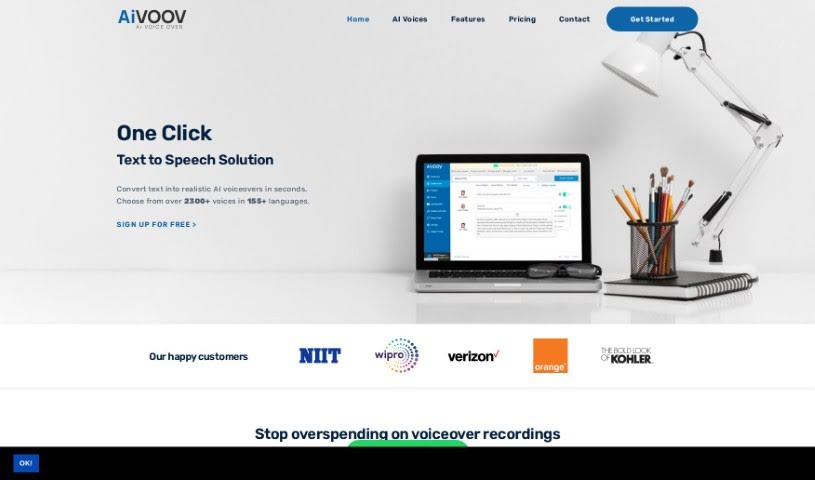
Screenshot of AiVOOV

AiVOOV

Discover AiVOOV in 2025! Learn what this text-to-speech tool is, how to use its features effectively, and how it stacks up against other voice generators.

Screenshot

What is AiVOOV?

AiVOOV is a text-to-speech generator that lets you turn written text into spoken words using incredibly realistic AI voices. Imagine having over 900 different voices available, covering 125 languages – that’s what AiVOOV offers! You can create professional audio files in either MP3 or WAV format. This platform is built with cutting-edge technology to give you a top-notch audio experience. Beyond just text-to-speech, it also handles audio-to-text, generates SRT subtitles, and much more. AiVOOV is perfect for all sorts of projects, whether you’re making audio articles, YouTube videos, setting up IVR systems, creating marketing materials, working with IoT devices, or producing podcasts. It really helps make your content more accessible and engaging across the board.

They offer flexible pricing plans, too. You can choose a plan that fits your needs, with different limits on characters, voice options, and storage space. Some plans even include extras like podcast hosting and the ability to use the audio commercially. It’s a cost-effective, efficient, and really user-friendly tool, making it a great choice for anyone needing high-quality AI voices for their projects.

Who created AiVOOV?

While the specific individuals or group behind AiVOOV aren’t detailed in the information I have, the platform itself launched on July 25, 2022. At its core, AiVOOV is a text-to-speech generator that provides access to over 900 voices across 125 languages, all designed to convert your text into high-quality AI voiceovers. It’s packed with useful features like text-to-speech conversion, audio-to-text transcription, SRT subtitle generation, and even project management tools, all aimed at making the process of creating professional voiceovers much simpler. You can opt for monthly or yearly payments, depending on what works best for your usage, with a variety of package options available to suit different needs.

What is AiVOOV used for?

AiVOOV is incredibly versatile and can be used for a wide range of applications:

  • Podcasts: Create engaging audio content for your listeners.
  • Marketing Content: Craft compelling audio ads and promotional materials.
  • Improve customer satisfaction: Enhance user experience with clear IVR systems.
  • YouTube videos: Add professional voiceovers to your video content.
  • Audio Articles: Turn written articles into easily digestible audio formats.
  • IVR Systems: Provide clear and consistent voice prompts for phone systems.
  • IoT: Integrate voice capabilities into your Internet of Things devices.
  • Podcast Hosting: Manage and distribute your podcasts.
  • Podcasts: (Yes, it’s that important, it’s listed twice!)
  • Boost audience reach: Connect with a wider audience by offering audio versions of your content.
  • Accessibility and user engagement: Make your content accessible to more people and keep them engaged.
  • Share audio content across various platforms: Easily distribute your audio creations wherever your audience is.
  • Boosting audience reach with audio articles: Specifically, using audio articles helps you connect with people on the go.
  • Enhancing accessibility with IoT devices: Making smart devices easier to interact with through voice.
  • Creating professional marketing audio: Ensuring your brand message sounds polished and impactful.
  • Improving customer satisfaction with IVR systems: Making customer interactions smoother and more pleasant.

Who is AiVOOV for?

AiVOOV is a fantastic tool for a diverse group of users:

  • IVR Systems: Anyone managing phone systems that need clear voice prompts.
  • Marketing Content: Professionals creating ads, explainer videos, or promotional audio.
  • IoT: Developers integrating voice into smart devices and applications.
  • Podcasters: Individuals or groups producing regular audio shows.
  • Technical Support: Teams needing to create clear instructions or automated responses.
  • Audio Content Creators: Anyone focused on producing spoken-word content.
  • Marketing Professionals: To craft compelling audio campaigns.
  • IoT Developers: To add voice interfaces to their creations.
  • Podcasters: (Again, a key audience!)
  • Customer Support Representatives: To help create better automated support experiences.
  • Content Creators: Generally, anyone producing any kind of content that could benefit from voice.
  • Video Creators: To add professional narration to their videos.
  • Podcasts: (You get the idea, it’s great for podcasts!)
  • Podcast Hosting: Those who need to manage and distribute their podcast content.

How to use AiVOOV?

Getting started with AiVOOV is pretty straightforward. Here’s a simple breakdown of the steps:

  1. Sign Up for Free: First things first, head over to the AiVOOV website and create an account. This gives you access to their text-to-speech solution.
  2. Choose Voice and Language: Once you’re in, you can pick from over 1000 AI voices across more than 150 languages. This lets you really customize the sound of your voiceover.
  3. Convert Text to Speech: Now, just input the text you want to convert. AiVOOV’s advanced technology works quickly to turn it into professional-sounding voiceovers in just seconds.
  4. Download Your Audio: After the conversion, you can easily download your audio files. They come in MP3 or WAV formats, ready for you to use right away.
  5. Explore Use Cases: Remember, AiVOOV is super versatile! You can use it for things like creating audio articles, adding narration to YouTube videos, setting up IVR systems, making marketing content, working with IoT devices, and producing podcasts.
  6. Enjoy Additional Features: Don’t forget to check out the other handy features. You’ll find text-to-speech, audio-to-text transcription, SRT generation, tools to merge audio files, options to customize background voices, and much more.
  7. Integrate with Web Platforms: AiVOOV plays nicely with various web platforms, making it easy to integrate into your existing workflows.
  8. Payment and Subscription: When it comes to paying, you can use Credit/Debit cards. If your needs change, you can always upgrade your subscription plan to match your usage.
  9. FAQs and Support: If you have questions, there’s a helpful FAQ section. And if you need more specific help, you can always reach out for priority technical support.

By following these steps, you’ll find AiVOOV’s interface really easy to use, and its powerful features will help you create high-quality, natural-sounding voiceovers without much fuss.

Related AI Tools

Discover more tools in similar categories that might interest you

Stay Updated with AI Tools

Get weekly updates on the latest AI tools, trends, and insights delivered to your inbox

Join 25,000+ AI enthusiasts. No spam, unsubscribe anytime.