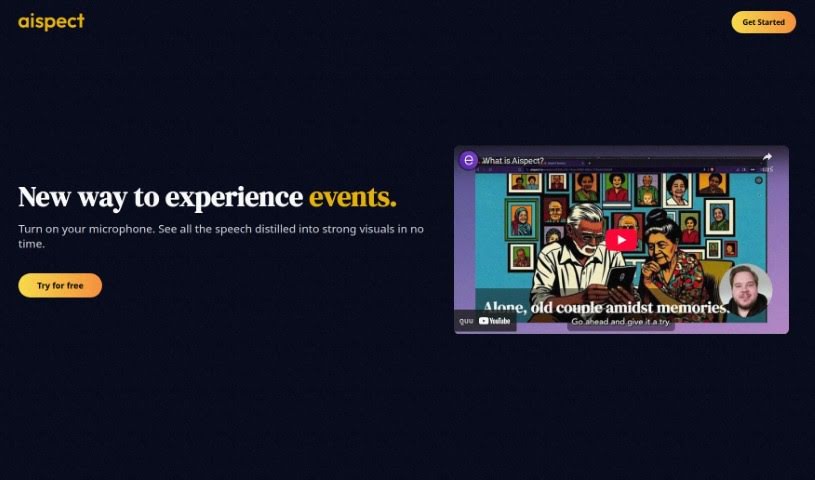
Screenshot of Aispect

Aispect

Discover what Aispect is and how to use it effectively in 2025. We'll walk through its features and compare it to other Image Generators.

Screenshot

What is Aispect?

Aispect is a really neat tool that makes events more engaging by turning live audio into unique visual illustrations, all thanks to AI. It’s especially handy for things like webinars, meetings, and news feeds. It is a way to capture the key points of a discussion and present them as eye-catching visuals. Aispect supports over 30 languages, uses a credit system for generating images, and has different subscription plans available. You can easily manage your subscription right from the dashboard, cancel whenever you need to, and rest assured that your payments are secure and your data is private. Aispect doesn’t keep any recorded audio; it only stores the images you create, which you’re free to use however you like.

Who created Aispect?

Aispect was developed by an AI company and first launched on December 1, 2023. Its main purpose is to convert live audio into visual illustrations, aiming to make events more engaging. The company behind it, an AI firm, has built in features like support for many languages, a credit system for generating images, and secure payment processing handled by Stripe.

What is Aispect used for?

Aispect offers a lot of benefits, especially for events:

  • It supports over 30 languages, making it great for global events.
  • It’s perfect for enhancing webinars and meetings.
  • It can also improve news feeds by adding visual context.
  • Aispect creates engaging visual representations of discussions.
  • This helps improve audience understanding of the content.
  • It adds a fresh dimension to the overall event experience.
  • The visuals make event content more memorable for attendees.
  • You get flexibility with credits that don’t expire.
  • User data privacy is a top priority.
  • Essentially, it enhances the event experience by turning live audio into distinctive visual illustrations.
  • It’s ideal for webinars, meetings, news feeds, and any event with live audio.
  • It transforms key discussion points into thought-provoking visuals during events.
  • By presenting content through engaging visuals, it boosts audience understanding and helps them remember information better.
  • With support for over 30 languages, it’s versatile for international events.
  • The system operates on a credit system, where each image generated uses one credit.
  • Various packages are offered to suit different user needs.
  • Credits don’t expire, giving you flexibility in how and when you use them.
  • You can manage your subscriptions yourself through the dashboard.
  • User data privacy is ensured because Aispect doesn’t store recorded audio, only the generated images.

Who is Aispect for?

Aispect is a great tool for:

  • Event Planners
  • Marketers
  • Language interpreters
  • Content creators
  • Business professionals
  • Meeting organizers
  • News editors

How to use Aispect?

Getting started with Aispect is straightforward. Just follow these steps:

  1. First, sign up and log in to Aispect. You can do this using your email or other available methods.
  2. Make sure your microphone is turned on so Aispect can capture the live audio.
  3. Aispect will then automatically convert the live audio into captivating visual illustrations in real-time.
  4. Take some time to explore Aispect’s features. This includes event visualization, its support for over 30 languages, and how the credit-based usage system works.
  5. You can choose from different credit packages that are available, depending on what you need.
  6. Feel free to use the images that are generated, as they are stored for your access.
  7. Managing your subscription is easy through the dashboard, and you can cancel anytime if your needs change.
  8. You’ll appreciate the flexibility because credits don’t expire, meaning you can use them whenever it’s convenient for you.
  9. New users get started with Aispect by receiving free credits when they sign up.
  10. You can use the visual representations Aispect creates for various events like webinars, meetings, and news feeds to really boost audience engagement and understanding.

By following these steps, you can effectively use Aispect to turn live audio into engaging visual illustrations for all sorts of events.

Related AI Tools

Discover more tools in similar categories that might interest you

123RF AI Image Generator

Creative Image Generation
Learn More

Stay Updated with AI Tools

Get weekly updates on the latest AI tools, trends, and insights delivered to your inbox

Join 25,000+ AI enthusiasts. No spam, unsubscribe anytime.