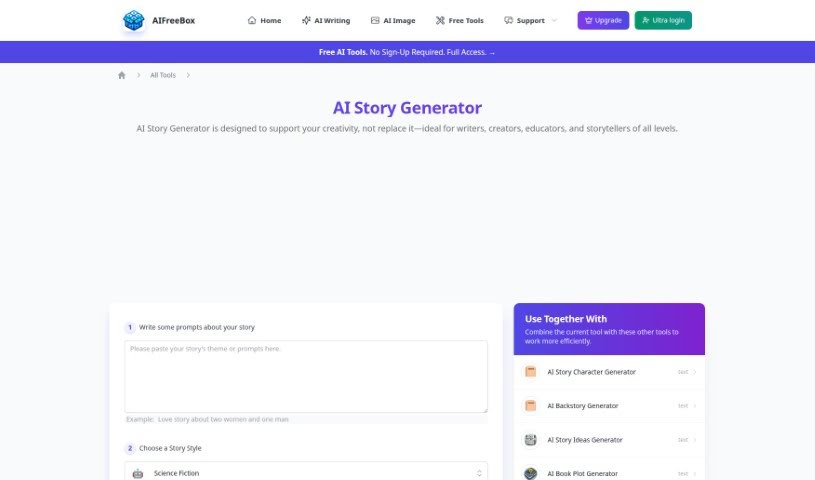
Screenshot of AIFreeBox AI Story Generator

AIFreeBox AI Story Generator

Discover what AIFreeBox AI Story Generator is and how to use it effectively in 2025. We'll explore its features and see how it stacks up against other story generators.

Screenshot

What is AIFreeBox AI Story Generator?

AIFreeBox AI Story Generator is a handy tool that falls under the umbrella of AI Writing Tools. Essentially, it’s designed to help you generate stories and content for books. This AI-powered generator can really help you create engaging and unique narratives, making the whole process of storytelling feel more efficient and sparking your creativity. By using advanced artificial intelligence, the AIFreeBox AI Story Generator lets you explore all sorts of different storytelling paths and really boost your writing projects. Whether you’re writing for fun, working on a personal creative project, or tackling professional writing tasks, this tool offers a valuable way to develop imaginative and compelling storylines with a little help from AI.

Who created AIFreeBox AI Story Generator?

The AIFreeBox AI Story Generator was created by AIFreeBox. This company is known for developing a range of AI tools, including those for writing, social media, e-commerce, and specifically, story and book writing. At the moment, we don’t have specific details about the founder or more in-depth company information.

Who is AIFreeBox AI Story Generator for?

  • Novelists
  • Screenwriters
  • Content creators
  • Advertising Copywriters
  • Game developers
  • Journalists
  • Bloggers
  • Teachers
  • Script editors
  • Playwrights

How to use AIFreeBox AI Story Generator?

Using the AIFreeBox AI Story Generator is pretty straightforward. Here’s a simple breakdown of how to get started:

  1. First, head over to the AIFreeBox AI Story Generator tool on their website.
  2. Next, you’ll want to pick the kind of story you’re aiming for – maybe fantasy, romance, mystery, or something else entirely.
  3. To get the AI going, start by typing in a prompt or a few opening sentences. This gives the AI a starting point for the story.
  4. If there are any extra settings available, like how long you want the story to be or specific details you want to include, go ahead and customize those.
  5. Once you’re ready, just hit the “Generate Story” button. The AI will then create a unique story based on what you’ve provided.
  6. After the story is generated, take a moment to review it. You can then make any edits or changes you feel are needed.
  7. If you like what you’ve got, you can save or download the story to your device.
  8. Finally, you can share your newly created story with others or use it however you planned.

By following these steps, you can easily use the AIFreeBox AI Story Generator to craft engaging and imaginative stories for all sorts of different needs.

Related AI Tools

Discover more tools in similar categories that might interest you

123RF AI Image Generator

Creative Image Generation
Learn More

Stay Updated with AI Tools

Get weekly updates on the latest AI tools, trends, and insights delivered to your inbox

Join 25,000+ AI enthusiasts. No spam, unsubscribe anytime.