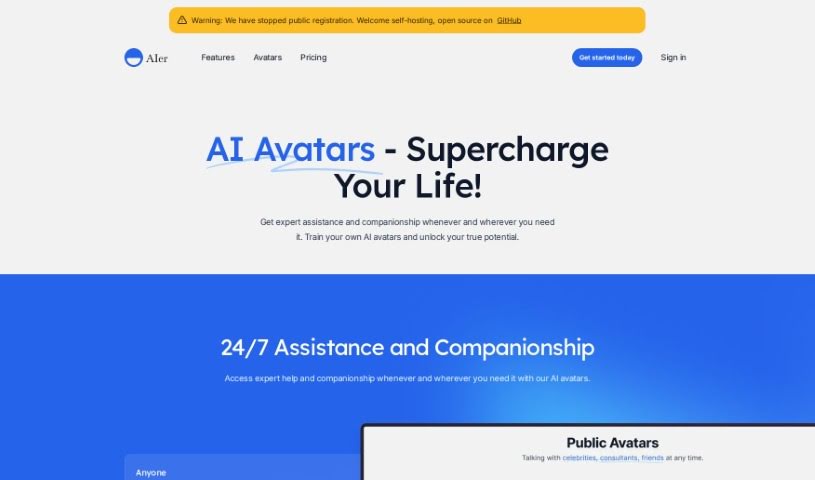
Screenshot of Aier.app

Aier.app

Curious about Aier.app? We'll break down what this platform is, how you can use its features to your advantage in 2025, and how it stacks up against other avatar makers.

Screenshot

What is Aier.app?

Aier.app is a platform you can find on GitHub, developed by ThaddeusJiang. It’s designed to offer a range of features, including avatar creation, various pricing tiers, and a whole host of functionalities for users. From what I can tell, the platform really aims to be user-friendly, packing in features that are meant to suit all sorts of different needs. If you want to dive deeper, you can check out the provided links for more information and the latest updates to really see what it can do.

Who created Aier.app?

Thaddeus Jiang is the person behind Aier.app, having launched it on March 16, 2023. He’s the founder of the company that developed it. You can find more details about the company and Aier.app itself on their website.

Who is Aier.app for?

  • Graphic Designers
  • Web Developers
  • Content Creators
  • Marketing Specialists
  • Game Developers
  • Educators
  • Social Media Managers
  • Entrepreneurs
  • UX/UI Designers
  • Software Engineers

How to use Aier.app?

Here’s a straightforward guide to using Aier.app:

  1. Gather Your Data: You can quickly import information in a few ways: use bulk import for large amounts, input data daily, or connect via API. This gives your AI avatar a rich base of knowledge to work with.
  2. Train Your AI Avatars: Once you’ve collected your data, it’s time to train your AI avatars. This is essentially the process of teaching the AI models using all the information you’ve provided.
  3. Chat with Your Avatars: After training, you can start interacting with your AI avatars. This is where you can really fine-tune their functionality to match exactly what you need.
  4. Make It Yours (Personalization): Customize your AI avatars to fit your specific requirements. This helps boost their performance and makes sure they’re perfect for your unique use cases.
  5. Keep Improving (Optimization): To make sure your AI avatars perform their best, keep refining them. You can do this by feeding them updated data and providing feedback regularly.

Following these steps should help you effectively use Aier.app to gather data, train, and interact with AI avatars, creating some really personalized digital experiences.

Related AI Tools

Discover more tools in similar categories that might interest you

123RF AI Image Generator

Creative Image Generation
Learn More

Stay Updated with AI Tools

Get weekly updates on the latest AI tools, trends, and insights delivered to your inbox

Join 25,000+ AI enthusiasts. No spam, unsubscribe anytime.