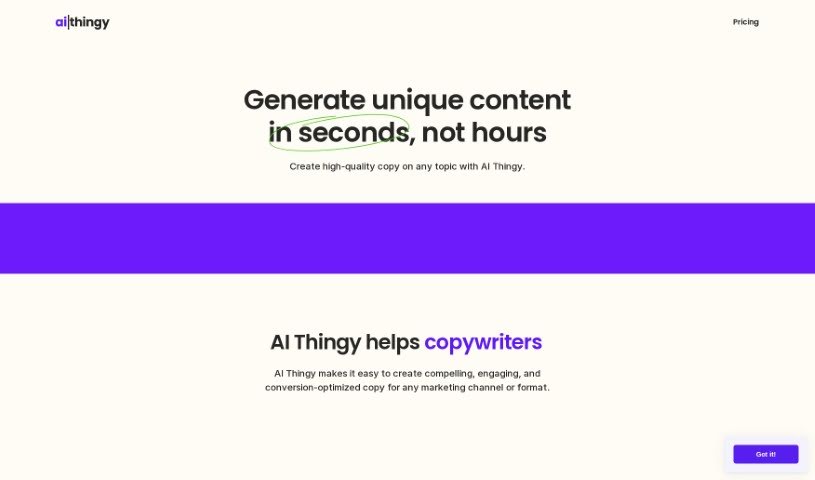
Screenshot of AI Thingy

AI Thingy

Discover what AI Thingy is and how to use it to create great content in 2025. We'll cover its features, compare it to other writing tools, and show you exactly how to get started.

Screenshot

What is AI Thingy?

AI Thingy is a smart tool that uses artificial intelligence to help you write text copy. It is your personal assistant for quickly creating content that’s not only unique and engaging but also optimized to convert readers into customers. It’s designed for all sorts of marketing needs, whether you’re crafting an ad, a blog post, or website copy. What’s really neat is that it doesn’t just give you text; it also suggests relevant keywords, offers handy templates, lets you pick different tones of voice, and even helps make your content SEO-friendly. Plus, you can easily look back at your past work, generate images to go with your text, and connect it with tools you probably already use, like Slack Bot, a Chrome Extension, and a Figma Plugin. You can also tweak the output to make it just right for you. AI Thingy covers a wide range of content types, including ad copies, blog posts, website content, social media updates, product descriptions, and emails. It works on a pay-as-you-go basis, which is pretty flexible. For new users, there’s a free trial with 100 credits to get you started. You’ll find it delivers content about four times faster than usual, and it even helps you generate keywords automatically.

Who created AI Thingy?

AI Thingy was actually developed by Sliday Agency, a company based in New Zealand. It first came out on January 4, 2023. Initially, the agency built it for their own use, to help them create content more efficiently. But they soon realized it was so good, they decided to share it with everyone else. So, it’s a tool born from practical, in-house needs, now available to help you too. Remember, it’s an AI-powered text copy generator designed to help you quickly produce unique, engaging, and conversion-optimized content for all your marketing channels and formats.

What is AI Thingy used for?

AI Thingy is incredibly versatile! You can use it to:

  • Generate professional emails
  • Write engaging blog posts
  • Craft compelling product descriptions
  • Create effective ad copy
  • Develop persuasive website copy
  • Produce snappy social media content
  • And much more!

It also helps you create content in different tones of voice, generate related images to make your content pop, and integrates smoothly with tools like Slack Bot, a Chrome Extension, and a Figma Plugin. Essentially, it supports a wide variety of content formats to meet all your creative needs.

Who is AI Thingy for?

This tool is a great fit for a wide range of people who need to create content:

  • Copywriters: To speed up drafting and find new angles.
  • Marketers: To create campaigns that resonate and convert.
  • Managers: To oversee content creation efficiently.
  • Scientists: To communicate complex ideas clearly.
  • Students: For essays, reports, and presentations.
  • Creators: To bring their ideas to life across different platforms.

Basically, if you write or need written content, AI Thingy can likely help.

How to use AI Thingy?

Using AI Thingy is pretty straightforward and designed to be user-friendly. Here’s a simple breakdown of how to get the most out of it:

  1. Give it Some Context: Start by typing a few sentences about what you want to create. This gives the AI the basic information it needs.
  2. Let AI Thingy Work Its Magic: The tool will then analyze your input and generate original copy for you, complete with relevant keywords.
  3. Refine the Output: You’re in control! Edit and tweak the generated content until it perfectly matches your specific requirements and style.
  4. Boost Your SEO: Make sure to use the keywords AI Thingy suggests. This helps your content rank better in search engine results.
  5. Add Visuals with Image Generation: Don’t forget you can also use AI Thingy to create images that complement your written content, making it more visually appealing.
  6. Integrate with Your Workflow: Take advantage of its integrations. Connect it with Slack Bot, the Chrome Extension, or the Figma Plugin to streamline your process even further.
  7. Explore Different Content Formats: Experiment with creating various types of content, such as ad copies, blog posts, website content, social media posts, product descriptions, and emails.
  8. Use the History Feature: Need to find something you wrote before? The history feature lets you easily navigate and search through all your past outputs.
  9. Leverage Smart Templates: For even faster content creation, use the smart templates that are designed to tailor content specifically to your needs.
  10. Choose Your Tone: Select from different tones of voice to ensure your message connects with your intended audience and conveys the right emotion.

By following these steps, you’ll be able to efficiently use AI Thingy to produce unique, engaging content for all sorts of marketing channels and formats. It’s all about giving you the tools to create great content, faster.

Related AI Tools

Discover more tools in similar categories that might interest you

Stay Updated with AI Tools

Get weekly updates on the latest AI tools, trends, and insights delivered to your inbox

Join 25,000+ AI enthusiasts. No spam, unsubscribe anytime.