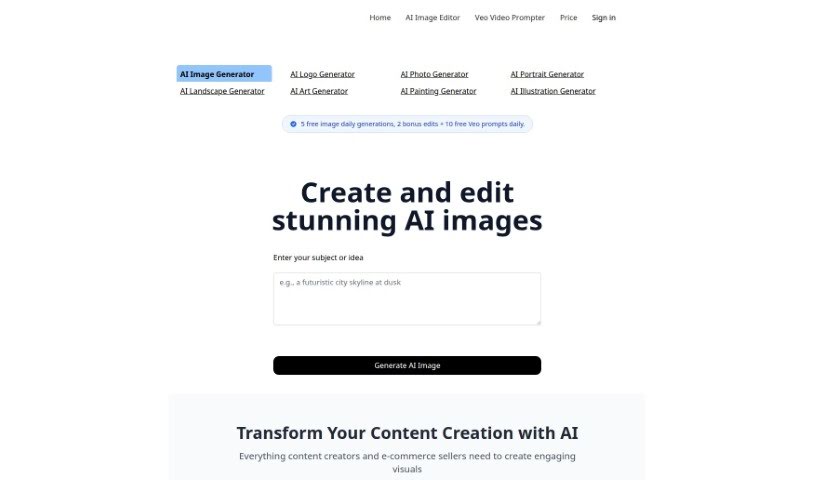
Screenshot of AI Prompt Generator

AI Prompt Generator

Discover what an AI Prompt Generator is and learn how to use it effectively in 2025. We'll explore its features, compare it to other image generators, and show you how to get better results.

Screenshot

What is AI Prompt Generator?

The AI Prompt Generator - Notion Template is a really handy tool that helps you create detailed, natural-sounding prompts for AI image generation software. Instead of typing directly into the AI, you get a user-friendly interface with a structured way to build prompts. It’s designed for all experience levels, letting you tweak parameters and even offering tutorial videos to guide you. Plus, you get lifetime updates to keep improving your image generation process. It’s a great resource for graphic designers looking for creative inspiration, and it works with various AI image generation software.

Who created AI Prompt Generator?

Fiction Productivity created the AI Prompt Generator. They launched this online tool on June 17, 2024, specifically to help graphic designers by generating text prompts that can spark new image ideas. Fiction Productivity focuses on providing resources that really help spark creativity and support artists.

What is AI Prompt Generator used for?

This tool is great for a lot of things:

  • Generating specific images: You can get exactly the kind of image you’re looking for.
  • Boosting creative focus: It helps you concentrate on your creative ideas.
  • Crafting top-notch prompts: You’ll be able to write really effective prompts.
  • Getting better image results: Expect noticeably improved outcomes.
  • Using natural language: It supports prompts written in everyday language.
  • Making image generation smoother: It helps the whole process flow better.
  • Answering your questions: It can help clarify things about prompt creation.
  • Delivering specific results: Your prompts will lead to more precise outputs.
  • Appealing to beginners: It’s especially helpful for those new to AI image generation.
  • Improving image quality: You’ll see better images overall.
  • Creating effective prompts: It guides you in making prompts that work well.
  • Generating multiple ideas: You can get lots of different image concepts based on what you input.
  • Guiding prompt creation: It helps you craft detailed, natural-sounding prompts for AI image software.
  • Adjustable parameters: You can change settings to match your experience level.
  • Easy copy-pasting: You can copy prompts directly from Notion to AI applications without hassle.
  • Video tutorials: There’s a video tutorial included for extra help.
  • Instant improvements: You’ll see better image results right away.
  • Software compatibility: It works with popular AI image generators like Midjourney and DALL-E.
  • Support for everyone: It’s designed to help users of all experience levels.
  • Help when you need it: Support is available if you run into any issues.
  • Lifetime updates: You’ll receive ongoing updates for the product.
  • Delivering instant results: Get better images immediately.
  • Templates in action: It provides templates that you can see in use.
  • Assisting prompt creation: It’s a great aid for making effective prompts.

Who is AI Prompt Generator for?

  • Graphic designers

How to use AI Prompt Generator?

Here’s how to get the most out of the AI Prompt Generator - Notion Template:

  1. Adjust Parameters: You can tailor the prompts to your experience level, switching between casual and professional settings.
  2. Copy-Paste Function: Skip typing directly into AI software. Just copy your prompts from Notion for a seamless workflow.
  3. Tutorial Access: Need a hand? Watch the tutorial video linked in the product description for visual guidance.
  4. Duplicate Template: Want to start creating? Click the ‘Duplicate’ button to easily save a copy of the template to your own Notion workspace.
  5. Contact Support: If you have questions or need help, feel free to email Fiction Productivity at [email protected].
  6. Purchase Process: Ready to buy? Visit the secure Gumroad checkout link. Just make sure you have JavaScript enabled in your browser.
  7. Feedback Submission: We’d love to hear about your experience! Share your thoughts and feedback by emailing [email protected].

Following these steps will ensure you have a smooth experience with the AI Prompt Generator - Notion Template, making it easier to create great prompts for your image generation projects.

Related AI Tools

Discover more tools in similar categories that might interest you

123RF AI Image Generator

Creative Image Generation
Learn More

Stay Updated with AI Tools

Get weekly updates on the latest AI tools, trends, and insights delivered to your inbox

Join 25,000+ AI enthusiasts. No spam, unsubscribe anytime.