What is AI Icon Online?
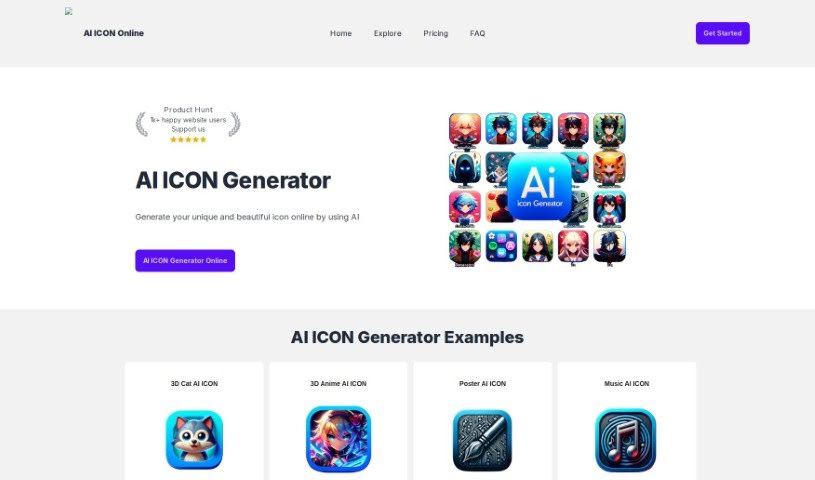
AI Icon Online is a handy tool that uses AI to help you create high-quality icons super fast, usually in just minutes. It is a way to save both time and money on your icon design needs. What’s great is that it’s really easy to use, even if you’re not a design pro. This means you can really let your creativity flow and explore tons of different ideas without any hassle. They offer a few different pricing options, including a free plan that gives you one credit to start. Then there’s a starter plan for smaller projects, a premium plan if you need more power, and an advanced plan for even more capabilities. Basically, you can use AI to whip up unique, eye-catching icons that are just right for what you need. It’s super useful for designers, developers, anyone working on UI design, web design, or branding. It’s designed to be user-friendly, so you don’t need any fancy design skills – you just tell it what you want with prompts. Now, it’s not perfect, of course. Sometimes there can be loading errors, it needs an internet connection to work, and you might run into occasional technical hiccups, plus you can’t really use it offline. For payments, they use Stripe, which is a really secure service, so your financial details are safe.
Who created AI Icon Online?
An AI Icon Generator company is behind AI Icon Online. They launched the platform back on January 10, 2024. While we don’t have details on who the specific founder is, the company’s main focus is on offering various services related to AI-generated icons. They aim to help designers and developers create unique and visually appealing icons. As mentioned, the platform provides different pricing plans with varying credit amounts, making it convenient for users. The whole idea is to let you create icons based on prompts, meaning you don’t need advanced design skills to get started.
What is AI Icon Online used for?
- It’s free to try out.
- It’s really helpful for designers.
- Developers will find it useful too.
- It’s perfect for UI design projects.
- It really aids in web designing.
- It’s a great help for branding efforts.
- You can use it for custom iconography.
- The process for creating icons is straightforward.
- It generates icons just from your words.
- You can get customized icons.
- The results are visually appealing.
- It generates unique icons.
How to use AI Icon Online?
Ready to start creating icons? Here’s a simple breakdown of how to use AI Icon Online:
- Get to the AI Icon Generator: First, head over to the AI Icon Online website. Take a moment to look around and get comfortable with how everything is laid out.
- Pick a Plan: Choose the plan that best fits what you need. You’ve got options like the Free Plan, Starter Plan, Premium Plan, or the Advanced Plan.
- Generate Your Icon: Now for the fun part! You have a couple of ways to do this:
- Option 1: Just type in what you want your icon to look like, and the generator will do the rest.
- Option 2: You can input more specific details about the icon you’re envisioning, and the generator will produce it based on those specs.
- Check Out Examples: It’s a good idea to look at the examples of AI-generated icons they provide. This can give you a really good sense of what kind of results you can expect.
- Handle Payments: If you decide to upgrade your plan or buy more credits, rest assured that the payment process is secure, thanks to Stripe.
- Visit the FAQ: If you have questions or need a bit more guidance on creating unique and beautiful icons with AI, definitely check out the Frequently Asked Questions section.
- Explore the Features: You’ll find that this tool saves you time when creating icons. It’s got a user-friendly interface, and it really lets you be infinitely creative. Plus, you can create icons just by typing prompts, and you don’t need any advanced design skills to get visually appealing and unique results.
- Weigh the Pros and Cons:
- Pros: You get unique, visually appealing icons. It’s great for designers and developers, useful for UI and web design, helps with branding, and it’s free to use, among other benefits.
- Cons: Keep in mind there might be loading errors, some browser compatibility issues, and occasional technical glitches.
- Use the Dashboard: Head over to the Dashboard interface to start creating and customizing your icons.
- Create Icons Safely:
- To ensure safe image creation, it’s best to avoid borrowing styles directly from living artists.
- You can also feel good about secure payment processing through Stripe, as they don’t keep your card details.
- Share Feedback and Get Support: If you have any feedback to help improve the user experience, please share it! You can also reach out for support if you need assistance.
- Technical Notes:
- Make sure you have a stable internet connection for everything to run smoothly. Also, be aware that sometimes the alignment might not perfectly match what you expected.
By following these steps, you’ll be well on your way to using AI Icon Online effectively to create all sorts of unique and customized icons for your design projects.