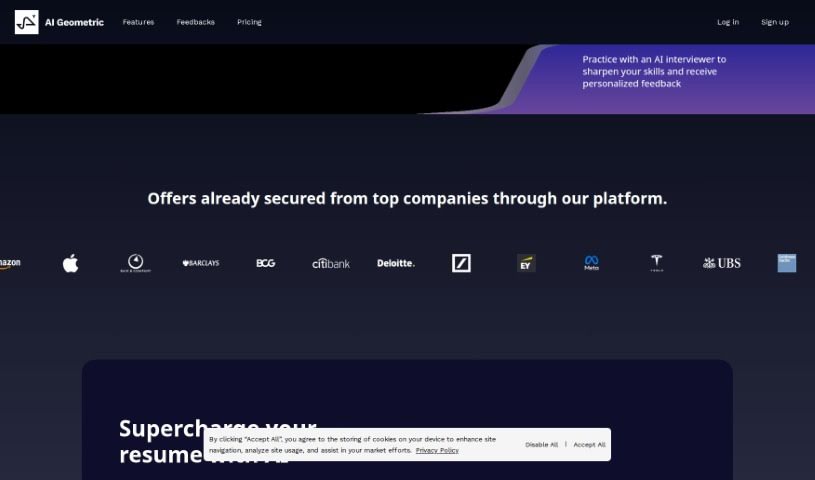
Screenshot of AI Geometric

AI Geometric

Discover AI Geometric in 2025! Learn what this AI interview practice tool is, how it works, and how it can help you ace your next interview. We cover its features, who created it, and how to use it for free.

Screenshot

What is AI Geometric?

AI Geometric is a really smart tool designed to help you get ready for interviews. It is a practice partner that puts you through simulated, real-time interview scenarios. It’s pretty revolutionary, offering detailed, actionable advice to really boost your interview skills. The tool does a great job of making the practice feel like the real thing. It watches how you do, points out what you’re doing well, and then gives you specific tips on how to get even better. Plus, it gives you personalized reports on your performance, transcribes exactly what you said, and even points out things you might have forgotten to mention during the interview. The AI Interviewer uses natural language processing, so it understands what you’re saying and responds naturally, making the whole experience feel quite authentic.

Who created AI Geometric?

Several CEOs, including Jeffery, Davies, Linian, Jack, Xingzhi, and Guanyu, are behind AI Geometric. They launched the company on March 15, 2024. Their goal was to create a groundbreaking AI tool for interview practice. It’s built to simulate interviews as they happen, give you personalized feedback on your performance, and offer concrete suggestions for improvement. The AI Interviewer itself is powered by impressive technology from companies like OpenAI, AWS, and Google. The whole idea is to help users sharpen their interview skills with feedback that’s both accurate and helpful.

What is AI Geometric used for?

AI Geometric is great for a few key things:

  • Sharpening your interview skills: It’s all about making you a better interviewee.
  • Practicing real interviews: It simulates what an actual interview feels like, right in real-time.
  • Getting useful feedback: You’ll receive feedback that’s detailed and actually tells you what to do.
  • Seeing your progress: Personalized performance reports show you how you’re doing.
  • Spotting your strengths: It helps you identify what you’re already good at during interviews.
  • Getting tips for improvement: You’ll get constructive suggestions to make your interviews even stronger.
  • Accurate transcriptions: It transcribes your spoken comments so you can review them.
  • Catching missed points: It highlights things you might have overlooked during the interview.
  • Helping everyone: It’s useful whether you’re new to interviewing or have been doing it for years.
  • Fine-tuning your approach: It helps you really dial in your interview techniques.
  • Video interview prep: It’s particularly helpful if you’re preparing for video interviews.
  • Tailored advice: It can even adjust feedback based on the specific job and industry you’re targeting.

Who is AI Geometric for?

This tool is a fantastic resource for:

  • New interviewees: If you’re just starting out, it’s a great way to learn the ropes.
  • Experienced interviewees: Even if you’ve interviewed many times, it can help you refine your approach.
  • Anyone preparing extensively: If you’re someone who likes to be thoroughly prepared, this tool will help you fine-tune your skills even further.

How to use AI Geometric?

Getting the most out of AI Geometric for your interview prep is pretty straightforward. Just follow these steps:

  1. Head over to AI Geometric: Start by visiting the AI Geometric platform or their website.
  2. Pick your interview: Choose the company and the specific role you’re aiming for. You can go with pre-set questions tailored for certain companies or even upload your own custom questions.
  3. Chat with the AI Interviewer: The AI Interviewer uses natural language processing to mimic a real interview. It’ll ask questions, and often follow up, to make the experience feel as realistic as possible.
  4. Get your feedback: Once the simulated interview is done, you’ll get personalized, actionable feedback. It’ll clearly show your strengths and where you can improve. You can also review a recording of your interview for even more insights.
  5. Use your performance report: After each simulation, you’ll get a detailed performance report. This report highlights your strengths and offers suggestions for how to do better next time.
  6. Explore all the features: Remember, AI Geometric offers real-time simulations, accurate transcriptions of what you say, and feedback on points you might have missed. It’s designed to help both beginners and seasoned professionals.
  7. It’s free to use: The best part? AI Geometric is completely free, with no hidden costs, making it a really accessible tool for anyone preparing for interviews.
  8. Check out the tech: The AI Interviewer is built using advanced technologies from leaders like OpenAI, AWS, and Google, ensuring you get a high-quality practice experience.

By following these steps, you can really use AI Geometric to boost your interview skills and feel more confident tackling whatever interview challenges come your way.

Related AI Tools

Discover more tools in similar categories that might interest you

Adaface AI Resume Parser

Human Resource Recruitment
Learn More

Stay Updated with AI Tools

Get weekly updates on the latest AI tools, trends, and insights delivered to your inbox

Join 25,000+ AI enthusiasts. No spam, unsubscribe anytime.