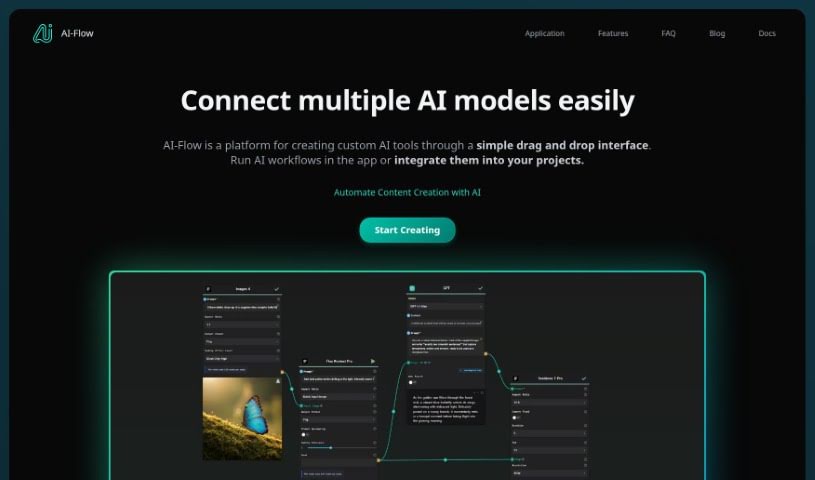
Screenshot of AI-Flow

AI-Flow

Discover what AI-Flow is and how to use it effectively in 2025. We'll explore its features and see how it stacks up against other Text-to-Image tools.

Screenshot

What is AI-Flow?

AI-Flow is a way to link up different artificial intelligence models, all through a simple graphical interface. It’s an open-source platform built to make AI more accessible for innovators and creators. What’s really neat is that it lets you combine various AI models, has a drag-and-drop setup, and helps you quickly build custom AI tools that fit exactly what you need.

With AI-Flow, you can connect a bunch of AI models, like GPT-4, DALL-E 3, Stable Diffusion, Replicate, LLaMa 2, GPT-3.5, and many others. The drag-and-drop feature is a big deal because it makes combining these models super easy. You can create your own AI tools fast, without needing to write any code.

AI-Flow is designed for everyone, from individual creators to big companies. You can customize it a lot, and even if you’re not tech-savvy, you can still use it. It’s great for things like making illustrated stories, summarizing web pages, and a whole lot more. Plus, because it’s open-source, the community can work together to make it even better.

Who created AI-Flow?

AI-Flow was developed as an open-source project specifically to connect various artificial intelligence models. It uses a user-friendly interface, making it simpler for innovators and creators to work with AI. Launched on July 30, 2024, the platform was started by people who wanted to make AI more accessible and easier to customize. It supports popular models like GPT-4 and DALL-E 3, offers that handy drag-and-drop functionality, and allows for quick setup. It’s built to serve both individual creators and larger corporations.

What is AI-Flow used for?

Here are some of the cool things you can do with AI-Flow:

  • Create stories with illustrations
  • Generate summaries and analyses of web content
  • Turn text into video
  • Develop your own unique AI tools
  • Automate the creation of AI-powered stories
  • Produce batches of images
  • Convert text into video
  • Analyze web content
  • Help make AI more accessible to everyone
  • Customize AI models

Who is AI-Flow for?

  • Individual creators
  • Large corporations

How to use AI-Flow?

To get the most out of AI-Flow, here’s a simple guide:

  1. Getting Started: First, head over to the AI-Flow platform. It’s designed to connect different AI models easily through its user-friendly interface.
  2. Connecting AI Models: Use AI-Flow to link up models like GPT-4, DALL-E 3, Stable Diffusion, Replicate, and others to achieve innovative results.
  3. Building Custom AI Tools: Take advantage of the drag-and-drop interface to quickly build your own custom AI tools. You won’t need much coding knowledge for this.
  4. Tailoring AI Solutions: You can customize AI solutions in just minutes to match your specific project needs and handle different situations.
  5. Creating Illustrated Stories: AI-Flow makes it easy to generate illustrated stories by combining multiple AI models.
  6. Analyzing Web Content: Use AI-Flow to automatically summarize and analyze web content, giving you deeper insights.
  7. Explore Further: Keep up with AI-Flow by checking out updates on Twitter and Github. You can also dive into the documentation for more detailed information. Plus, its open-source nature means you can contribute to its ongoing improvement.

By following these steps, you can really use AI-Flow’s features to conveniently create custom AI solutions that are perfect for what you need.

Related AI Tools

Discover more tools in similar categories that might interest you

123RF AI Image Generator

Creative Image Generation
Learn More

Stay Updated with AI Tools

Get weekly updates on the latest AI tools, trends, and insights delivered to your inbox

Join 25,000+ AI enthusiasts. No spam, unsubscribe anytime.