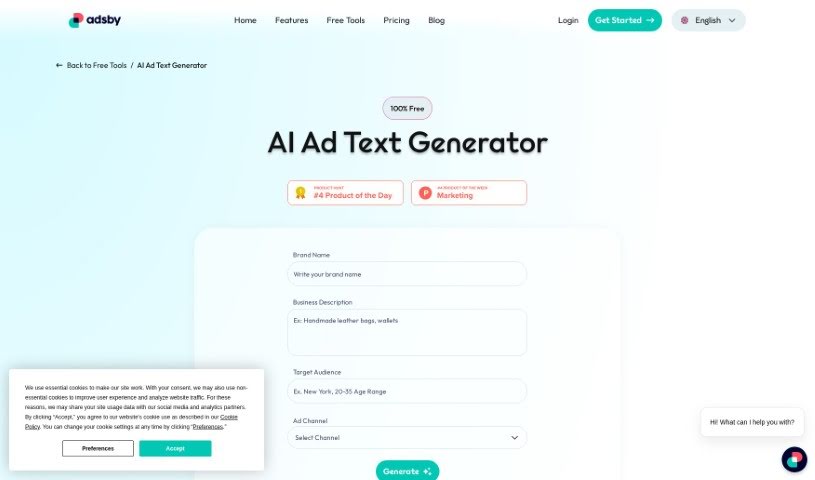
Screenshot of ADSBY AI Ad

ADSBY AI Ad

Discover what ADSBY AI Ad is and learn how to use it effectively in 2025. We'll explore its features and see how it stacks up against other Digital Marketing Tools.

Screenshot

What is ADSBY AI Ad?

AI Ad is a handy tool from Adsby designed to make creating ad copy for popular digital spots like Google, Facebook, Instagram, Twitter, and LinkedIn much simpler. This free AI Ad Text Generator uses smart AI and Big Data to give small businesses and startups a real boost in their digital marketing efforts. You just need to share some details about your business and who you’re trying to reach, and the tool quickly whips up custom ad copy. It’s built with advertising best practices and current trends in mind, so your ads should perform better. It’s a big help for businesses that don’t have a lot of resources for marketing, offering an easy-to-use interface and creating ad copy that really connects with people.

Who created ADSBY AI Ad?

The AI Ad Text Generator comes from Adsby. This company is all about helping small businesses and startups with their digital marketing, using advanced AI and Big Data. The information I have doesn’t mention the founder or specific company details.

How to use ADSBY AI Ad?

Want to get the most out of the AI Ad tool? Just follow these simple steps:

  1. Find the Tool: Head over to the Adsby website and look for the Free AI Ad Text Generator section.
  2. Pick Your Platform: Decide where you want your ads to run – maybe Google, Instagram, Facebook, Twitter, or LinkedIn.
  3. Share Your Business Info: Give the tool some key details about your business. The more you share, the better it can personalize the ad copy.
  4. Tell Us Who You’re Talking To: Be clear about your target audience. This helps the AI make sure the ad copy really speaks to them.
  5. Let the AI Create: Now, let the AI Ad Text Generator do its thing! It’ll quickly generate ad copies that follow good advertising rules and are up-to-date with what’s working.
  6. Check and Tweak: Take a look at the ad copies the AI made. Do they sound like your brand? Do they get your message across? Make any adjustments needed.
  7. Fine-Tune for Best Results: Make any small changes to improve how effective and appealing the ad copies are to your audience.
  8. Make Sure It’s Compliant: Double-check that your ad copies follow the rules of the advertising platform you’re using. This helps avoid any problems with your ad campaign.
  9. Save or Use It: Once you’re happy with the ad copies, you can either download them to use in your campaigns or put them straight into the advertising platforms.
  10. Watch How It Does: Keep an eye on how your ads are performing. You might need to make more adjustments to get the best impact and achieve your goals.

By following these steps, you can really use the AI Ad tool to create ad copies that are not only effective and targeted but also perfectly suited to what your business needs and what you want to achieve with your marketing.

Related AI Tools

Discover more tools in similar categories that might interest you

Stay Updated with AI Tools

Get weekly updates on the latest AI tools, trends, and insights delivered to your inbox

Join 25,000+ AI enthusiasts. No spam, unsubscribe anytime.