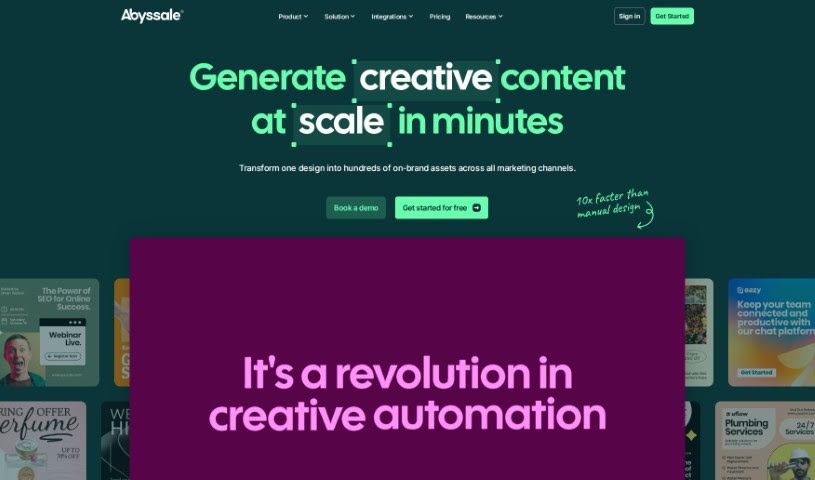
Screenshot of Abyssale

Abyssale

Discover what Abyssale is and how to use it effectively in 2025. We'll explore its features, compare it to other design generators, and show you how to get started.

Screenshot

What is Abyssale?

Abyssale is a platform designed to make customizing visual elements really straightforward. You can easily add your own fonts, including whole font families, or pick from the extensive Google font library to get just the right look for your text. It’s also great for reaching a wider audience because Abyssale can generate visual assets in many different languages. Even if you’re working solo, Abyssale lets you create templates, design projects, and produce image variations quickly, so you don’t need a whole team to get things done. Plus, you can manage what your team members can do, share images for feedback both inside and outside your company, and even let people who don’t have an account generate images. Basically, Abyssale is a super flexible tool for both creating designs and working with others.

Who created Abyssale?

Abyssale was actually started by three co-founders. They brought with them valuable experience from places like BlaBlaCar, Publicis, Expedia, and Qonto. This team is really passionate about design and technology, and they love tackling new challenges and pushing the boundaries in marketing automation.

How to use Abyssale?

Here’s a simple guide to using Abyssale effectively:

  1. Make It Your Own:
    • You can customize and arrange all sorts of elements using Abyssale’s easy-to-use interface. It’s designed to be intuitive.
    • Want specific fonts? You can upload your own custom font families or browse the entire Google font library for endless typography choices.
  2. Works in Many Languages:
    • Abyssale lets you create visuals in a wide range of languages. This includes Latin-based languages, but also Arabic, Cyrillic, Chinese, Japanese, Hebrew, Korean, and many more, making it truly global.
  3. Visual Output Options:
    • You can generate your visuals as web PDFs (at 300 DPI for good quality) or print PDFs (also 300 DPI, using the CMJN iso coated profile for professional printing).
    • If you’re working with videos or animations, you can export them in common formats like .mp4, .gif, or .html5.
  4. Teamwork Made Easy:
    • Depending on your subscription, you can invite team members to join you.
    • You can all work together on designing templates, creating different versions of images, approving designs, and setting who has access to what.
  5. No Team? No Problem!:
    • You don’t need a team to start using Abyssale. It’s perfectly fine to use it on your own.

By following these steps, you’ll be able to use Abyssale efficiently for all your design needs. And if you ever get stuck or want to explore more advanced features, don’t forget to check out the Help Center and the Developer Hub for extra guidance.

Related AI Tools

Discover more tools in similar categories that might interest you

123RF AI Image Generator

Creative Image Generation
Learn More

Stay Updated with AI Tools

Get weekly updates on the latest AI tools, trends, and insights delivered to your inbox

Join 25,000+ AI enthusiasts. No spam, unsubscribe anytime.